Dell Data Security Serverのポリシーをコミットする方法
Summary: 次の手順に従って、Dell Data SecurityおよびDell Data Protectionサーバーのポリシーをコミットする方法について説明します。
Acest articol se aplică pentru
Acest articol nu se aplică pentru
Acest articol nu este legat de un produs specific.
Acest articol nu acoperă toate versiunile de produs existente.
Instructions
Dell Security Management Server(旧Dell Data Protection Enterprise Edition ServerまたはDell Data Protection Virtual Edition)でポリシーをコミットする手順について説明します。
対象製品:
- Dell Security Management Server
- Dell Security Management Server Virtual
- Dell Data Protection Enterprise Edition Server
- Dell Data Protection Virtual Editionサーバー
影響を受けるバージョン:
- v8.0以降
管理対象エンドポイントで変更を有効にするには、ポリシーをDell Security Management Serverに保存してからコミットする必要があります。
Dell Security Management Serverのポリシー設定は、製品バージョンv9.2.0以降、またはv8.0.0から9.1.Xで異なります。特定の手順については、該当するバージョンをクリックしてください。バージョン情報については、「 Dell Data Security Serverのバージョンを識別する方法」を参照してください。
v9.2.0以降
- Dell Data Security管理コンソールにサイン インします。
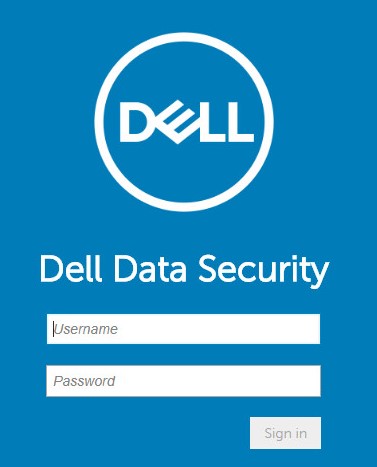 注:詳細については、「 Dell Data Security Server管理コンソールにアクセスする方法」を参照してください。
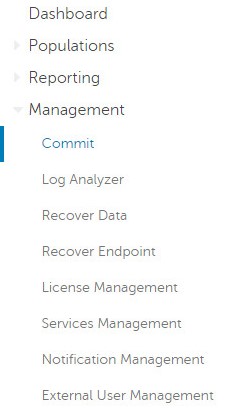
 - 左側のメニュー ペインで[Management]をクリックしてから[Commit]を選択します。
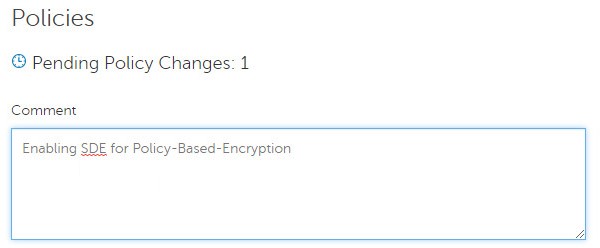
- コミットする保存済みポリシーの変更を詳述したコメントを入力します。
- [Commit Policies]をクリックします。
![[Commit Policies]](https://supportkb.dell.com/img/ka0Do000000Tm1dIAC/ka0Do000000Tm1dIAC_ja_4.jpeg)
v8.0.0~9.1.X
- 認証情報を送信して、Dell Data Protection管理コンソールにサインインします。
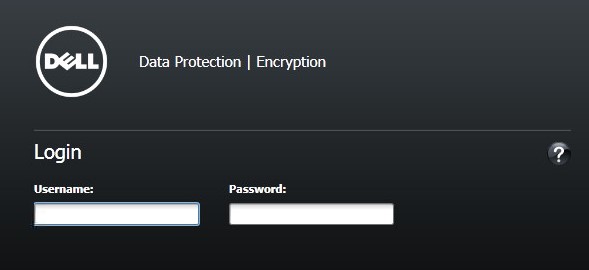 注:詳細については、「 Dell Data Security Server管理コンソールにアクセスする方法」を参照してください。
 - 左ペインで、[Commit Policies]をクリックします。
![[Commit Policies]](https://supportkb.dell.com/img/ka0Do000000Tm1dIAC/ka0Do000000Tm1dIAC_ja_6.jpeg)
- 保存されたポリシー変更の詳細を示すコメントを入力してから[Apply Changes]をクリックします。
![[Comment]および[Apply Changes]](https://supportkb.dell.com/img/ka0Do000000Tm1dIAC/ka0Do000000Tm1dIAC_ja_7.jpeg) 注:保留中のポリシー変更番号は、影響を受けるポリシー、エンドポイント、およびドメインの数に基づいて割り当てられます。
注:保留中のポリシー変更番号は、影響を受けるポリシー、エンドポイント、およびドメインの数に基づいて割り当てられます。
サポートに問い合わせるには、「Dell Data Securityのインターナショナル サポート電話番号」を参照してください。
TechDirectにアクセスして、テクニカル サポート リクエストをオンラインで生成します。
さらに詳しい情報やリソースについては、「デル セキュリティ コミュニティー フォーラム」に参加してください。
Additional Information
Videos
Produse afectate
Dell EncryptionProduse
Dell Data SecurityProprietăți articol
Article Number: 000123779
Article Type: How To
Ultima modificare: 19 Apr 2026
Version: 15
Găsiți răspunsuri la întrebările dvs. de la alți utilizatori Dell
Servicii de asistență
Verificați dacă dispozitivul dvs. este acoperit de serviciile de asistență.