Avamar BMR - Avamar Bare Metal Recovery 마법사에서 디버그 활성화
Summary: 이 문서에서는 Windows 클라이언트 BMR(Bare Metal Restore) 중에 디버깅을 활성화하는 방법에 대해 설명합니다.
Acest articol se aplică pentru
Acest articol nu se aplică pentru
Acest articol nu este legat de un produs specific.
Acest articol nu acoperă toate versiunile de produs existente.
Instructions
BMR 중에 디버그를 활성화하려면 Avamar Bare Metal Recovery Wizard에서 "--debug" 플래그를 두 번 추가합니다.
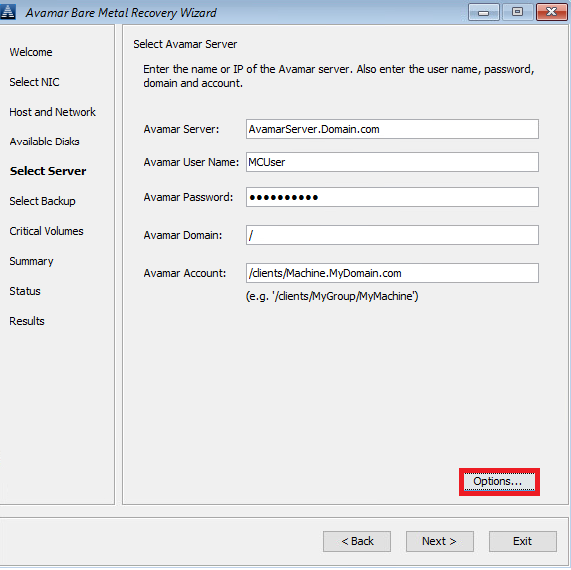
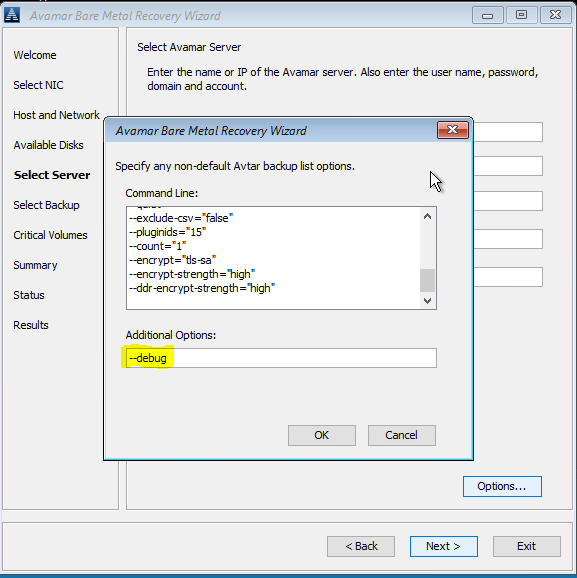
1. Select Server에서'Options'를 클릭하고 --debug를 입력합니다(이렇게 하면 avtar에서 'debug'가 활성화됨).
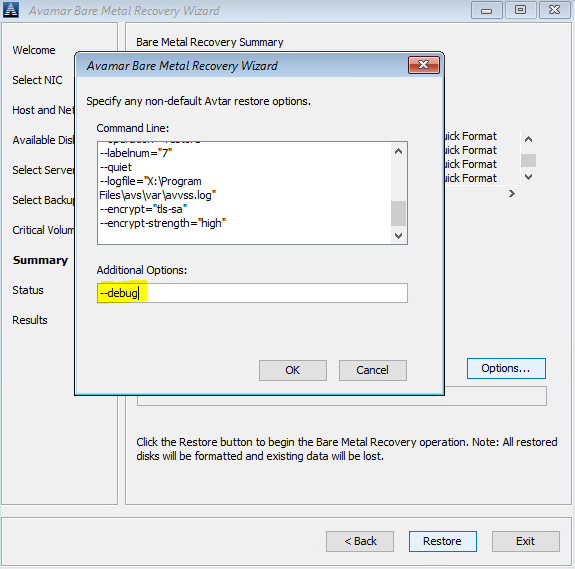
2. Summary에서 'Options'를 클릭하고 -debug를 입력합니다(이렇게 하면 avvss에서 'debug'가 활성화됨).

또는 명령줄을 사용하여 X:\Program Files\avs\var 폴더에서 avtar.cmd 및 avvss.cmd 파일을 추가합니다.
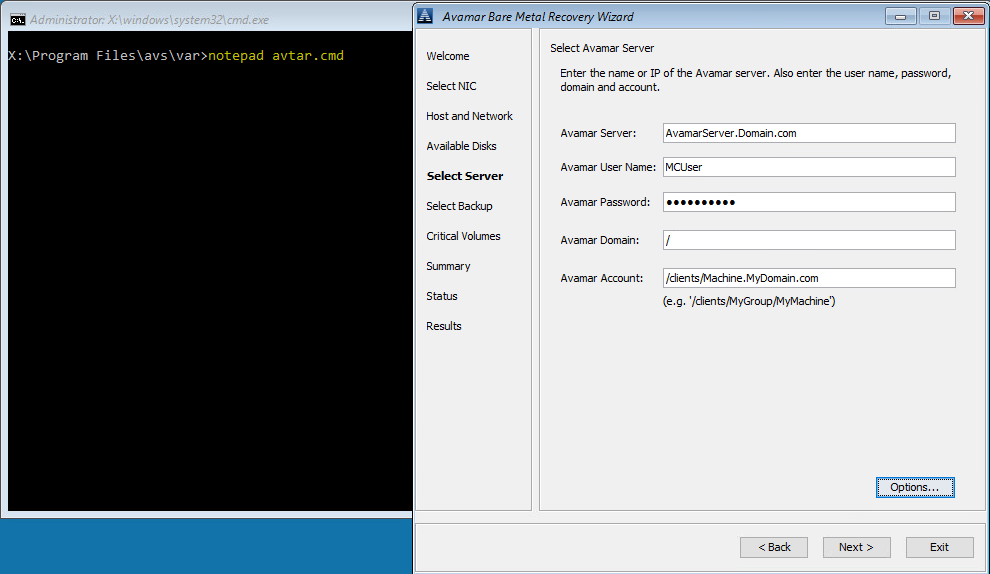
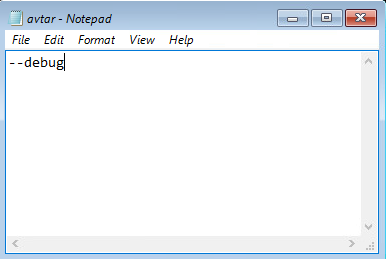
notepad avtar.cmd
--debug 플래그를 추가하고 파일을 저장합니다.
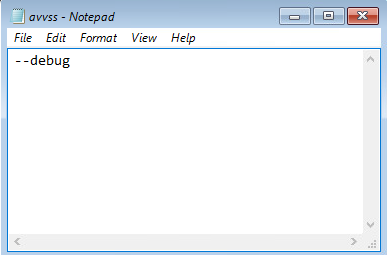
notepad avvss.cmd
--debug 플래그를 추가하고 파일을 저장합니다.
1. Select Server에서'Options'를 클릭하고 --debug를 입력합니다(이렇게 하면 avtar에서 'debug'가 활성화됨).
2. Summary에서 'Options'를 클릭하고 -debug를 입력합니다(이렇게 하면 avvss에서 'debug'가 활성화됨).
또는 명령줄을 사용하여 X:\Program Files\avs\var 폴더에서 avtar.cmd 및 avvss.cmd 파일을 추가합니다.
notepad avtar.cmd
--debug 플래그를 추가하고 파일을 저장합니다.
notepad avvss.cmd
--debug 플래그를 추가하고 파일을 저장합니다.
Produse afectate
AvamarProduse
Avamar Client for WindowsProprietăți articol
Article Number: 000197689
Article Type: How To
Ultima modificare: 27 May 2026
Version: 7
Găsiți răspunsuri la întrebările dvs. de la alți utilizatori Dell
Servicii de asistență
Verificați dacă dispozitivul dvs. este acoperit de serviciile de asistență.