Avamar BMR - Foutopsporing inschakelen in Avamar Bare Metal Recovery Wizard
Summary: In het artikel wordt beschreven hoe u foutopsporing inschakelt tijdens Bare Metal Restore (BMR) van windows-client.
Acest articol se aplică pentru
Acest articol nu se aplică pentru
Acest articol nu este legat de un produs specific.
Acest articol nu acoperă toate versiunile de produs existente.
Instructions
Om foutopsporing tijdens BMR in te schakelen, voegt u de vlag "--debug" twee keer toe in de Avamar Bare Metal Recovery Wizard.
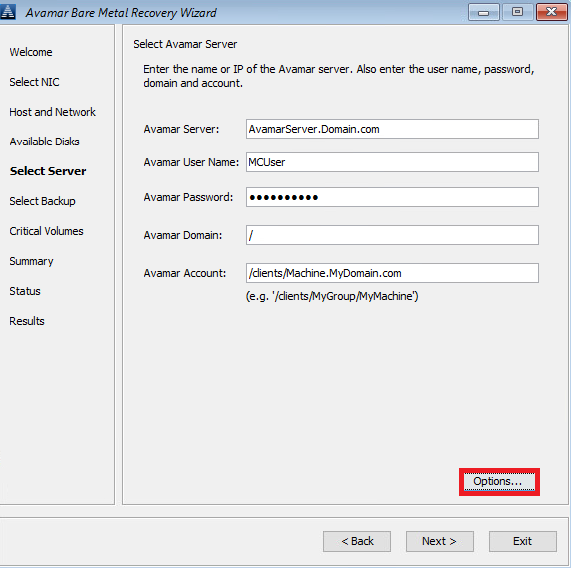
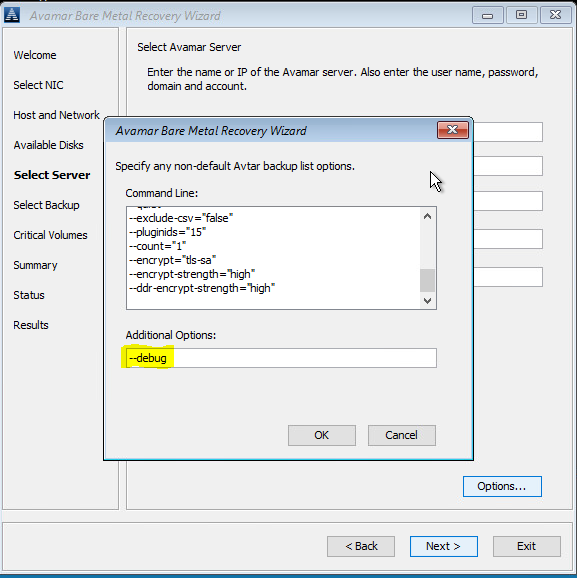
#1 Klik in Select Server op 'Options' en typ in --debug (hiermee schakelt u 'debug' in avtar in)
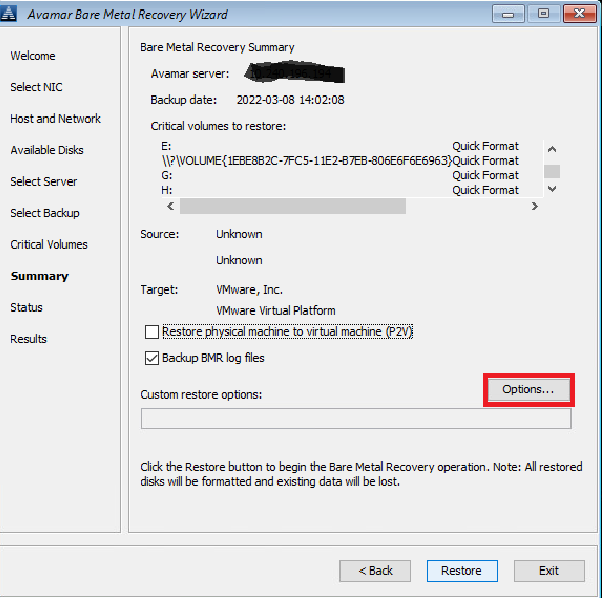
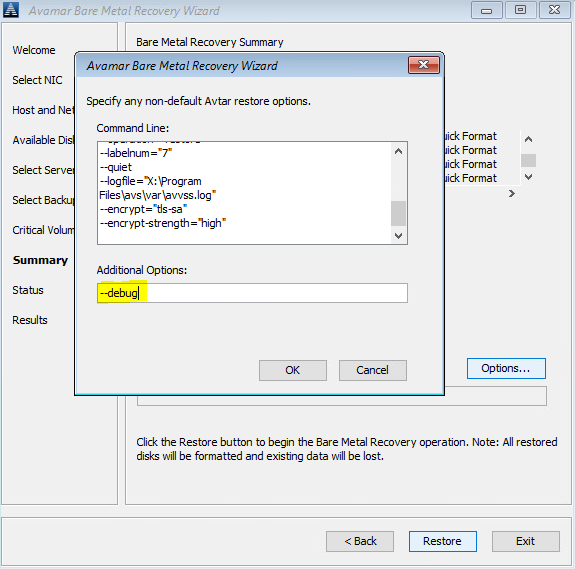
#2 In Summary, klikt u op 'Options' en typt u in --debug (hiermee wordt 'debug' in avvss ingeschakeld)
U kunt ook een opdrachtregel gebruiken (klik op het venster 'cmd' achter avamar BMR Wizard) om avtar.cmd en avvss.cmd te maken bestanden in X:\Program Files\avs\var folder:
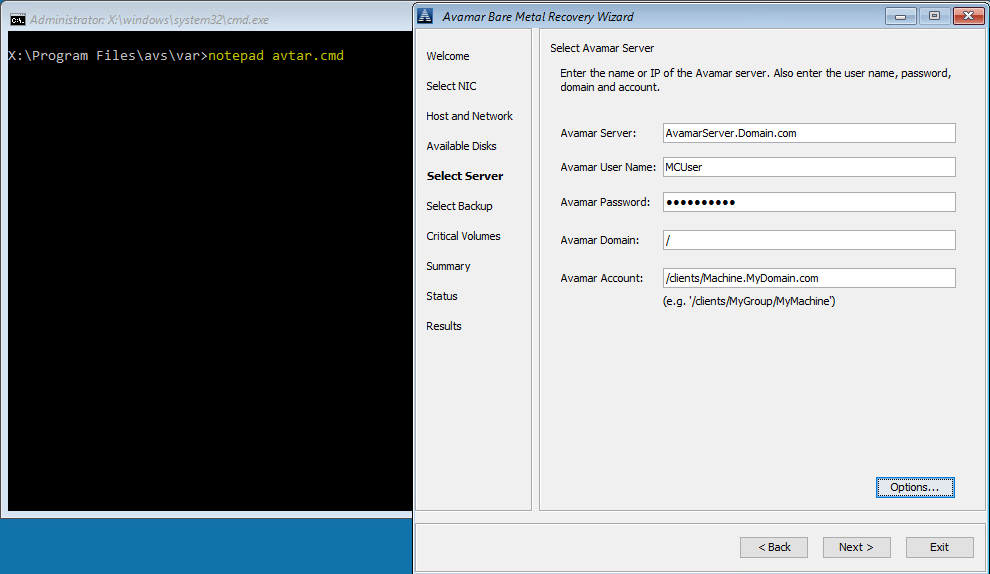
notepad avtar.cmd
add --debug flag en sla het bestand op.
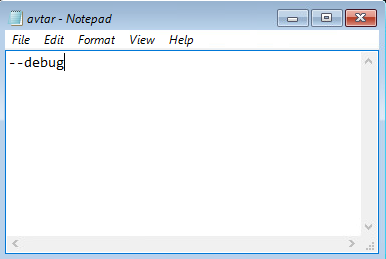
kladblok avvss.cmd
voeg de vlag --debug toe en sla het bestand op.
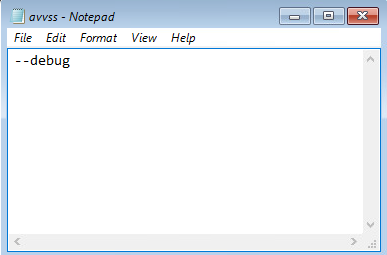
#1 Klik in Select Server op 'Options' en typ in --debug (hiermee schakelt u 'debug' in avtar in)
#2 In Summary, klikt u op 'Options' en typt u in --debug (hiermee wordt 'debug' in avvss ingeschakeld)
U kunt ook een opdrachtregel gebruiken (klik op het venster 'cmd' achter avamar BMR Wizard) om avtar.cmd en avvss.cmd te maken bestanden in X:\Program Files\avs\var folder:
notepad avtar.cmd
add --debug flag en sla het bestand op.
kladblok avvss.cmd
voeg de vlag --debug toe en sla het bestand op.
Produse afectate
AvamarProduse
Avamar Client for WindowsProprietăți articol
Article Number: 000197689
Article Type: How To
Ultima modificare: 27 May 2026
Version: 7
Găsiți răspunsuri la întrebările dvs. de la alți utilizatori Dell
Servicii de asistență
Verificați dacă dispozitivul dvs. este acoperit de serviciile de asistență.