MHC Azure Stack: OEM 類型:韌體檢查角色的健全狀況 OEM 提出例外
Summary: Type FirmwareCheckHealth of Role OEM 提出例外錯誤,執行 Test-OEMFirmwareHealth iDRAC 出現關鍵嚴重錯誤,無法繼續進行韌體更新。
Acest articol se aplică pentru
Acest articol nu se aplică pentru
Acest articol nu este legat de un produs specific.
Acest articol nu acoperă toate versiunile de produs existente.
Symptoms
OEM 的預檢查失敗,錯誤:
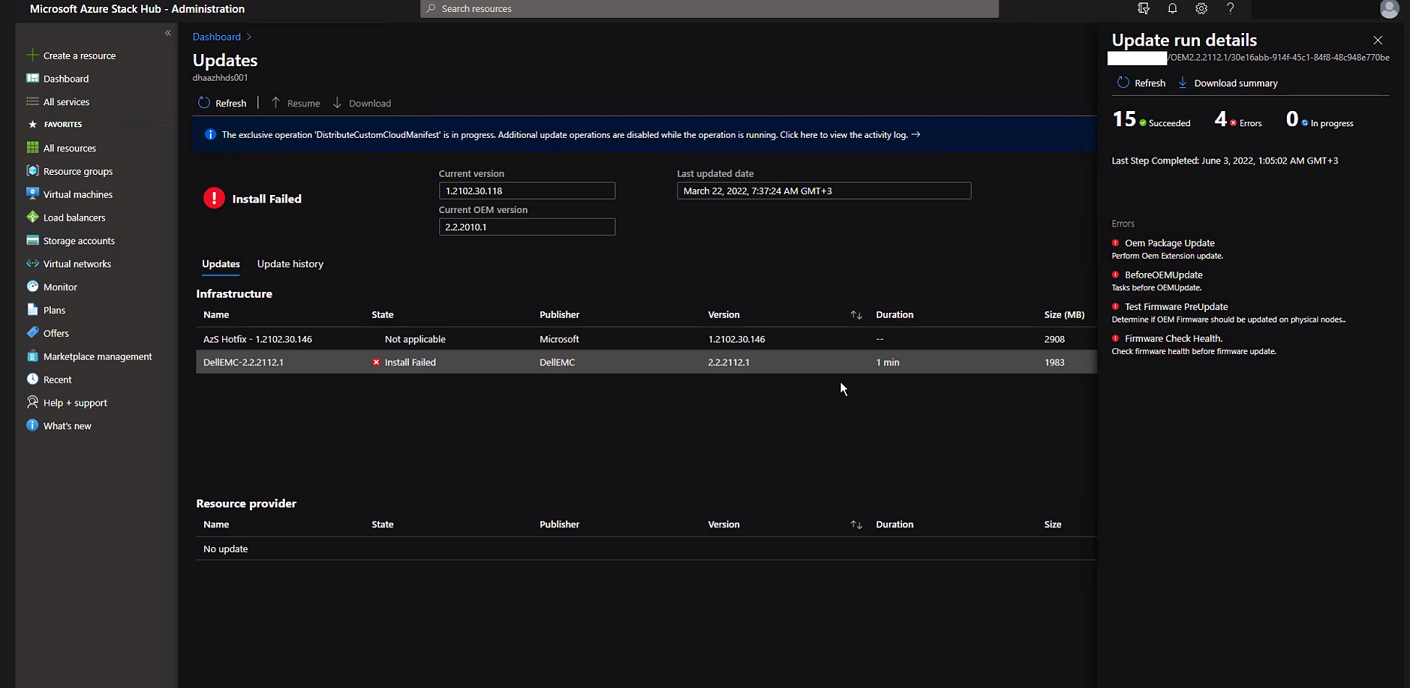
按一下 「下載摘要」。
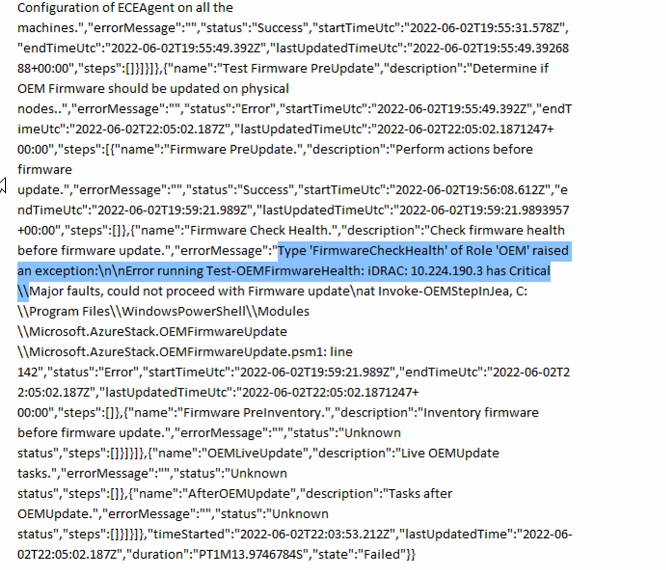
Error.json:
Oem Package Update
Perform Oem Extension update.

BeforeOEMUpdate
Tasks before OEMUpdate.

Test Firmware PreUpdate
Determine if OEM Firmware should be updated on physical nodes.

Firmware Check Health.
Check firmware health before update.
按一下 「下載摘要」。
Error.json:
Type ‘FirmwareCheckHealth’ of Role ‘OEM’ raised an exception:\n\nError running Test-OEMFirmwareHealth: iDRAC: 10.224.190.3 has Critical Major faults, could not proceed with Firmware update….
Cause
四部伺服器中有三部發生記憶體錯誤。在繼續之前,必須先解決這些問題。
The memory health monitor feature has detected a degradation in the DIMM installed in DIMM_A6. Reboot system to initiate self-heal process.
Resolution
若要解決此問題,請修正記憶體錯誤。
- 排空顯示記憶體故障的 iDRAC 節點電力。
- 排空後,在 PEP PowerShell 視窗中執行下列命令。
get-virtualdisk -cimsession "s-cluster"
get-virtualdisk -cimsession "s-cluster" | get-storagejob
- 當所有儲存工作完成後,將伺服器從 iDRAC 冷啟動
- 確認 DIMM 已復原:
The self-heal operation successfully completed at DIMM DIMM_A6.
- 在 Azure Stack 視窗中,啟動節點。
- 在 Azure Stack 視窗中,繼續節點。
Produse afectate
Integrated System for Microsoft Azure Stack Hub 14GProprietăți articol
Article Number: 000200301
Article Type: Solution
Ultima modificare: 08 Sep 2025
Version: 3
Găsiți răspunsuri la întrebările dvs. de la alți utilizatori Dell
Servicii de asistență
Verificați dacă dispozitivul dvs. este acoperit de serviciile de asistență.