Windows Autopilot - Invite Dell as an OEM Partner
Summary: This article explains how to authorize Dell as an OEM partner for Windows Autopilot.
Acest articol se aplică pentru
Acest articol nu se aplică pentru
Acest articol nu este legat de un produs specific.
Acest articol nu acoperă toate versiunile de produs existente.
Instructions
Windows Autopilot
Onboarding for OEM partners requires your organization to authorize the OEM in Microsoft Endpoint Manager.
Note: Global Administrator rights are required to accept and approve the partner invitation for your organization.
Click the Partner Invitation Link 
If required, log in to the MEM portal (Figure 1).
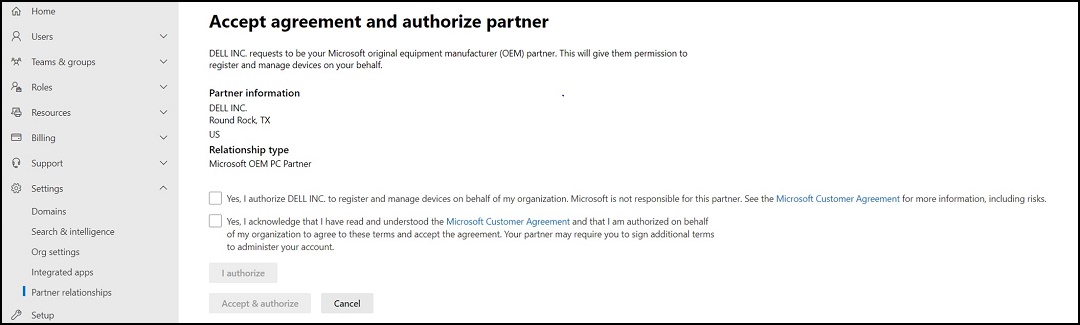
Figure 1
Check both boxes and click "I authorize," and then click "Accept and Authorize."
MEM acknowledges the submission (Figure 2).

Figure 2
Additional Information
Recommended Articles
Here are some recommended articles related to this topic that might be of interest to you.
Proprietăți articol
Article Number: 000204734
Article Type: How To
Ultima modificare: 15 May 2026
Version: 4
Găsiți răspunsuri la întrebările dvs. de la alți utilizatori Dell
Servicii de asistență
Verificați dacă dispozitivul dvs. este acoperit de serviciile de asistență.