Dell Unity: Sådan aktiveres og deaktiveres SSH
Summary: Denne artikel beskriver flere metoder til at aktivere og deaktivere SSH på Dell Unity-systemer.
Acest articol se aplică pentru
Acest articol nu se aplică pentru
Acest articol nu este legat de un produs specific.
Acest articol nu acoperă toate versiunile de produs existente.
Instructions
METODE 1: Fra Unisphere (UI) – når systemet er i normal tilstand
Sådan aktiveres:
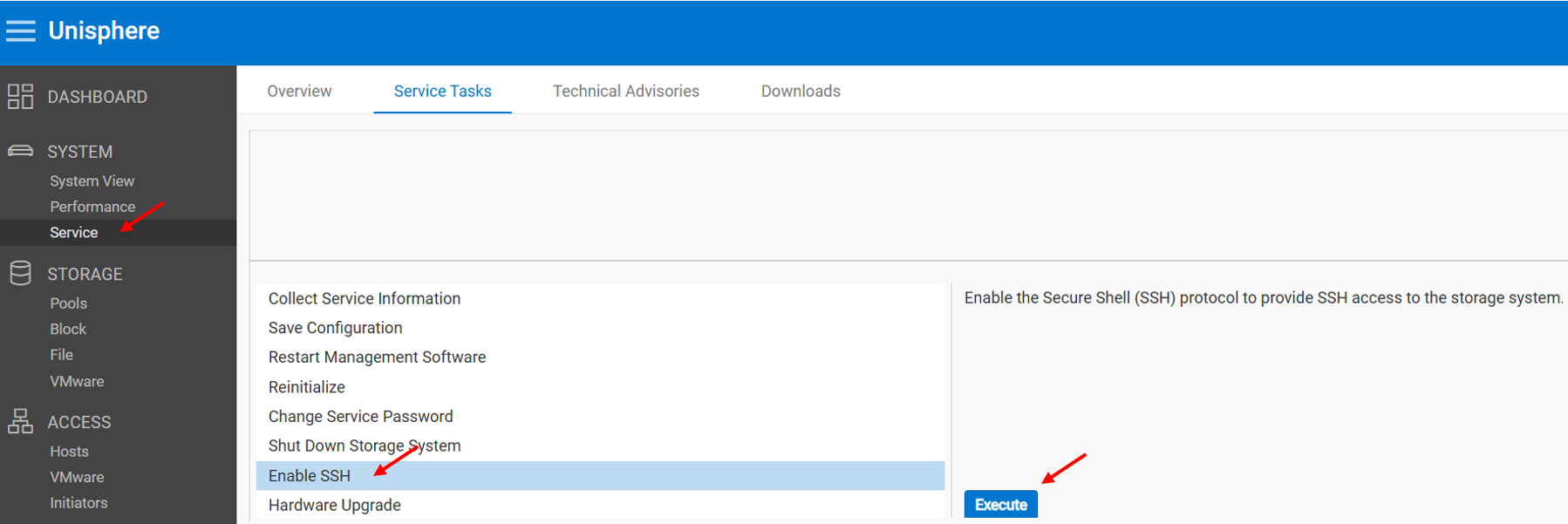
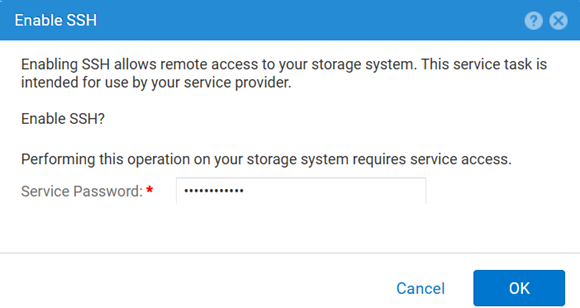
Sådan deaktiverer du:
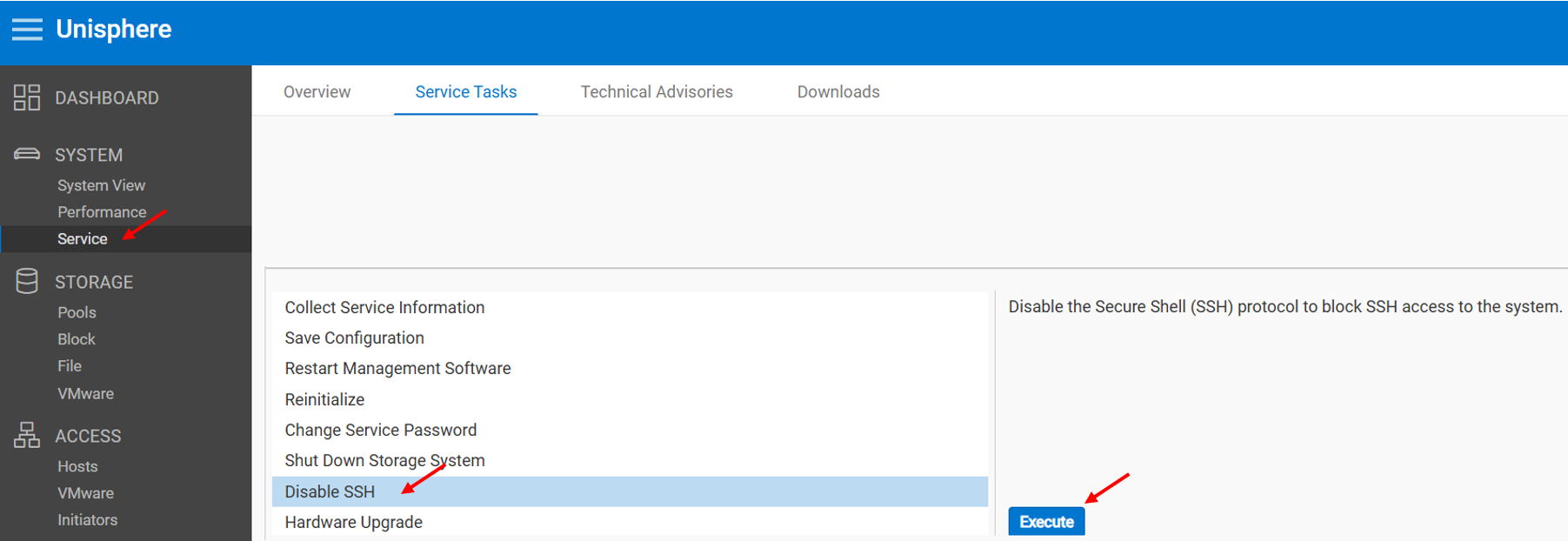
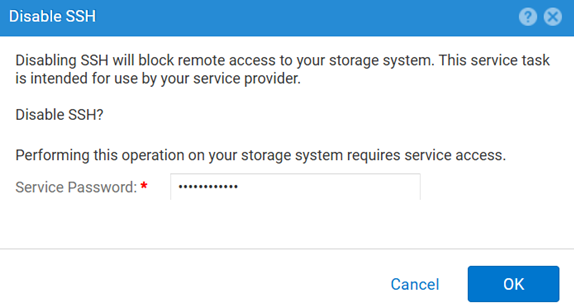
METODE 2: UEMCLI
Sådan får du vist SSH-indstillingen:
uemcli.exe -d <MGMT IP> -u admin -securePassword /service/ssh showSådan aktiveres SSH:
uemcli.exe -d <MGMT IP> -u admin -securePassword /service/ssh set -enabled yesSådan deaktiveres SSH:
uemcli.exe -d <MGMT IP> -u admin -securePassword /service/ssh set -enabled noMETODE 3: Med en IPMI Forbindelse
For at se SSH Status:
svc_ssh -sSådan aktiveres SSH:
svc_ssh -eSådan deaktiverer du SSH:
svc_ssh -d
METODE 4: Fra Unisphere Service (UI) – når systemet er i servicetilstand
1. Åbn en browser.
2. Gå til https://<management_IP>/service.html
3. Brug admin Legitimationsoplysninger.
4. Fra denne menu SSH Kan aktiveres.
Additional Information
Andre nyttige artikler under fejlfinding af SSH-relaterede problemer:
Produse afectate
Dell EMC Unity, Dell Unity 450F DC, Dell Unity 300, Dell Unity 300 DC, Dell EMC Unity 300F, Dell EMC Unity 350F, Dell Unity 350F DC, Dell EMC Unity XT 380, Dell EMC Unity XT 380F, Dell EMC Unity 400, Dell Unity 400 DC, Dell EMC Unity 400F
, Dell EMC Unity 450F, Dell EMC Unity XT 480, Dell EMC Unity XT 480F, Dell EMC Unity 500, Dell EMC Unity 500F, Dell EMC Unity 550F, Dell EMC Unity 600, Dell EMC Unity 600F, Dell EMC Unity 650F, Dell EMC Unity XT 680, Dell EMC Unity XT 680F, Dell EMC Unity XT 880, Dell EMC Unity XT 880F, Dell EMC Unity Family |Dell EMC Unity All Flash, Dell EMC Unity Hybrid
...
Produse
Dell Command | ConfigureProprietăți articol
Article Number: 000446216
Article Type: How To
Ultima modificare: 15 Apr 2026
Version: 1
Găsiți răspunsuri la întrebările dvs. de la alți utilizatori Dell
Servicii de asistență
Verificați dacă dispozitivul dvs. este acoperit de serviciile de asistență.