Dell Unity: Cómo habilitar y deshabilitar SSH
Summary: En este artículo, se describen varias maneras de habilitar y deshabilitar SSH en arreglos Dell Unity.
Acest articol se aplică pentru
Acest articol nu se aplică pentru
Acest articol nu este legat de un produs specific.
Acest articol nu acoperă toate versiunile de produs existente.
Instructions
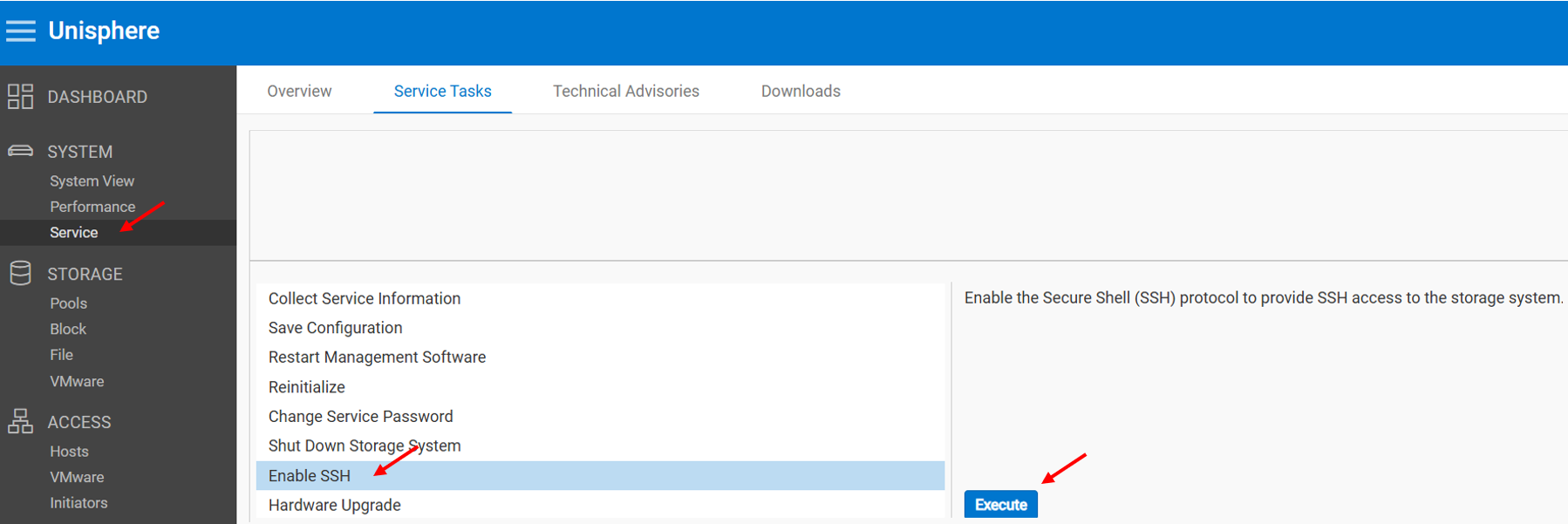
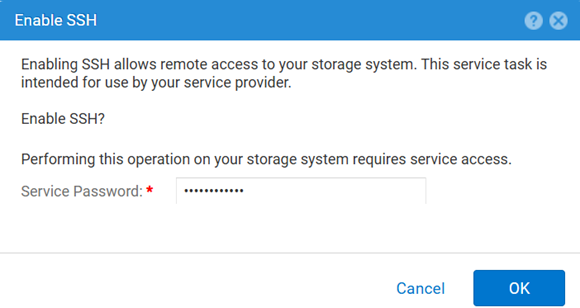
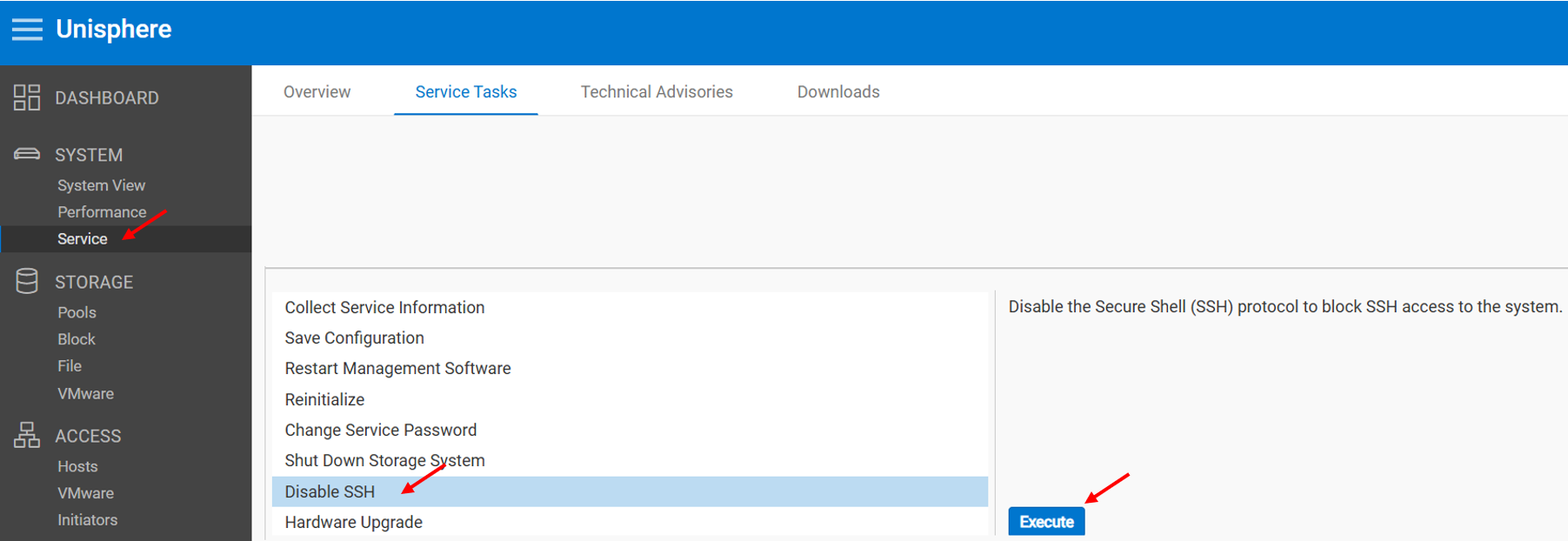
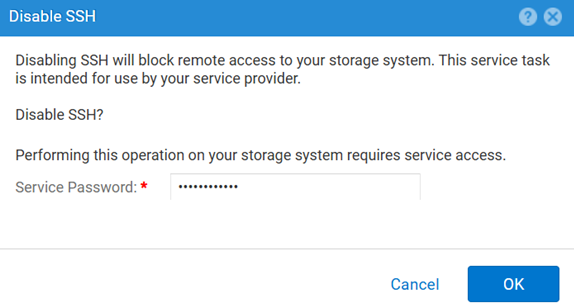
MÉTODO 1: Desde Unisphere (UI), cuando el arreglo está en modo normal
Para habilitar:
Para deshabilitar:
MÉTODO 2: UEMCLI
Para ver la configuración de SSH:
uemcli.exe -d <MGMT IP> -u admin -securePassword /service/ssh showPara habilitar SSH:
uemcli.exe -d <MGMT IP> -u admin -securePassword /service/ssh set -enabled yesPara deshabilitar SSH:
uemcli.exe -d <MGMT IP> -u admin -securePassword /service/ssh set -enabled noMÉTODO 3: Con un IPMI Conexión
Para ver el SSH Estado:
svc_ssh -sPara habilitar SSH:
svc_ssh -ePara deshabilitar SSH:
svc_ssh -d
MÉTODO 4: Desde el servicio Unisphere (UI), cuando el arreglo está en modo de servicio
1. Abra un navegador.
2. Vaya a https://<management_IP>/service.html
3. Use el comando admin .
4. Desde este menú SSH se puede habilitar.
Additional Information
Otros artículos útiles para solucionar problemas relacionados con SSH:
Produse afectate
Dell EMC Unity, Dell Unity 450F DC, Dell Unity 300, Dell Unity 300 DC, Dell EMC Unity 300F, Dell EMC Unity 350F, Dell Unity 350F DC, Dell EMC Unity XT 380, Dell EMC Unity XT 380F, Dell EMC Unity 400, Dell Unity 400 DC, Dell EMC Unity 400F
, Dell EMC Unity 450F, Dell EMC Unity XT 480, Dell EMC Unity XT 480F, Dell EMC Unity 500, Dell EMC Unity 500F, Dell EMC Unity 550F, Dell EMC Unity 600, Dell EMC Unity 600F, Dell EMC Unity 650F, Dell EMC Unity XT 680, Dell EMC Unity XT 680F, Dell EMC Unity XT 880, Dell EMC Unity XT 880F, Dell EMC Unity Family |Dell EMC Unity All Flash, Dell EMC Unity Hybrid
...
Produse
Dell Command | ConfigureProprietăți articol
Article Number: 000446216
Article Type: How To
Ultima modificare: 15 Apr 2026
Version: 1
Găsiți răspunsuri la întrebările dvs. de la alți utilizatori Dell
Servicii de asistență
Verificați dacă dispozitivul dvs. este acoperit de serviciile de asistență.