Dell Unity: SSH:n ottaminen käyttöön ja poistaminen käytöstä
Summary: Tässä artikkelissa kuvataan useita tapoja ottaa SSH käyttöön ja poistaa se käytöstä Dell Unity -levyjärjestelmissä.
Acest articol se aplică pentru
Acest articol nu se aplică pentru
Acest articol nu este legat de un produs specific.
Acest articol nu acoperă toate versiunile de produs existente.
Instructions
MENETELMÄ 1: Unispherestä (UI) - kun järjestelmä on normaalitilassa
Voit tehdä seuraavat toimet:
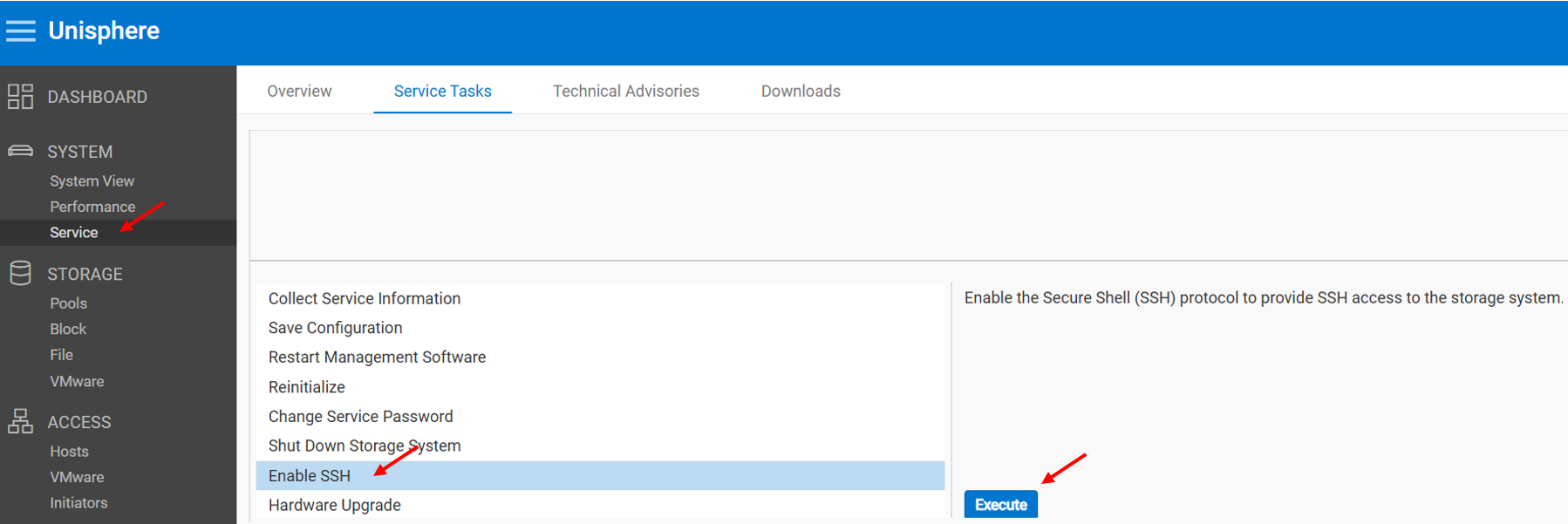
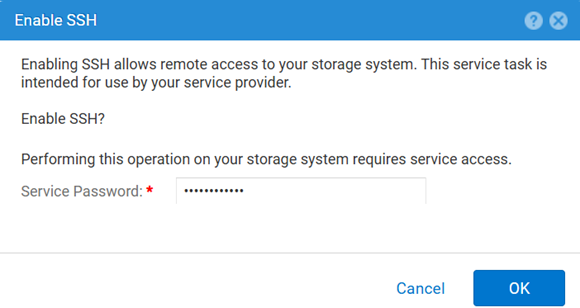
Voit poistaa käytöstä seuraavasti:
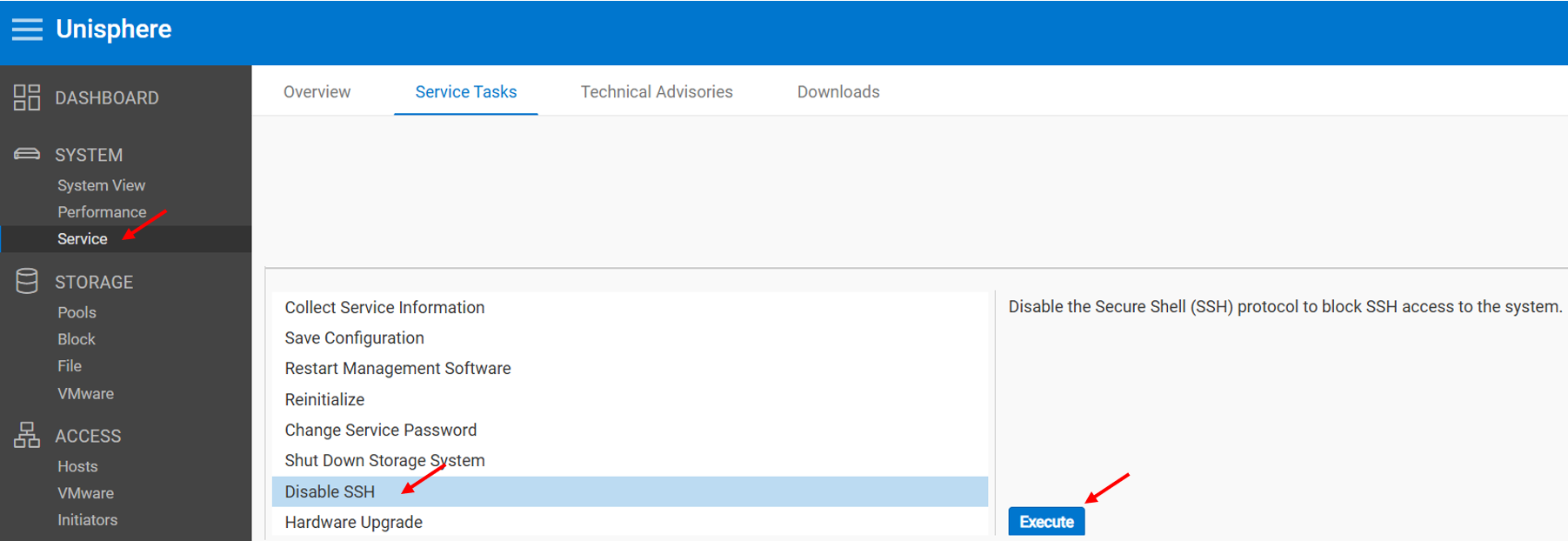
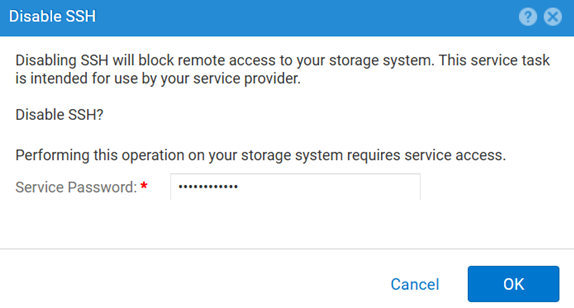
MENETELMÄ 2: UEMCLI
SSH-asetuksen tarkasteleminen:
uemcli.exe -d <MGMT IP> -u admin -securePassword /service/ssh showSSH:n ottaminen käyttöön:
uemcli.exe -d <MGMT IP> -u admin -securePassword /service/ssh set -enabled yesSSH:n poistaminen käytöstä:
uemcli.exe -d <MGMT IP> -u admin -securePassword /service/ssh set -enabled noMENETELMÄ 3: Kun IPMI Yhteys
Voit tarkastella SSH Tila:
svc_ssh -sOttaa käyttöön SSH:
svc_ssh -eVoit poistaa käytöstä SSH:
svc_ssh -d
MENETELMÄ 4: Unisphere Servicestä (UI), kun järjestelmä on huoltotilassa
1. Avaa selain.
2. Siirry https://<management_IP>/service.html
3. Korosta admin Tunnistetiedot.
4. Tästä valikosta SSH voidaan ottaa käyttöön.
Additional Information
Muita hyödyllisiä artikkeleita SSH-ongelmien vianmäärityksestä:
Produse afectate
Dell EMC Unity, Dell Unity 450F DC, Dell Unity 300, Dell Unity 300 DC, Dell EMC Unity 300F, Dell EMC Unity 350F, Dell Unity 350F DC, Dell EMC Unity XT 380, Dell EMC Unity XT 380F, Dell EMC Unity 400, Dell Unity 400 DC, Dell EMC Unity 400F
, Dell EMC Unity 450F, Dell EMC Unity XT 480, Dell EMC Unity XT 480F, Dell EMC Unity 500, Dell EMC Unity 500F, Dell EMC Unity 550F, Dell EMC Unity 600, Dell EMC Unity 600F, Dell EMC Unity 650F, Dell EMC Unity XT 680, Dell EMC Unity XT 680F, Dell EMC Unity XT 880, Dell EMC Unity XT 880F, Dell EMC Unity Family |Dell EMC Unity All Flash, Dell EMC Unity Hybrid
...
Produse
Dell Command | ConfigureProprietăți articol
Article Number: 000446216
Article Type: How To
Ultima modificare: 15 Apr 2026
Version: 1
Găsiți răspunsuri la întrebările dvs. de la alți utilizatori Dell
Servicii de asistență
Verificați dacă dispozitivul dvs. este acoperit de serviciile de asistență.