Dell Unity : Comment activer et désactiver SSH
Summary: Cet article décrit plusieurs façons d’activer et de désactiver SSH sur les baies Dell Unity.
Acest articol se aplică pentru
Acest articol nu se aplică pentru
Acest articol nu este legat de un produs specific.
Acest articol nu acoperă toate versiunile de produs existente.
Instructions
MÉTHODE 1 : À partir de Unisphere (IU) : lorsque la baie est en mode normal
Pour activer :
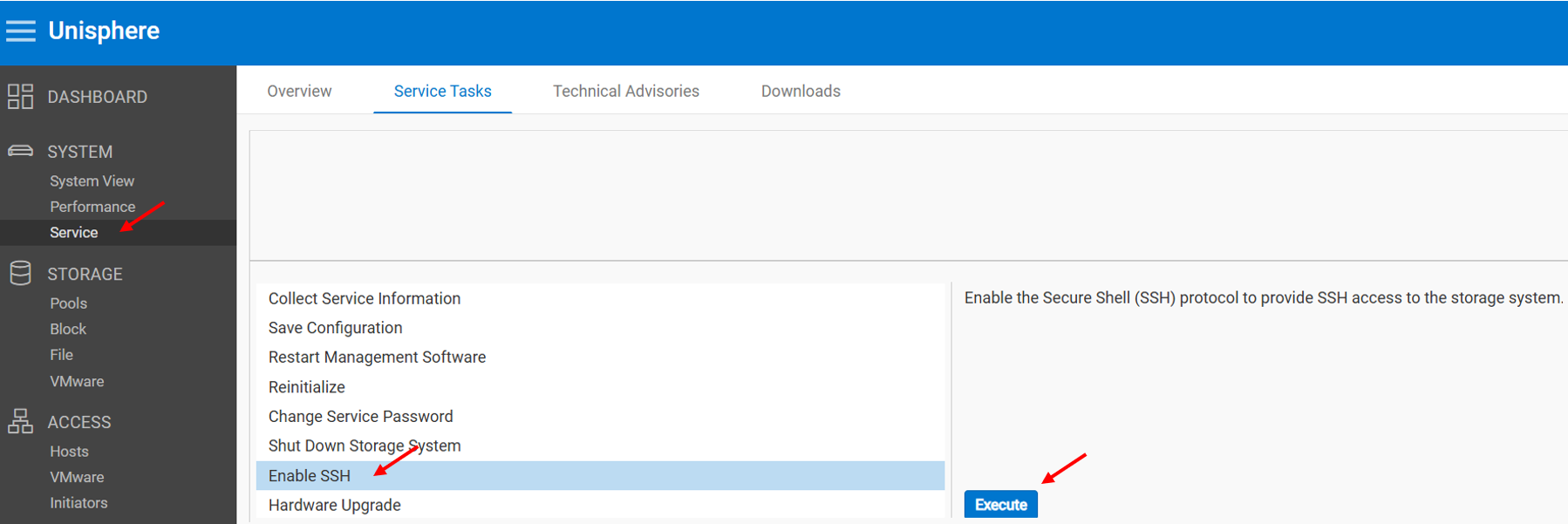
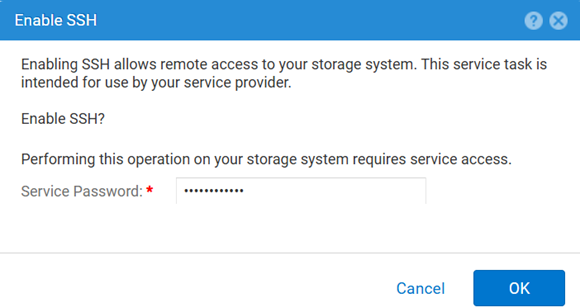
Pour désactiver :
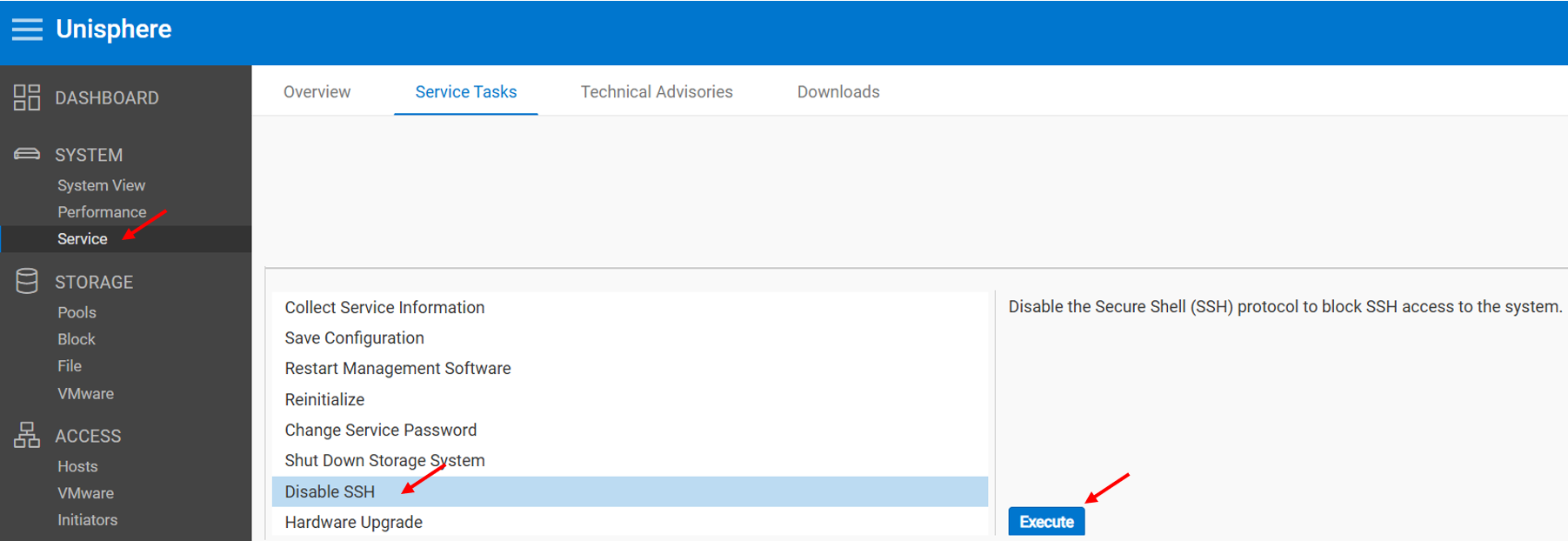
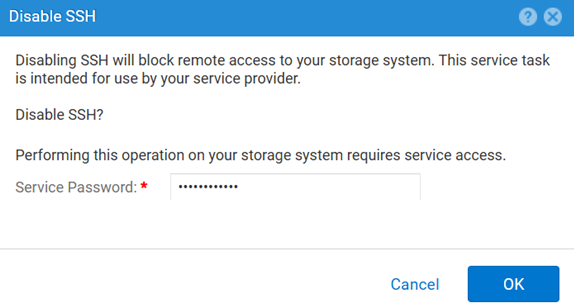
MÉTHODE 2 : UEMCLI
Pour afficher le paramètre SSH :
uemcli.exe -d <MGMT IP> -u admin -securePassword /service/ssh showPour activer SSH :
uemcli.exe -d <MGMT IP> -u admin -securePassword /service/ssh set -enabled yesPour désactiver SSH :
uemcli.exe -d <MGMT IP> -u admin -securePassword /service/ssh set -enabled noMÉTHODE 3 : Avec un IPMI Connexion
Pour afficher le SSH Statut:
svc_ssh -sPour activer SSH:
svc_ssh -ePour désactiver SSH:
svc_ssh -d
METHOD 4 : À partir du service Unisphere (UI) : lorsque la baie est en mode maintenance
1. Ouvrez un navigateur.
2. Rendez-vous sur https://<management_IP>/service.html
3. Utilisez la commande admin .
4. Dans ce menu SSH peuvent être activés.
Additional Information
Autres articles utiles lors du dépannage des problèmes liés à SSH :
Produse afectate
Dell EMC Unity, Dell Unity 450F DC, Dell Unity 300, Dell Unity 300 DC, Dell EMC Unity 300F, Dell EMC Unity 350F, Dell Unity 350F DC, Dell EMC Unity XT 380, Dell EMC Unity XT 380F, Dell EMC Unity 400, Dell Unity 400 DC, Dell EMC Unity 400F
, Dell EMC Unity 450F, Dell EMC Unity XT 480, Dell EMC Unity XT 480F, Dell EMC Unity 500, Dell EMC Unity 500F, Dell EMC Unity 550F, Dell EMC Unity 600, Dell EMC Unity 600F, Dell EMC Unity 650F, Dell EMC Unity XT 680, Dell EMC Unity XT 680F, Dell EMC Unity XT 880, Dell EMC Unity XT 880F, Dell EMC Unity Family |Dell EMC Unity All Flash, Dell EMC Unity Hybrid
...
Produse
Dell Command | ConfigureProprietăți articol
Article Number: 000446216
Article Type: How To
Ultima modificare: 15 Apr 2026
Version: 1
Găsiți răspunsuri la întrebările dvs. de la alți utilizatori Dell
Servicii de asistență
Verificați dacă dispozitivul dvs. este acoperit de serviciile de asistență.