Dell Unity:如何啟用和停用 SSH
Summary: 本文說明在 Dell Unity 陣列上啟用和停用 SSH 的多種方式。
Acest articol se aplică pentru
Acest articol nu se aplică pentru
Acest articol nu este legat de un produs specific.
Acest articol nu acoperă toate versiunile de produs existente.
Instructions
方法 1:從 Unisphere (UI) - 陣列處於正常模式時
若要啟用:
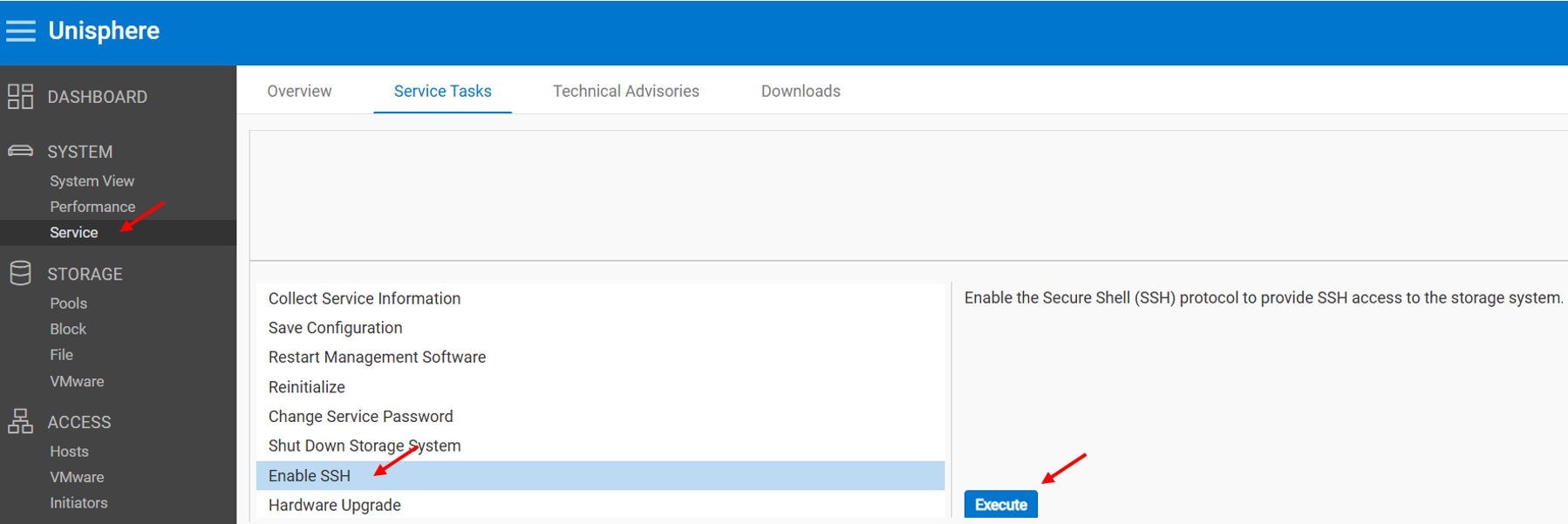
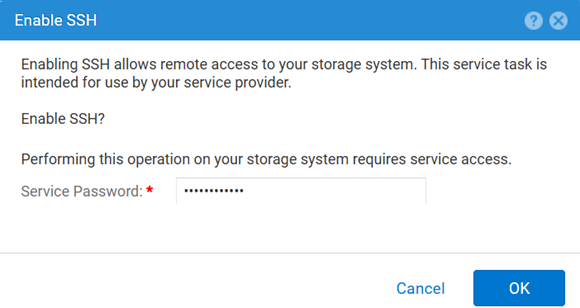
若要停用:
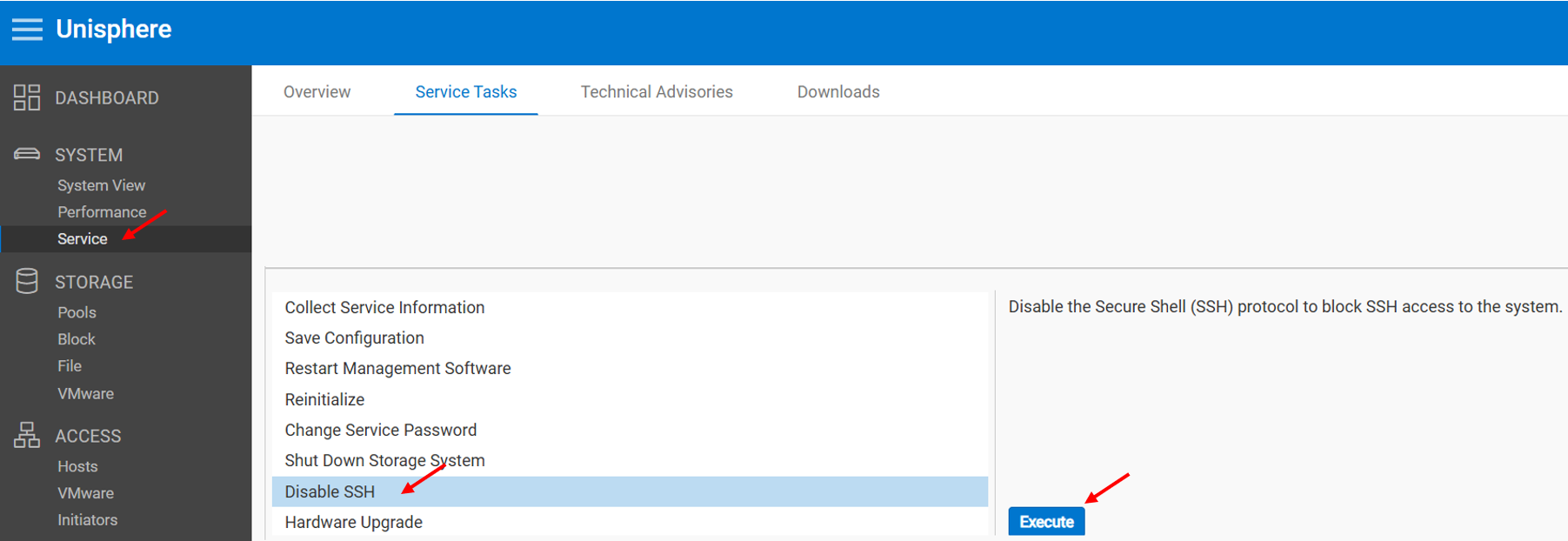
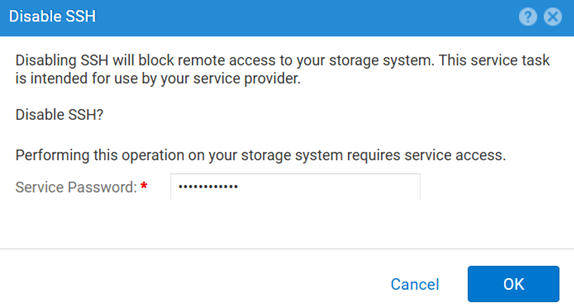
方法 2:UEMCLI
若要檢視 SSH 設定:
uemcli.exe -d <MGMT IP> -u admin -securePassword /service/ssh show若要啟用 SSH:
uemcli.exe -d <MGMT IP> -u admin -securePassword /service/ssh set -enabled yes若要停用 SSH:
uemcli.exe -d <MGMT IP> -u admin -securePassword /service/ssh set -enabled no方法 3:與 IPMI 連線
若要檢視 SSH 狀態:
svc_ssh -s若要啟用: SSH:
svc_ssh -e若要停用 SSH:
svc_ssh -d
方法 4:從 Unisphere 服務 (UI) - 陣列處於服務模式時
1.開啟瀏覽器。
2.前往 https://<management_IP>/service.html
3.使用 admin 憑據。
4.從此功能表 SSH 可以啟用。
Additional Information
針對 SSH 相關問題進行故障診斷時的其他實用文章:
Produse afectate
Dell EMC Unity, Dell Unity 450F DC, Dell Unity 300, Dell Unity 300 DC, Dell EMC Unity 300F, Dell EMC Unity 350F, Dell Unity 350F DC, Dell EMC Unity XT 380, Dell EMC Unity XT 380F, Dell EMC Unity 400, Dell Unity 400 DC, Dell EMC Unity 400F
, Dell EMC Unity 450F, Dell EMC Unity XT 480, Dell EMC Unity XT 480F, Dell EMC Unity 500, Dell EMC Unity 500F, Dell EMC Unity 550F, Dell EMC Unity 600, Dell EMC Unity 600F, Dell EMC Unity 650F, Dell EMC Unity XT 680, Dell EMC Unity XT 680F, Dell EMC Unity XT 880, Dell EMC Unity XT 880F, Dell EMC Unity Family |Dell EMC Unity All Flash, Dell EMC Unity Hybrid
...
Produse
Dell Command | ConfigureProprietăți articol
Article Number: 000446216
Article Type: How To
Ultima modificare: 15 Apr 2026
Version: 1
Găsiți răspunsuri la întrebările dvs. de la alți utilizatori Dell
Servicii de asistență
Verificați dacă dispozitivul dvs. este acoperit de serviciile de asistență.