How to Capture a HAR file for Dell Device Management Console
Summary: Learn how to capture HAR files for troubleshooting Dell Device Management Console by following these instructions.
Acest articol se aplică pentru
Acest articol nu se aplică pentru
Acest articol nu este legat de un produs specific.
Acest articol nu acoperă toate versiunile de produs existente.
Instructions
How to capture a HAR file for Dell Device Management Console.
Affected Product:
- Dell Device Management Console
The process to capture a HAR file for Dell Device Management Console differs between Chromium Browsers (Google Chrome or Microsoft Edge) and Mozilla Firefox. Select the appropriate browser for more information.
Chromium Browsers (Google Chrome or Microsoft Edge)
- Go to Dell Device Management Console.
- Sign in with your account.
Note: To avoid capturing authentication information, do not start logging of the HAR file prior to authentication. Credentials may be in the log if HAR file logging is started first.
- Once authenticated into Dell Device Management Console, press F12 and then click Network
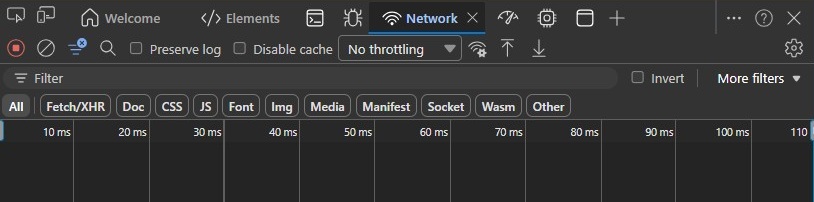
- Clear the log by clicking the Clear Network Log button or by pressing CTRL + L.

- Reproduce the issue. Once complete, click the Export HAR button.

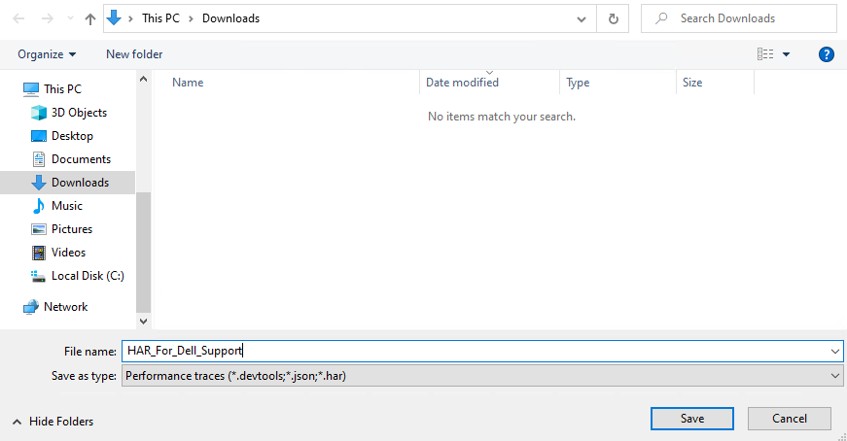
- Name and save the HAR file.
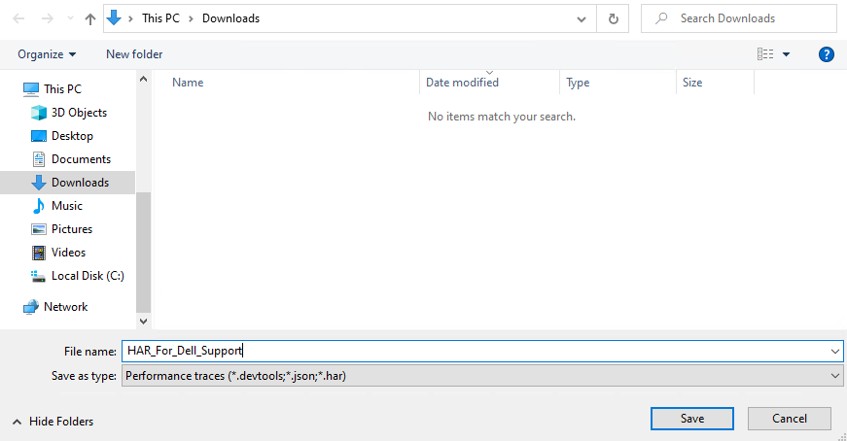
- Provide the Dell Support representative with access to the HAR file.
Mozilla Firefox
- Go to Dell Device Management Console.
- Sign in with your account.
Note: To avoid capturing authentication information, do not start logging of the HAR file prior to authentication. Credentials may be in the log if HAR file logging is started first.
- Once authenticated into Dell Device Management Console, press F12 and then click Network
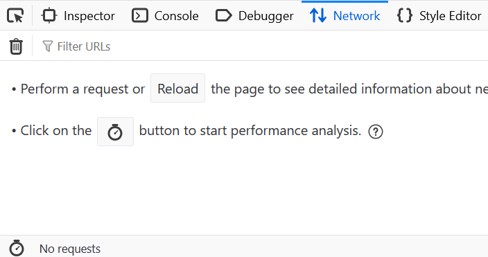
- Click the log by clicking the Clear button.

- Reproduce the issue. Once complete, click the gear icon and select Save All As HAR.
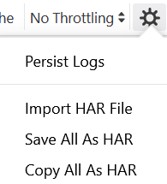
- Name and Save the HAR file.
Produse afectate
Dell Device Management ConsoleProprietăți articol
Article Number: 000489533
Article Type: How To
Ultima modificare: 15 Jul 2026
Version: 1
Găsiți răspunsuri la întrebările dvs. de la alți utilizatori Dell
Servicii de asistență
Verificați dacă dispozitivul dvs. este acoperit de serviciile de asistență.