Avamar: Deployment KB: Invalid Package Application Parameter while logging into Avamar Installation Manager
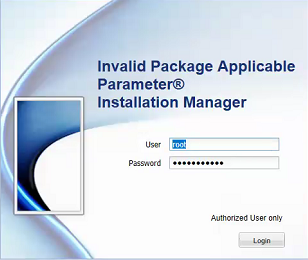
Summary: Logging in to the Avamar Installation Manager fails reporting "Invalid Package Applicable parameter" when the correct password is used.
Acest articol se aplică pentru
Acest articol nu se aplică pentru
Acest articol nu este legat de un produs specific.
Acest articol nu acoperă toate versiunile de produs existente.
Symptoms
Logging in to the Avamar Installation Manager fails reporting "Invalid Package Applicable parameter" when the correct password is used:
Cause
The exact cause is unknown, but a workaround is provided in the resolution section below.
Resolution
1. Using PuTTY, establish an SSH session to the Avamar Utility Node.
2. Log in as admin.
3. Run the following command to restart the avinstaller service:
avinstaller.pl --restart
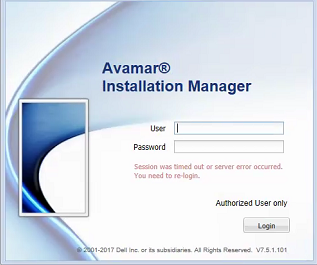
4. Once the service has restated, refresh the web browser:
Produse afectate
AvamarProduse
AvamarProprietăți articol
Article Number: 000048112
Article Type: Solution
Ultima modificare: 20 aug. 2026
Version: 5
Găsiți răspunsuri la întrebările dvs. de la alți utilizatori Dell
Servicii de asistență
Verificați dacă dispozitivul dvs. este acoperit de serviciile de asistență.