PowerEdge: How to export the PERC Controller Debug Log from the RAID Controller HII Menu
Summary: This article explains how to export the RAID controller log (TTY log) directly from RAID Controller (PERC).
Acest articol se aplică pentru
Acest articol nu se aplică pentru
Acest articol nu este legat de un produs specific.
Acest articol nu acoperă toate versiunile de produs existente.
Instructions
This article explains how to export the RAID controller log (TTY log) directly from RAID Controller (PERC).
In addition to this, you can also export the RAID controller log (TTYlog) from OpenManage Server Administrator (OMSA) using the interface or using PERCCLI.
Note: The PERC controller debug log is also known as a TTY log among Technical Support.
Prepare a USB flash disk to save the log.
The following steps work for PERC8/PERC9/PERC10 series. This example uses a PERC10-H740.
- Click F2 to enter the system BIOS.
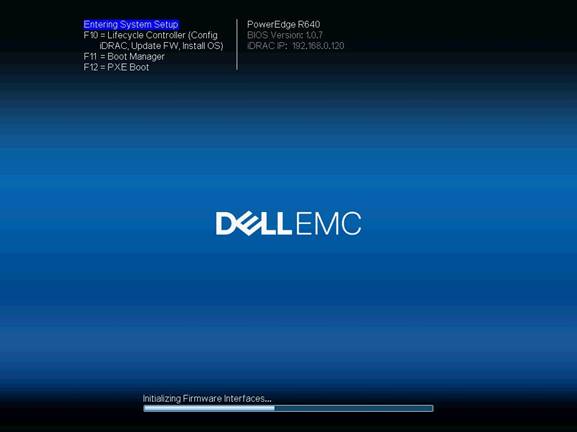
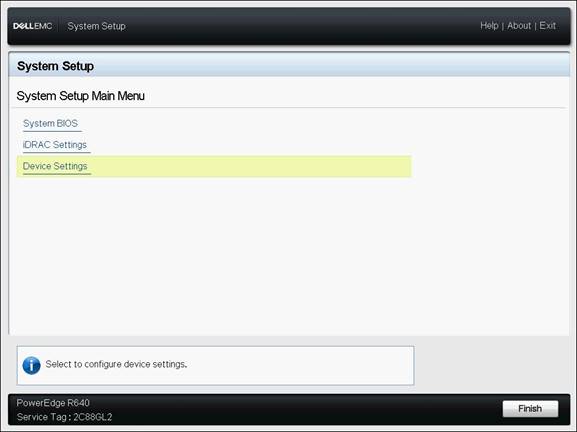
- Choose Device Settings
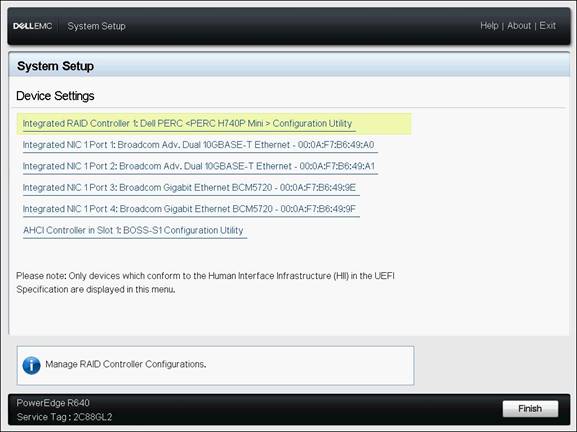
- Choose Integrated RAID Controller
- Choose Main Menu
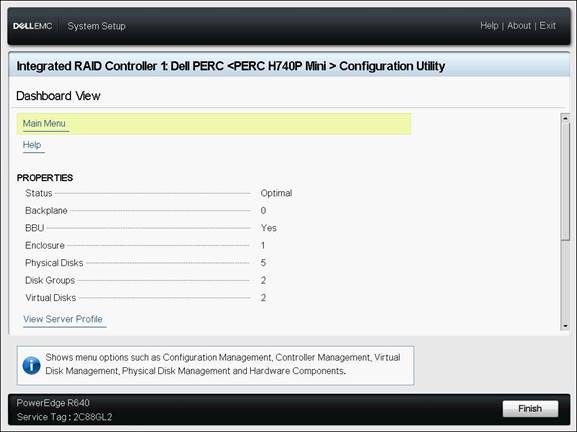
- Choose Controller Management
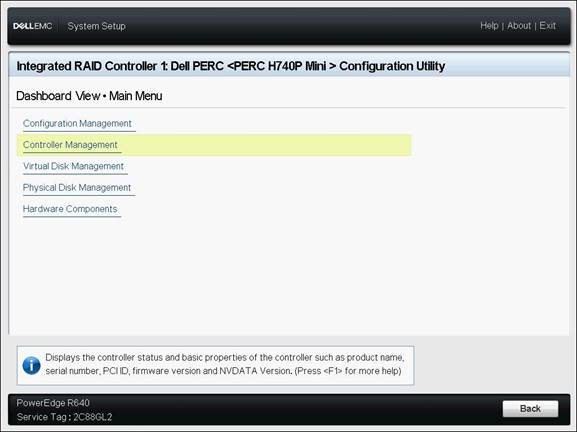
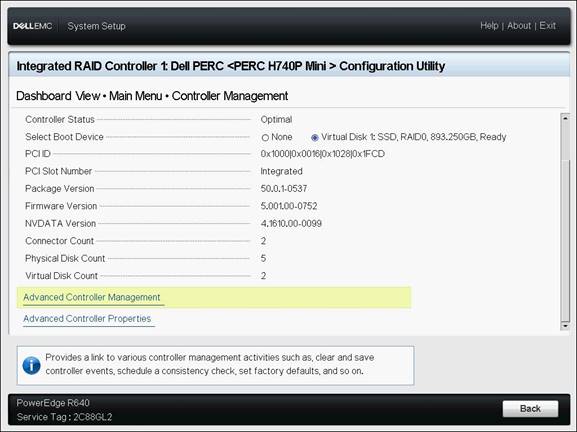
- Go to the bottom of the page and choose Advanced Controller Management
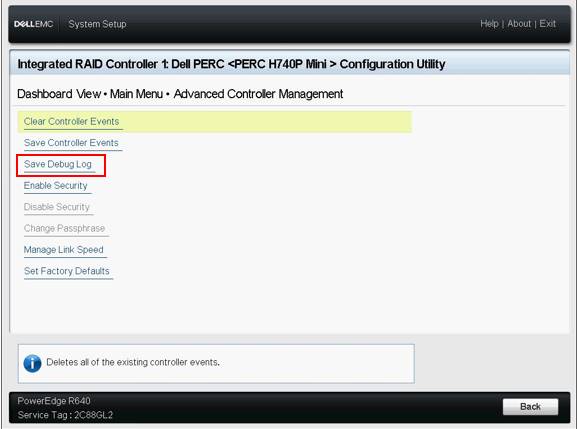
- Choose Save Debug Log
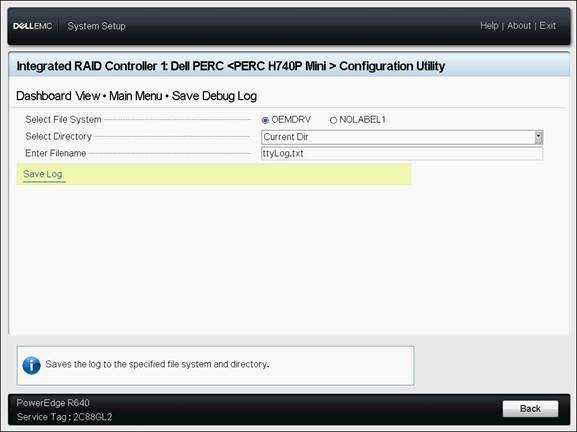
- Select the location and enter the file name then choose Save Log
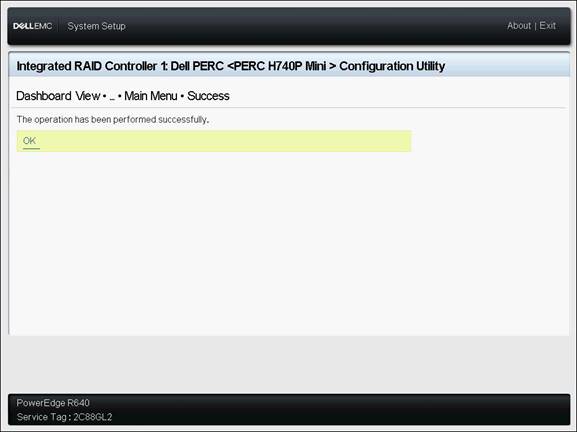
- Click ok
Produse afectate
PowerEdge RAID Controller H345, PowerEdge RAID Controller H350 Adapter SAS, PowerEdge RAID Controller H355 Front SAS, PowerEdge RAID Controller H355 Adapter SAS, PowerEdge RAID Controller H365i Adapter, PowerEdge RAID Controller H365i Front DC-MHS
, PowerEdge RAID Controller H730P MX, PowerEdge RAID Controller H745, PowerEdge RAID Controller H745P MX, PowerEdge RAID Controller H750 Adapter SAS, PowerEdge RAID Controller H755 Adapter, PowerEdge RAID Controller H755 MX Adapter, PowerEdge RAID Controller H755N Front NVMe, PowerEdge RAID Controller H755 Front SAS, PowerEdge RAID Controller H330, PowerEdge RAID Controller H730, PowerEdge RAID Controller H730P, PowerEdge RAID Controller H740P
...
Proprietăți articol
Article Number: 000134783
Article Type: How To
Ultima modificare: 30 ian. 2026
Version: 7
Găsiți răspunsuri la întrebările dvs. de la alți utilizatori Dell
Servicii de asistență
Verificați dacă dispozitivul dvs. este acoperit de serviciile de asistență.