PPMA shows "Error: Unable to add Host." while adding a host running PowerPath for Linux
Summary: PPMA shows "Error: Unable to add Host." while adding a host running PowerPath for Linux.
Acest articol se aplică pentru
Acest articol nu se aplică pentru
Acest articol nu este legat de un produs specific.
Acest articol nu acoperă toate versiunile de produs existente.
Symptoms
New Linux host running PowerPath for Linux added to the environment,
While adding a Linux host running PowerPath for Linux to PPMA, PPMA returns an error: "Error: Unable to add Host."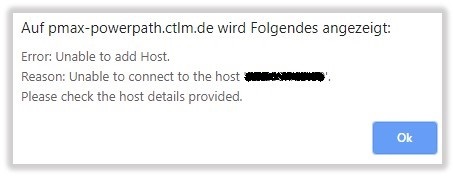
Cause
The Management Component is disabled by default on PowerPath for Linux.
Resolution
Enable the Management Component of PowerPath for Linux on the Linux host by following the steps below:
Configuring Management Component on Linux:
The Management Component is included in the PowerPath package. Separate installation is not required. This procedure describes how to configure the Management Component.
- Enable the Management Component. As root, enter
# /sbin/emcp_mond_edit
- Start the editor. If the
emcp_mond.conffile does not exist on the machine, the editor reads the sample configuration.
- The Management Component is disabled by default. To enable the Management Component service using default configuration parameter values, type 1 and 6 to confirm the changes and save. Then type the number of the option to exit, save, and restart the Management Component.
It is recommended to use the default configuration parameters.
To modify the configuration parameters, go to "Modifying Configuration Parameters on Linux and Unix".
- Start the editor. If the
- Verify that
emcp_mondis running and that PowerPath Management Component is started.# pgrep -xl emcp_mond
Alternatively, verify the messages log for successful Management Component installation and start.# tail /var/log/ messages
The message log contains messages such as:<date time hostname>PowerPath: Management Component: Info: Attempting to start. Version: 5.3.SP1-b044.<date time hostname>PowerPath: Management Component: Info: Config parameters valid. Config: port#=9083, heartbeat interval=10 mins, singlePathGkOk=1<date time hostname>PowerPath: Management Component: Info: Service started.
- Verify that the Management Component is installed correctly on the hosts where you have installed the PowerPath Management Component.
# rpm -qa | grep EMC
Output such as the following appears:EMCpower.MgmtComponent.LINUX-5.3.2.00.00-046EMCpower.LINUX-5.3.1.02.00-007
The output shows that the Management Component package is installed.
Additional Information
Refer to the PPMA Installation and Administration Guide: https://support.emc.com/docu91250_PowerPath_Management_Appliance_2.4_and_Minor_Releases_Installation_and_Configuration_Guide.pdf?language=en_US
Produse
PowerPath/VE for VMwareProprietăți articol
Article Number: 000168398
Article Type: Solution
Ultima modificare: 17 feb. 2026
Version: 4
Găsiți răspunsuri la întrebările dvs. de la alți utilizatori Dell
Servicii de asistență
Verificați dacă dispozitivul dvs. este acoperit de serviciile de asistență.