AppSync: Clustered SQL Server instances are not showing up in the AppSync UI under: Copy Management > Copies > Microsoft SQL Server
Summary: Clustered SQL Server instances are not showing up in the AppSync UI under: Copy Management > Copies > Microsoft SQL Server when Clustered SQL Server virtual (or network) name or associated virtual IP (VIP) is not added as a host in the AppSync UI. ...
Acest articol se aplică pentru
Acest articol nu se aplică pentru
Acest articol nu este legat de un produs specific.
Acest articol nu acoperă toate versiunile de produs existente.
Symptoms
The expected SQL Server instances are not seen in the AppSync UI in the location as seen here:

Cause
The SQL Server Virtual server name (also called SQL Server Virtual network name) or associated Virtual IP (VIP) is not added as a host to AppSync.
Resolution
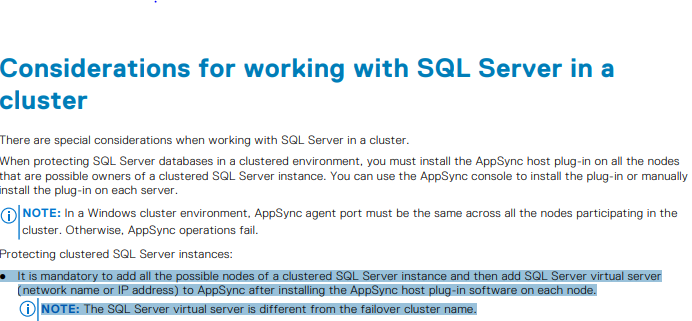
Must ensure the following per page 114 of the AppSync User and Administration Guide:
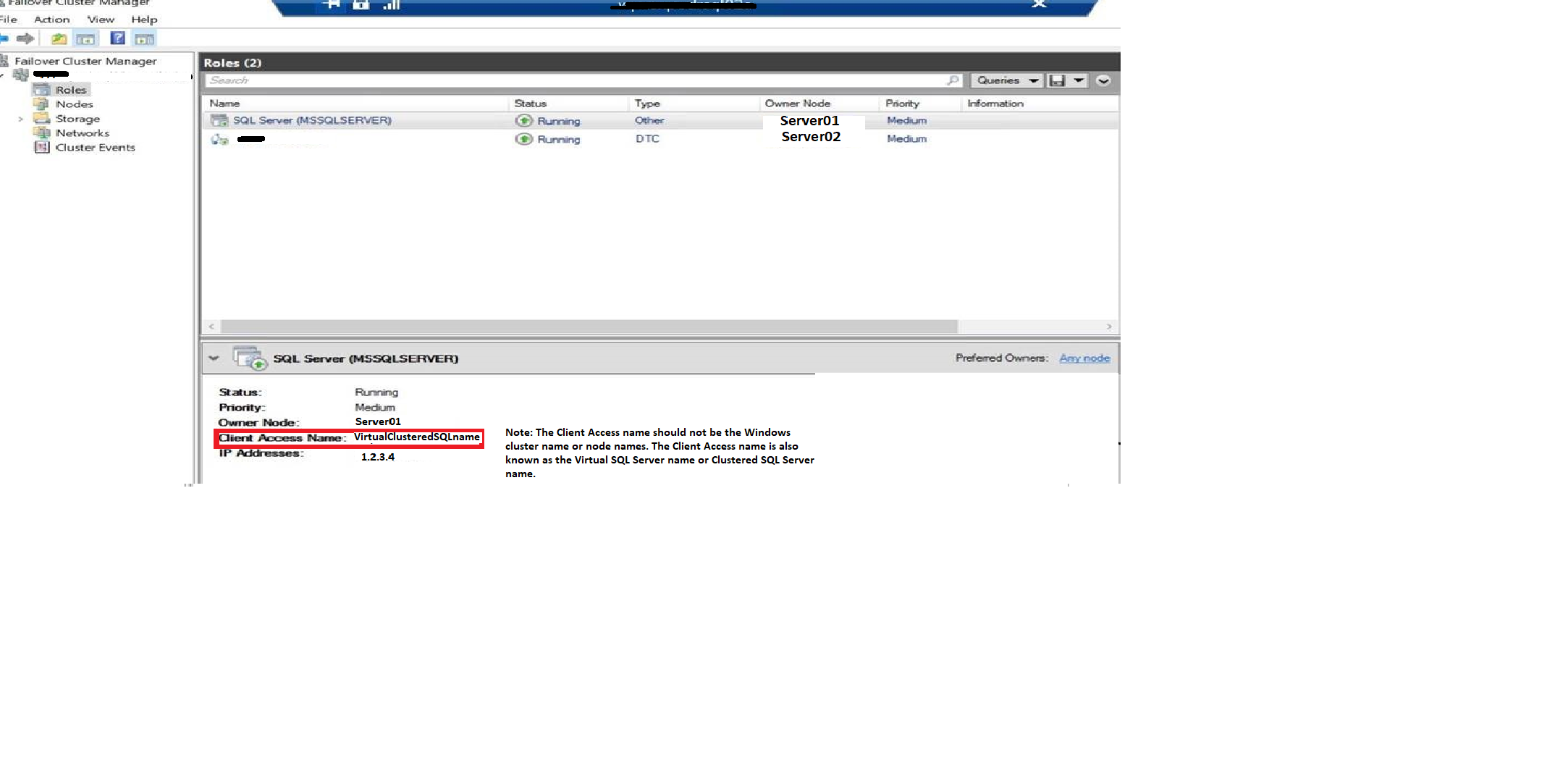
The SQL Server virtual name is nothing, but the client access name as seen in the Failover Manager in this example:
Produse afectate
AppSyncProprietăți articol
Article Number: 000187892
Article Type: Solution
Ultima modificare: 23 oct. 2025
Version: 4
Găsiți răspunsuri la întrebările dvs. de la alți utilizatori Dell
Servicii de asistență
Verificați dacă dispozitivul dvs. este acoperit de serviciile de asistență.