Dell Unity: Nonspecific error in UI while uploading Unity OE code for upgrade (Dell Correctable)
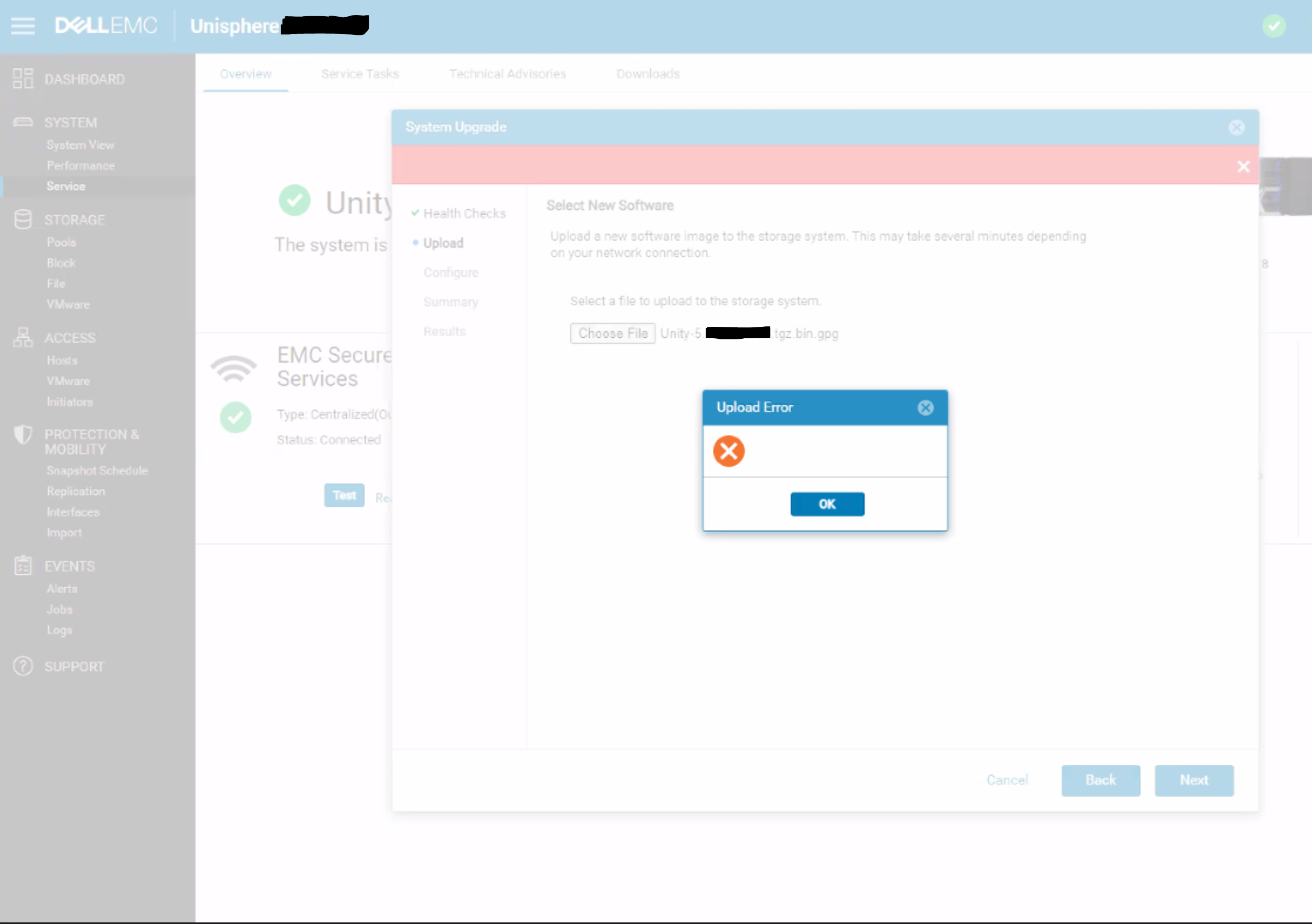
Summary: A blank upload error appears in the Unisphere dialog with no specific error message or error code.
Acest articol se aplică pentru
Acest articol nu se aplică pentru
Acest articol nu este legat de un produs specific.
Acest articol nu acoperă toate versiunile de produs existente.
Symptoms
Below error is seen on Unity Unisphere while uploading OE code for upgrade:
Cause
This is a UI issue where the UI does not correctly handle HTTP 500 or HTTP 409 errors for the REST request.
409 Conflict:
This response is sent when a request conflicts with the current state of the server.
500 Internal Server Error:
The server has encountered a situation it doesn't know how to handle.
Resolution
Workaround:
- Upload the upgrade image using uemcli command rather than from UI:
uemcli -upload -f Unity-xxx.tgz.bin.gpg upgrade
Or
- Upload the upgrade image from a system that is on the same subnet as the Unity array.
Resolution:
The fix for this issue is expected to be in the 5.2 release.
Produse afectate
Dell EMC UnityProprietăți articol
Article Number: 000190184
Article Type: Solution
Ultima modificare: 11 mai 2026
Version: 5
Găsiți răspunsuri la întrebările dvs. de la alți utilizatori Dell
Servicii de asistență
Verificați dacă dispozitivul dvs. este acoperit de serviciile de asistență.