Cloudlink sftp backup store error “auth fail” fixing
Summary: Resolving error “Auth fail” when testing access to an sftp backup store.
Acest articol se aplică pentru
Acest articol nu se aplică pentru
Acest articol nu este legat de un produs specific.
Acest articol nu acoperă toate versiunile de produs existente.
Symptoms
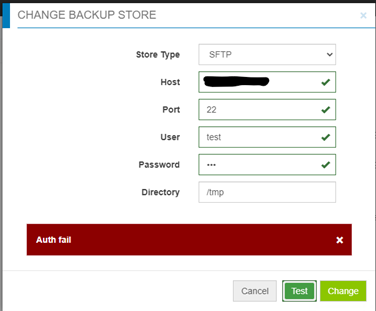
Auth fail” when testing access to an sftp backup store:
Cause
- Password is incorrect.
- Password authentication on the target server is disabled (only Challenge response is enabled) - Cloudlink is using password authentication for sftp backup store, but not challenge response.
Resolution
If it is not the incorrect password case, check the file /etc/ssh/sshd_config on the target server, find “PasswordAuthentication” setting.
If PasswordAuthentication is set to “no”, change to “yes”, then restart the ssh service.
For example: “systemctl restart sshd.service”.
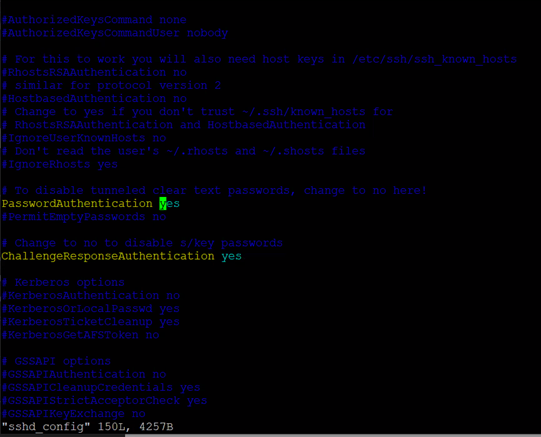
If PasswordAuthentication is set to “no”, change to “yes”, then restart the ssh service.
For example: “systemctl restart sshd.service”.
Produse afectate
CloudLink SecureVM, CloudLinkProprietăți articol
Article Number: 000210190
Article Type: Solution
Ultima modificare: 16 mai 2026
Version: 6
Găsiți răspunsuri la întrebările dvs. de la alți utilizatori Dell
Servicii de asistență
Verificați dacă dispozitivul dvs. este acoperit de serviciile de asistență.