VxRail:VxRail 故障診斷工具箱使用者指南
Summary: VxRail 故障診斷工具箱 (VTT) 使用者指南
Acest articol se aplică pentru
Acest articol nu se aplică pentru
Acest articol nu este legat de un produs specific.
Acest articol nu acoperă toate versiunile de produs existente.
Instructions
VxRail 故障診斷工具箱 (VTT)
概觀
VxRail 故障診斷工具箱 (VTT) 是於 VxRail 7.0.010 及更新版本中推出的整合式介面,旨在簡化基本診斷和支援工具的存取流程。
它將常用的腳本整合到一個易於使用的實用程式中,從而提高運營效率並簡化故障排除工作流程。
工具箱會自動與 Dell VxRail EE Git 伺服器 同步,以確保所有指令檔都是最新狀態。
工具使用說明
-
下載套件
下載本文隨附的下列檔案:
VxRailToolBox20250xxx_prm.zip -
上傳至 VxRail Manager
將套件傳輸至 VxRail Manager 虛擬機器,並將其置於「/tmp」或「/home/mystic」之下。
-
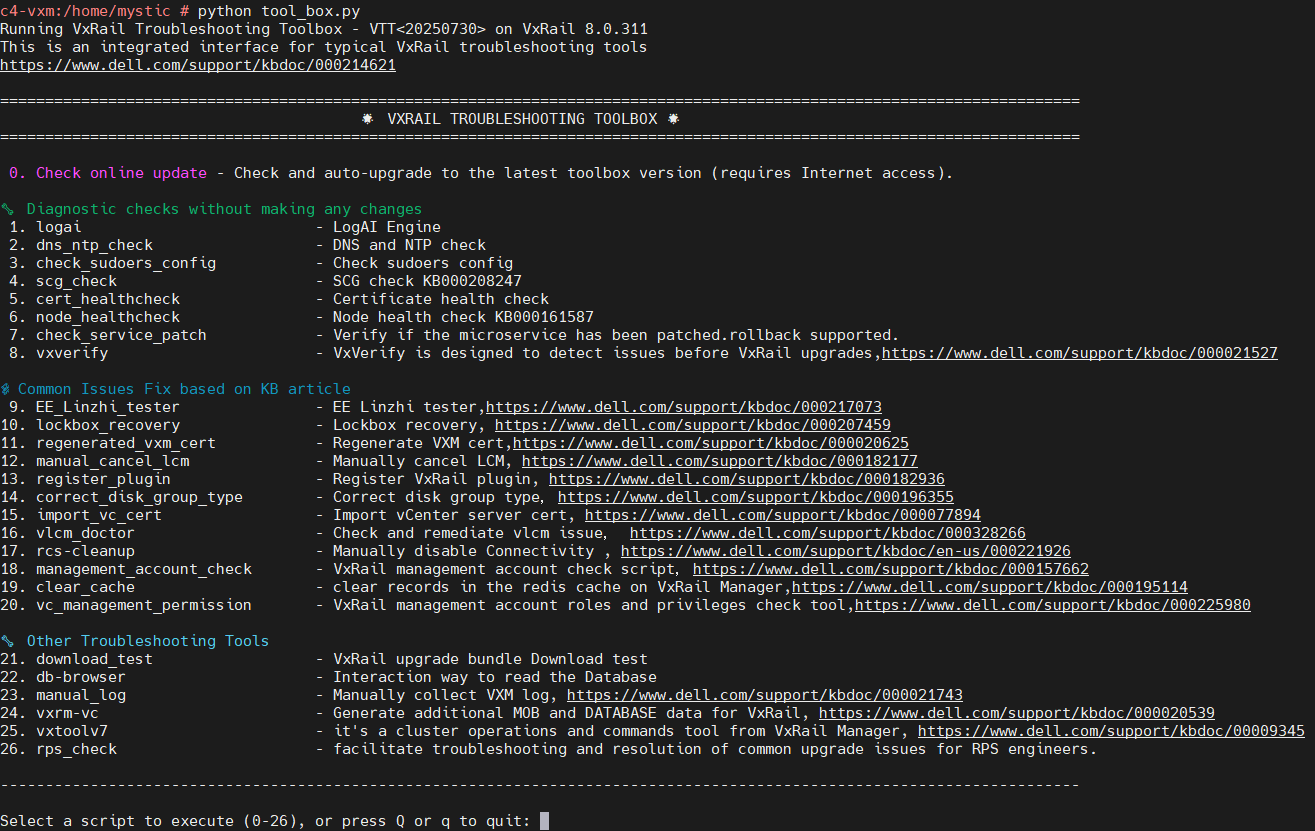
解壓縮並執行:
執行下列命令以解壓縮「.zip」檔案,並執行下列命令以啟動功能表:
python toolbox.pyvcluster101-vxm:/home/mystic # unzip -o VxRailToolBox2025xxxx_prm.zip vcluster101-vxm:/home/mystic # python tool_box.py
Additional Information
-rw-rw-rw- 1 root   root   17725 Oct 24  2025 tool_box.cpython-311.pyc
-rw-rw-rw- 1 root   root   11157 Oct 24  2025 tool_box.cpython-36.pyc
-rw-rw-rw- 1 root   root    1408 Oct 22 16:19 tool_box.py
對原始的「tool_box.py」所做的變更,已符合「.pyc」檔案。這不會更改此工具的運行方式。
Produse afectate
VxRail, VxRail SoftwareProprietăți articol
Article Number: 000214621
Article Type: How To
Ultima modificare: 07 iul. 2026
Version: 118
Găsiți răspunsuri la întrebările dvs. de la alți utilizatori Dell
Servicii de asistență
Verificați dacă dispozitivul dvs. este acoperit de serviciile de asistență.