PowerEdge: Dell E810-2C Network Adapter Error When Applying Default Settings
Summary: An error occurs when attempting to apply default settings to a Dell Intel E810-2C Ethernet Adapter. These adapters are configured with Permit Total Port Shutdown enabled. Both ports have Port Option set to 4x25. ...
Acest articol se aplică pentru
Acest articol nu se aplică pentru
Acest articol nu este legat de un produs specific.
Acest articol nu acoperă toate versiunile de produs existente.
Symptoms
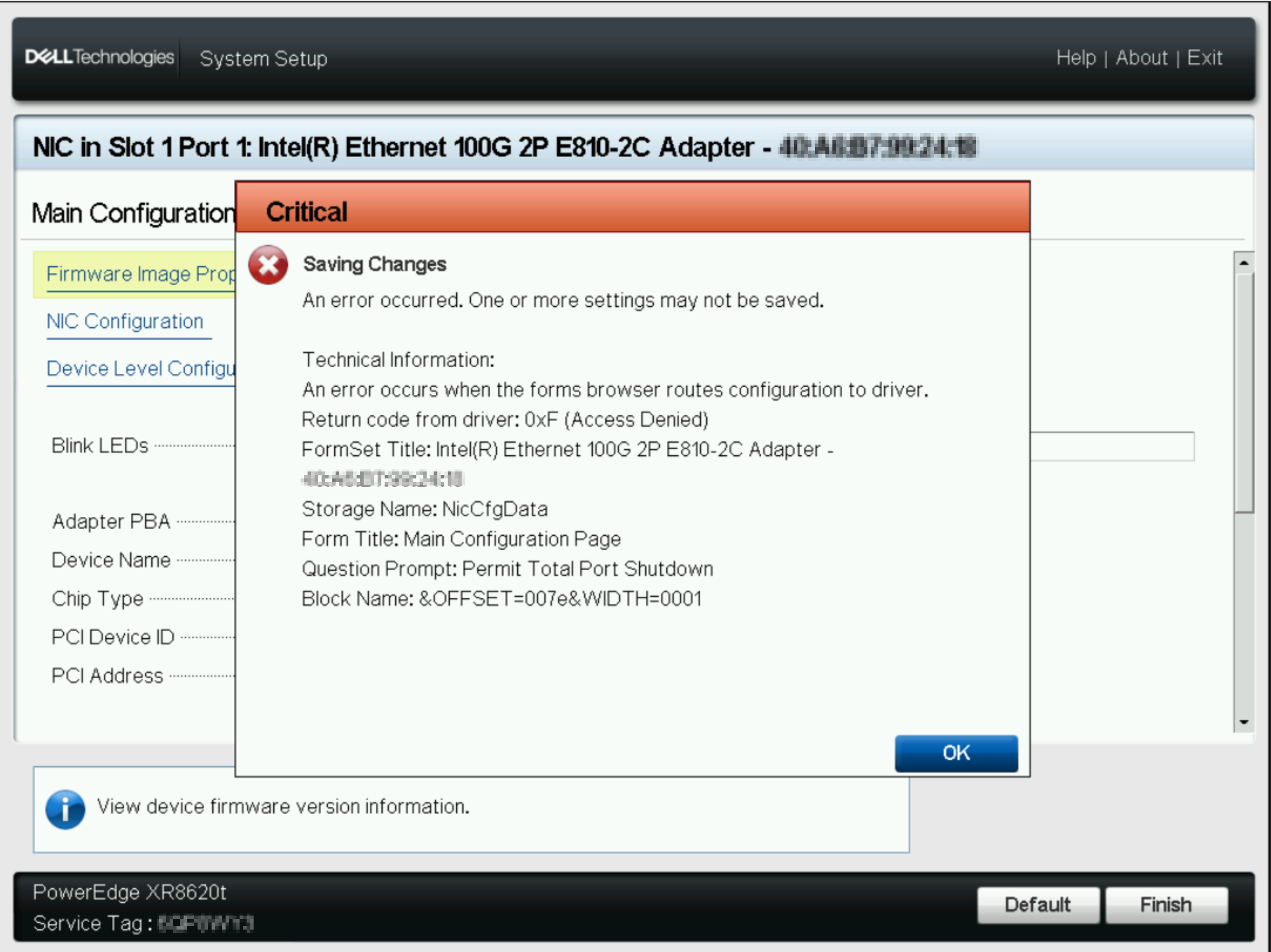
When setting to default, the following error may be seen.
Cause
This is a design limitation related to port enumeration. No other changes should be made when changing Port Option. When setting to Default, all configuration options are changed at once.
Resolution
To address this, change these settings to default manually:
- Permit Total Port Shutdown: Disabled
- Port Option: Option 0: 2x1x100G
Produse afectate
Intel PRO Family of Adapters, PowerEdge R350, PowerEdge R440, PowerEdge R450, PowerEdge R540, PowerEdge R550, PowerEdge R640, PowerEdge R6415, PowerEdge R650, PowerEdge R650xs, PowerEdge R6515, PowerEdge R6525, PowerEdge R740, PowerEdge R740XD
, PowerEdge R740XD2, PowerEdge R7415, PowerEdge R7425, PowerEdge R750, PowerEdge R750XA, PowerEdge R750xs, PowerEdge R7515, PowerEdge R7525, PowerEdge R840, PowerEdge R940, PowerEdge R940xa, PowerEdge T350, PowerEdge T360, PowerEdge T550, PowerEdge T560, PowerFlex appliance R650, Powerflex appliance R750, PowerFlex appliance R640, PowerFlex appliance R740XD, PowerFlex appliance R7525, PowerFlex appliance R840
...
Proprietăți articol
Article Number: 000221407
Article Type: Solution
Ultima modificare: 19 mai 2026
Version: 4
Găsiți răspunsuri la întrebările dvs. de la alți utilizatori Dell
Servicii de asistență
Verificați dacă dispozitivul dvs. este acoperit de serviciile de asistență.