Live Optics | Microsoft Azure | Create Azure Credentials
Summary: Live Optics, Create Azure Credentials
Acest articol se aplică pentru
Acest articol nu se aplică pentru
Acest articol nu este legat de un produs specific.
Acest articol nu acoperă toate versiunile de produs existente.
Instructions
To begin a Live Optics Azure collection, you must enter a Client ID, Client Secret, Subscription ID, and Tenant ID as credentials. It is recommended that you create a temporary Service Principal account with a read-only permission which is used only for Live Optics collections. This article describes how to create the credentials with the correct privileges to run a Live Optics Collection.
- Open the Azure portal and select the PowerShell icon.
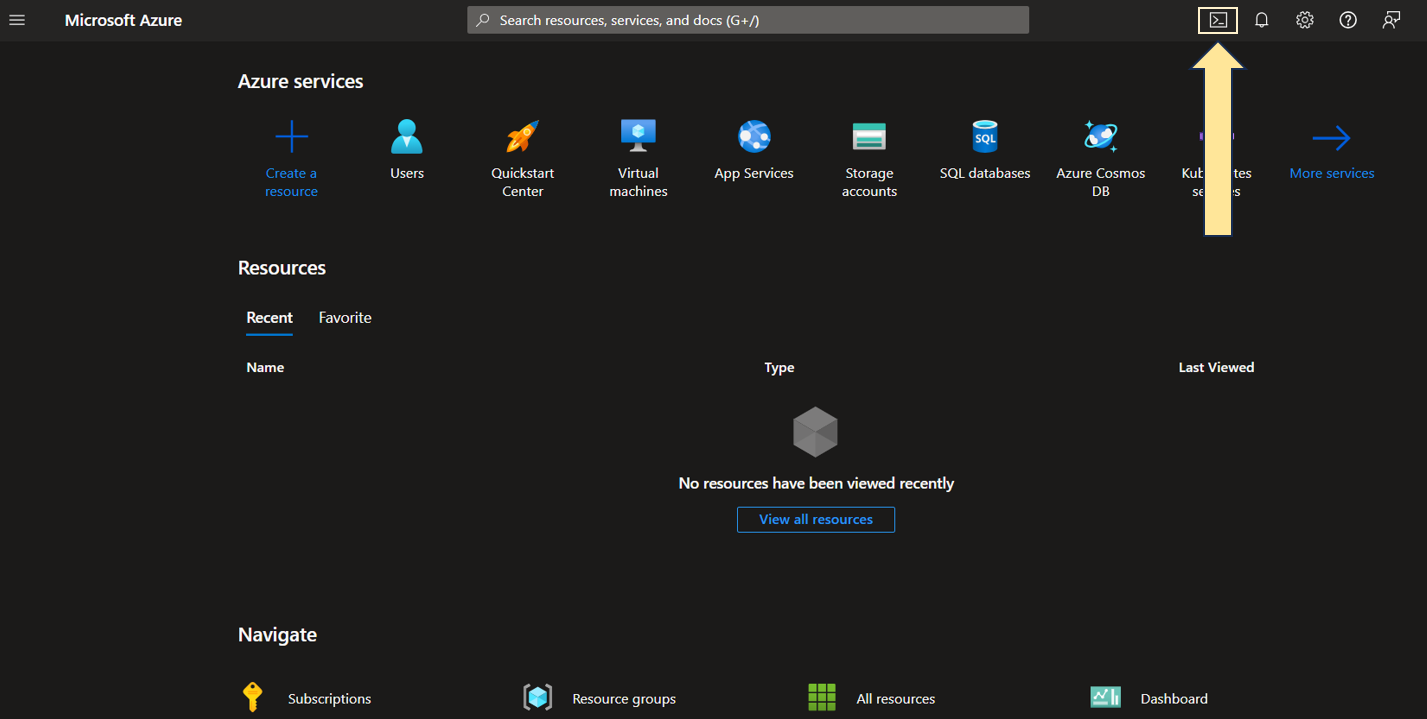
2. Enter the following command in PowerShell to retrieve the list of your Subscription IDs.
PS/home/username>az account list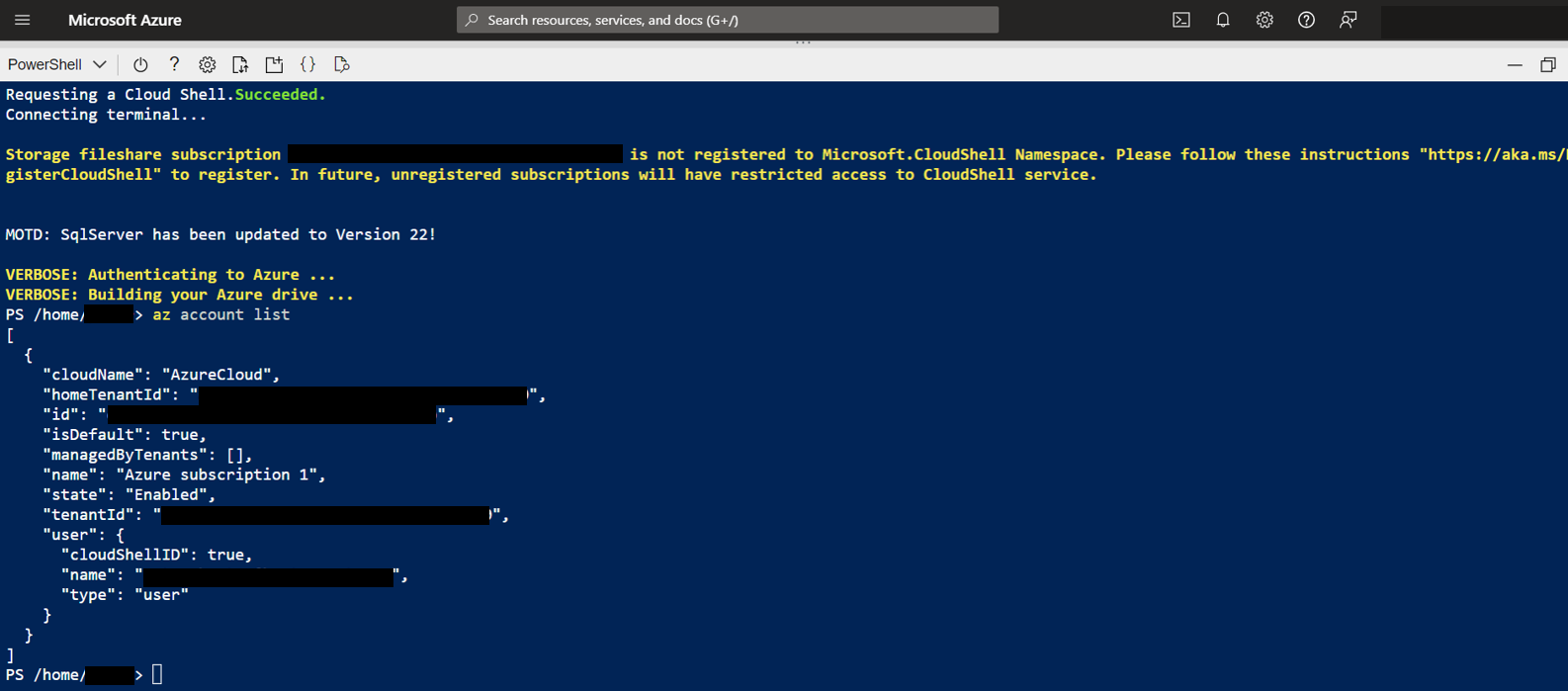
- Choose the Subscription ID for which you wish to run the Live Optics collection from the list (you need the Subscription ID for collector authentication).
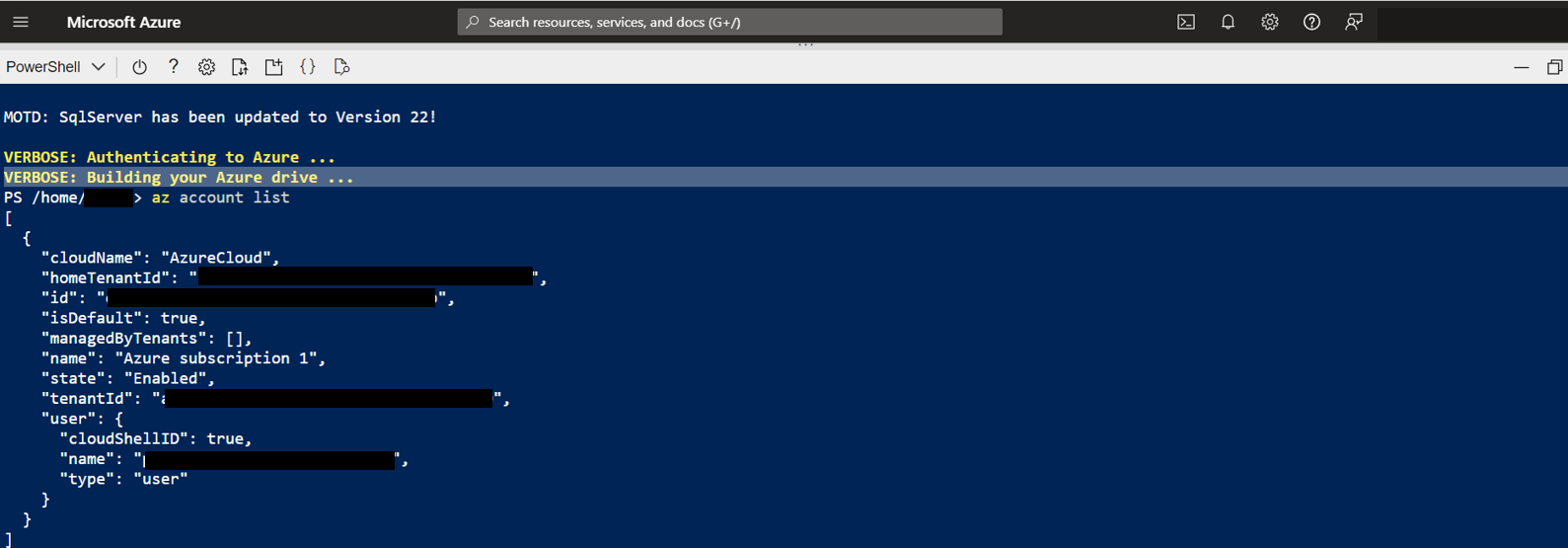
- Enter the following command to set the subscription for the Service Principal account.
PS/home/username>az account set --subscription <subscription ID>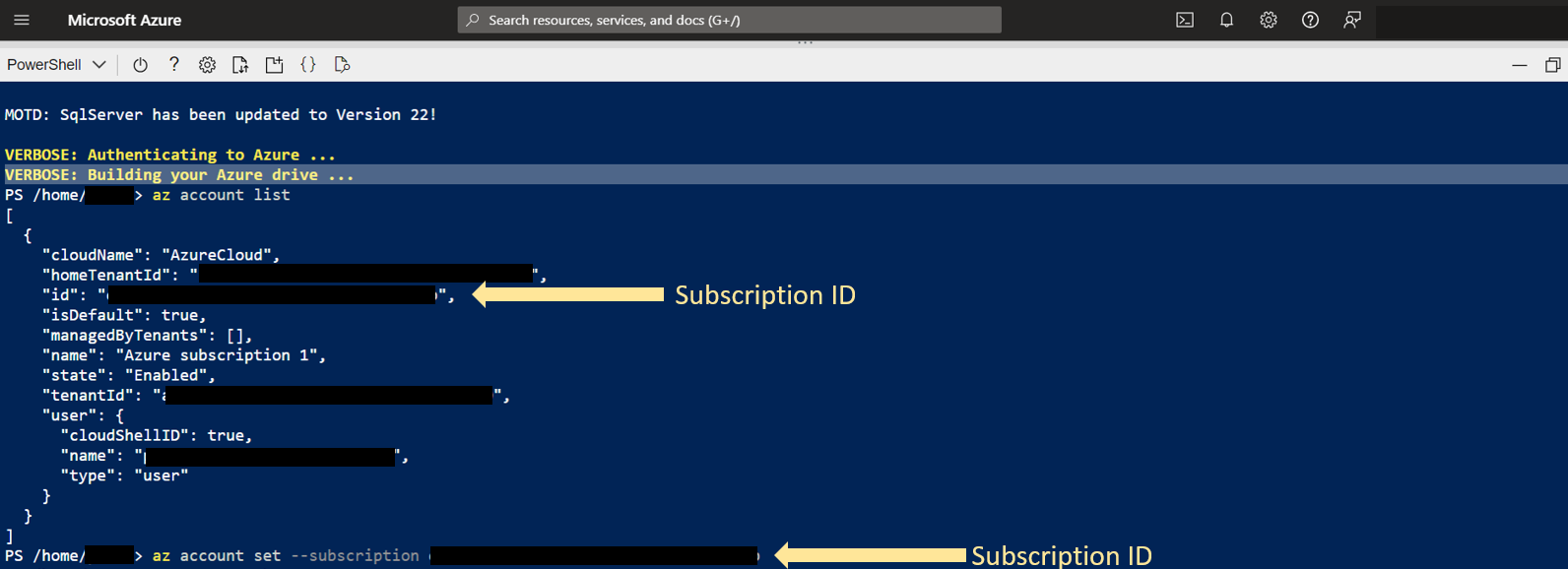
- Use the following command to verify the subscription is correct, and to retrieve the Tenant ID and Subscription ID for collector authentication.
PS/home/username>az account show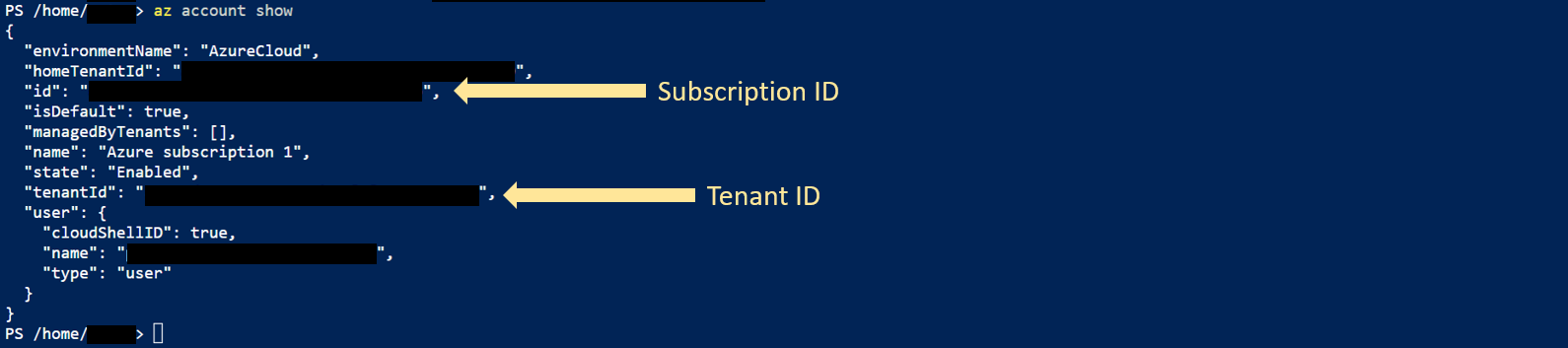
- To create the Service Principle account with read-only permission, enter the following command:
PS/home/username>az ad sp create-for-rbac --name http://<Service Principle Name> --role reader --scopes /subscriptions/<subscription ID>
Copy the Client ID and Client Secret highlighted below are needed for collector authentication.
Additional Information
If you have any questions, please reach out to Live Optics Support at liveoptics.support@dell.com.
Produse afectate
APEX Cloud Platform for Microsoft AzureProduse
Dell EMC Cloud For Microsoft Azure StackProprietăți articol
Article Number: 000228863
Article Type: How To
Ultima modificare: 22 ian. 2026
Version: 4
Găsiți răspunsuri la întrebările dvs. de la alți utilizatori Dell
Servicii de asistență
Verificați dacă dispozitivul dvs. este acoperit de serviciile de asistență.