Avamar: Deployment KB: Invalid Package Application Parameter while logging into Avamar Installation Manager
Zhrnutie: Logging in to the Avamar Installation Manager fails reporting "Invalid Package Applicable parameter" when the correct password is used.
Tento článok sa vzťahuje na
Tento článok sa nevzťahuje na
Tento článok nie je viazaný na žiadny konkrétny produkt.
V tomto článku nie sú uvedené všetky verzie produktov.
Symptómy
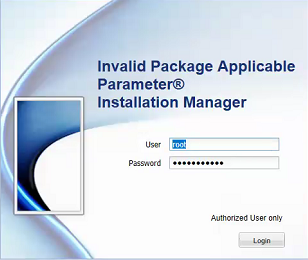
Logging in to the Avamar Installation Manager fails reporting "Invalid Package Applicable parameter" when the correct password is used:
Príčina
The exact cause is unknown, but a workaround is provided in the resolution section below.
Riešenie
1. Using PuTTY, establish an SSH session to the Avamar Utility Node.
2. Log in as admin.
3. Run the following command to restart the avinstaller service:
avinstaller.pl --restart
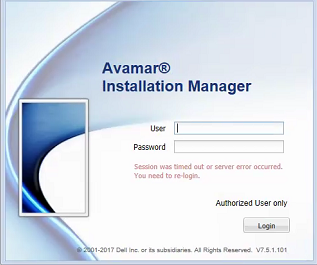
4. Once the service has restated, refresh the web browser:
Dotknuté produkty
AvamarProdukty
AvamarVlastnosti článku
Číslo článku: 000048112
Typ článku: Solution
Dátum poslednej úpravy: 20 aug 2026
Verzia: 5
Nájdite odpovede na svoje otázky od ostatných používateľov spoločnosti Dell
Služby podpory
Skontrolujte, či sa na vaše zariadenie vzťahujú služby podpory.