Precision 5540: Visual Guide to your Computer
Zhrnutie: The following article provides a visual guide to your Precision 5540 Mobile Workstation and lists the external ports and features of your laptop.
Tento článok sa vzťahuje na
Tento článok sa nevzťahuje na
Tento článok nie je viazaný na žiadny konkrétny produkt.
V tomto článku nie sú uvedené všetky verzie produktov.
Symptómy
Note: For a more detailed description of each location, go to the laptops manual at www.dell.com/support
Table of Contents:
- Front View
- Top View
- Bottom View
- Left-Hand Side View
- Right-Hand Side View
- AC Adapter View
- Additional Info:
Príčina
Front View
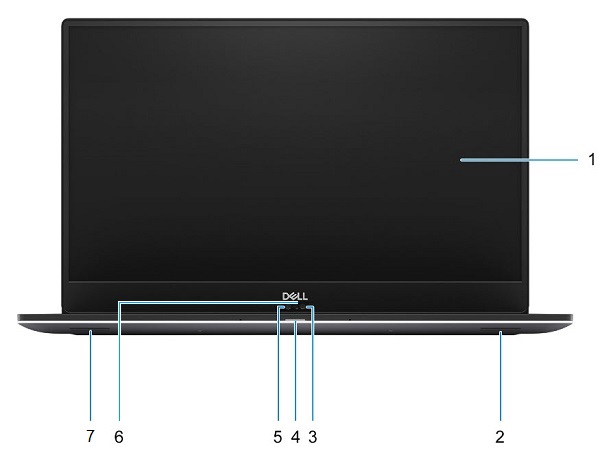
(Figure.1 Front View)
| 1 | Display | 2 | Right Speaker |
| 3 | Infrared Camera | 4 | Battery/Status LED |
| 5 | HD Camera | 6 | Camera Status LED |
| 7 | Left Speaker |
Top View
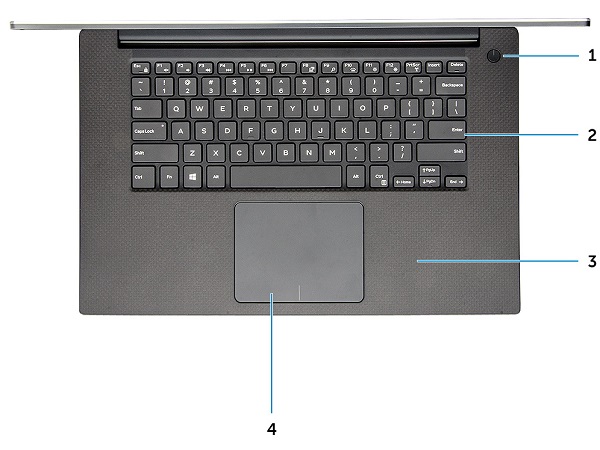
(Figure.2 Top View)
| 1 | Power Button w/LED or Power Button w/Fingerprint Reader (Optional) | 2 | Keyboard |
| 3 | Palmrest | 4 | Touchpad |
Bottom View
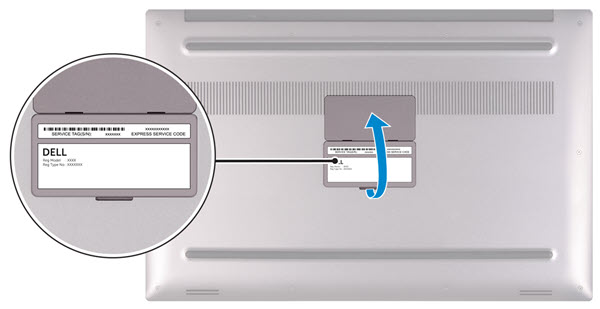
(Figure.3 Bottom View)
| 1 | Service Tag | 2 | Regulatory Label |
Left-Hand Side View
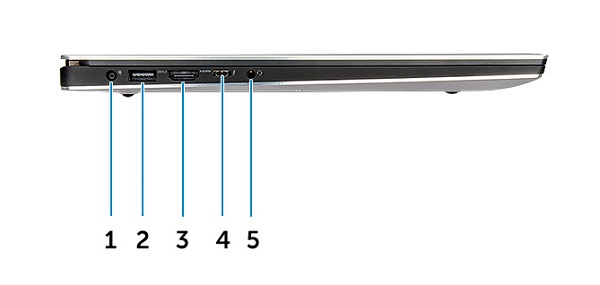
(Figure.4 Left-Hand Side View)
| 1 | Power Connector | 2 | USB 3.1 Gen1 Connector w/PowerShare |
| 3 | HDMI Connector | 4 | Thunderbolt 3 Type-C Connector |
| 5 | Headset Connector |
Right-Hand Side View
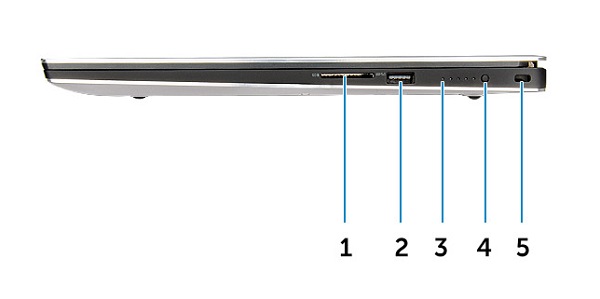
(Figure.5 Right-Hand Side View)
| 1 | Memory Card Reader | 2 | USB 3.1 Gen1 Connector w/PowerShare |
| 3 | Battery-Charge Status LED | 4 | Battery-Charge Status Button |
| 5 | Noble Wedge Security Slot |
Riešenie
AC Adapter View
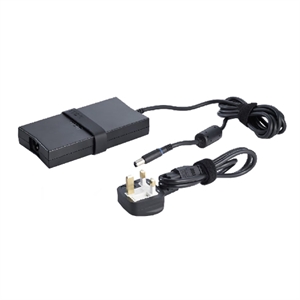
(Figure.6 130W Adapter)
| Type 130W Series | Description |
| Input Voltage | 100 VAC to 240 VAC |
| Output Current | 6.67 A (Continuous) |
| Output Power | 130 W |
| Output Voltage | 19.5 VDC |
Ďalšie informácie
- Precision 5540 Teardown removal guide for customer replaceable units (CRUs)
- Dell Precision 5540 Online Manual and documents
Dotknuté produkty
Precision 5540Vlastnosti článku
Číslo článku: 000125898
Typ článku: Solution
Dátum poslednej úpravy: 05 máj 2025
Verzia: 9
Nájdite odpovede na svoje otázky od ostatných používateľov spoločnosti Dell
Služby podpory
Skontrolujte, či sa na vaše zariadenie vzťahujú služby podpory.