EQLXPerf not started
Zhrnutie: The service EQLXPerf not starting in operation system.
Tento článok sa vzťahuje na
Tento článok sa nevzťahuje na
Tento článok nie je viazaný na žiadny konkrétny produkt.
V tomto článku nie sú uvedené všetky verzie produktov.
Symptómy
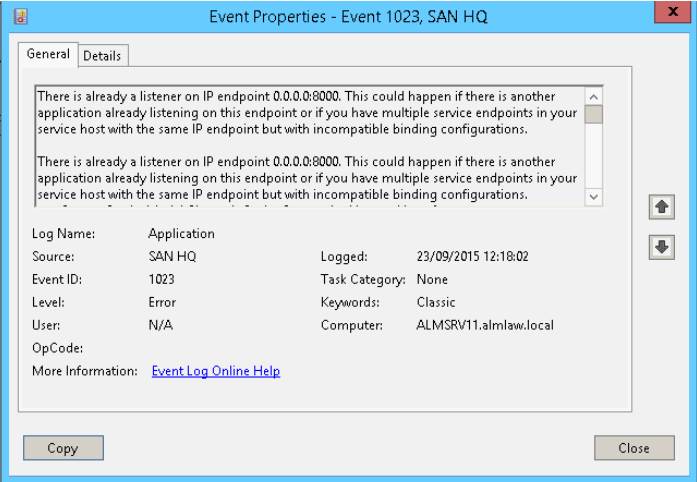
Service EQLXPerf not starting and generating Event ID: 1023 in system event Logs in Operation System.
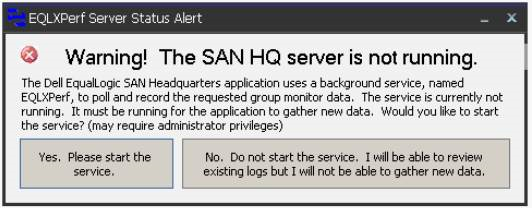
Trying to start it manually, this error will be displayed after a few seconds:
In the Operating System Event Logs, the event ID: 1023 is recorded. There is already a listener on IP endpoint 0.0.0.0:8000.
Trying to start it manually, this error will be displayed after a few seconds:
In the Operating System Event Logs, the event ID: 1023 is recorded. There is already a listener on IP endpoint 0.0.0.0:8000.
Riešenie
Use the Command netstat -an in prompt to verify the ports and programs running.

After, search in the archive for 0.0.0.0:8000 and verify the state.
If the state is LISTENING, another application is already using this port.
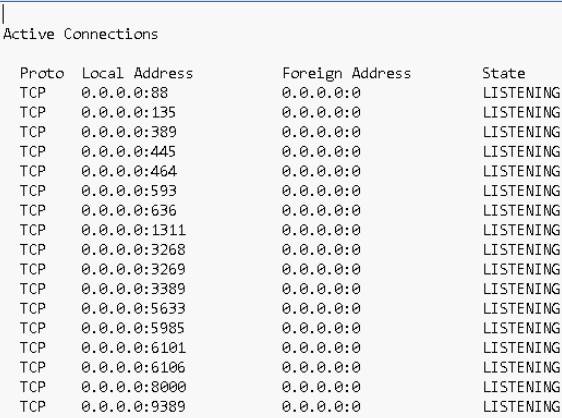
In this case we must change the port of San HeadQuarters or the application that is using port 8000.
To change the port in San Headquarters access the option:
Settings -> Server Settings.
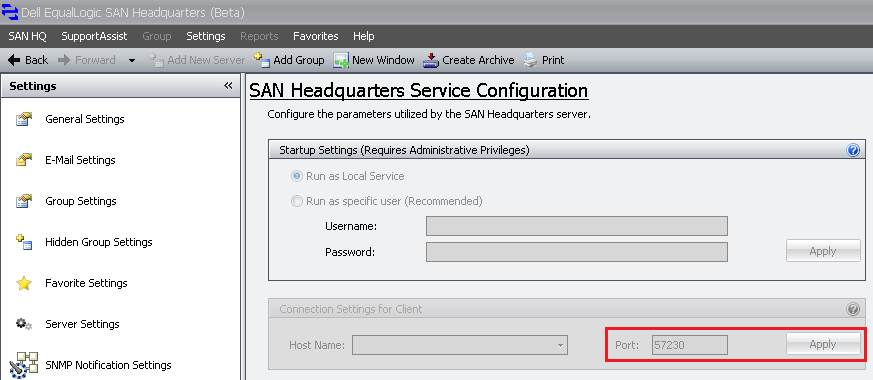
After changing the port, start the EQLXPerf service in the Operatig System.
After, search in the archive for 0.0.0.0:8000 and verify the state.
If the state is LISTENING, another application is already using this port.
In this case we must change the port of San HeadQuarters or the application that is using port 8000.
To change the port in San Headquarters access the option:
Settings -> Server Settings.
After changing the port, start the EQLXPerf service in the Operatig System.
Dotknuté produkty
Legacy Storage ModelsVlastnosti článku
Číslo článku: 000136708
Typ článku: Solution
Dátum poslednej úpravy: 01 jún 2026
Verzia: 4
Nájdite odpovede na svoje otázky od ostatných používateľov spoločnosti Dell
Služby podpory
Skontrolujte, či sa na vaše zariadenie vzťahujú služby podpory.