A Warning Message is Displayed When Installing the Youku Application on Alienware Laptops
Zhrnutie: This article provides information about Alienware laptops displaying a warning message while installing the Youku application.
Tento článok sa vzťahuje na
Tento článok sa nevzťahuje na
Tento článok nie je viazaný na žiadny konkrétny produkt.
V tomto článku nie sú uvedené všetky verzie produktov.
Symptómy
Affected Platforms:
- Alienware x14 R2
- Alienware x16 R1
- Alienware x16 R2
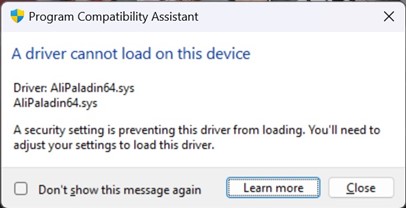
A warning message is displayed about a driver incompatibility with AliPaladin64.sys, while installing Youku on Alienware laptops.
Príčina
Memory integrity blocked AliPaladin64.sys which is part of the Youku installation.
Riešenie
Workaround:
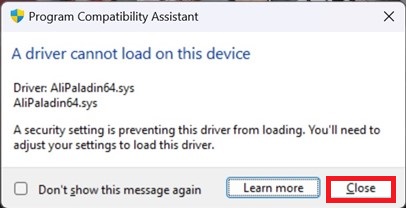
- Press close, and the installation continues.
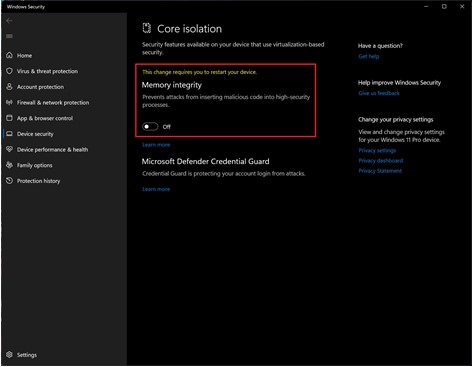
- Click the windows start button, in the search box type Core isolation and turn off Memory integrity before installing Youku (a restart is required).
Dotknuté produkty
Alienware x14 R2, Alienware x16 R1, Alienware x16 R2Vlastnosti článku
Číslo článku: 000223190
Typ článku: Solution
Dátum poslednej úpravy: 02 júl 2025
Verzia: 6
Nájdite odpovede na svoje otázky od ostatných používateľov spoločnosti Dell
Služby podpory
Skontrolujte, či sa na vaše zariadenie vzťahujú služby podpory.