How to access your Data Domain Transformational Licensing Agreement (TLA) in Software Licensing Central (SLC)
Zhrnutie: This Knowledge Article outlines how to access your Data Domain Transformational Licensing Agreement (TLA) in Software Licensing Central (SLC)
Pokyny
Your Transformational Licensing Agreement (TLA) is available to activate within Software Licensing Central (SLC); Licensing.emc.com.
The User needs a support profile in order to access SLC. A support profile is created in the support center; https://www.dell.com/support/home
To access your TLA, the User can deeplink directly from the Customer facing object (CFO) or License Authorization Code (LAC) letter. Alternatively, enter the TLA Sales order number or LAC number directly into SLC.
1.CFO/ LAC letter
The CFO/LAC letter has information such as your LAC number, Sales order number, PO number, and products purchased. A deeplink is also available which brings the User directly into the 'activate' page within SLC.
Sample CFO letter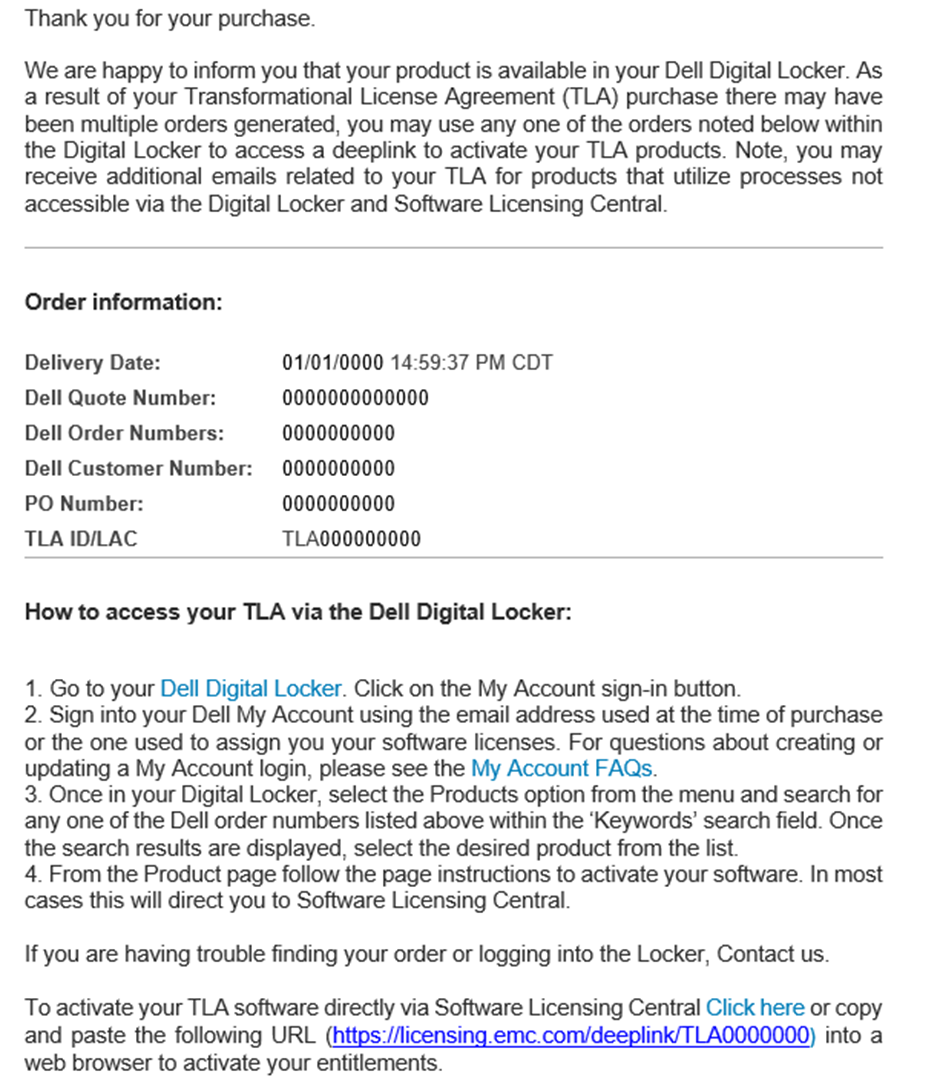
Sample LAC letter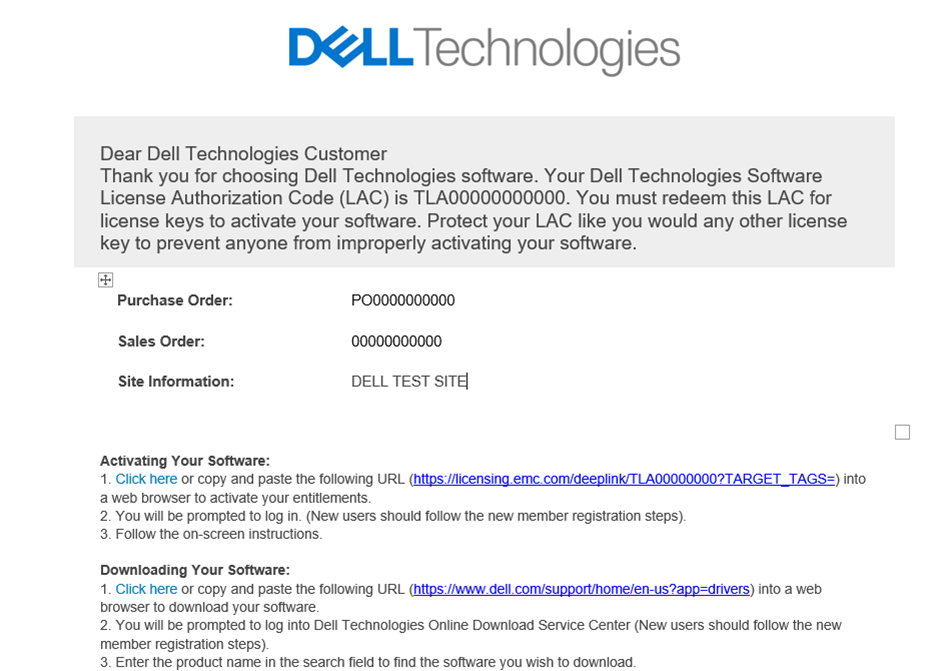
2. To Activate directly in Software Licensing Central
The User can also access Software Licensing Central (SLC) directly by visiting; Licensing.emc.com. Click to the Activation tab and enter your LAC number OR TLA Sales order number.
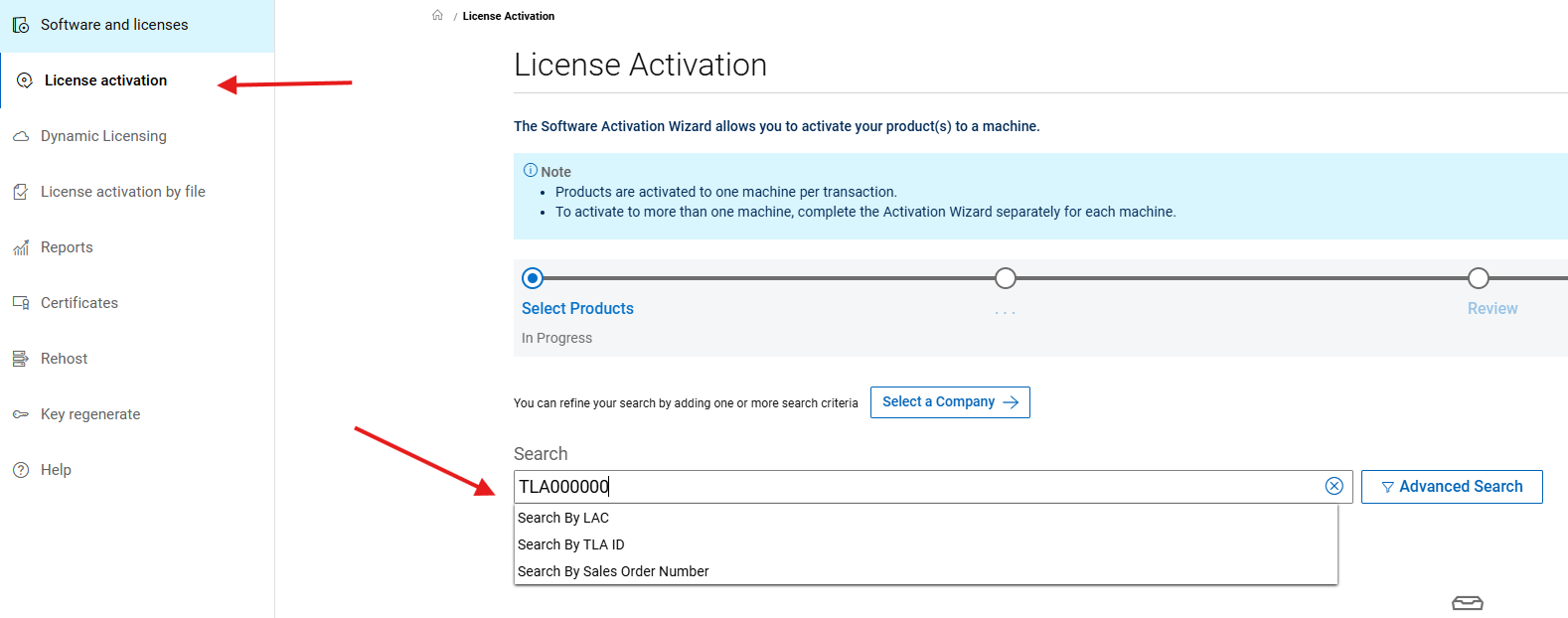
Additional search attributes are displayed when the User clicks the Advanced Search link.