NVE: How to change OS passwords
Zhrnutie: This KB provides instructions on how to change the OS user account passwords on the NetWorker Virtual Edition (NVE) appliance.
Tento článok sa vzťahuje na
Tento článok sa nevzťahuje na
Tento článok nie je viazaný na žiadny konkrétny produkt.
V tomto článku nie sú uvedené všetky verzie produktov.
Pokyny
The NetWorker Virtual Edition (NVE) appliance includes a password management utility called change-passwords. This utility can be used to change the NVE operating system "admin" or "root" credentials. In order to use this method, either the admin or root credentials must be known.
- Authenticate to the VMware vSphere web client that is hosting the NVE.
- Open a Remote Console to the NVE from the vSphere Web Client.
NOTE: By default root access over SSH is disabled, to log in as root directly over SSH it must be enabled. NVE: How to Allow root SSH Access On a NetWorker Virtual Edition.
- From the NVE Remote Console session, log in as root.
- Use the
change-passwordsutility to update the passwords for the admin and root accounts. Example:
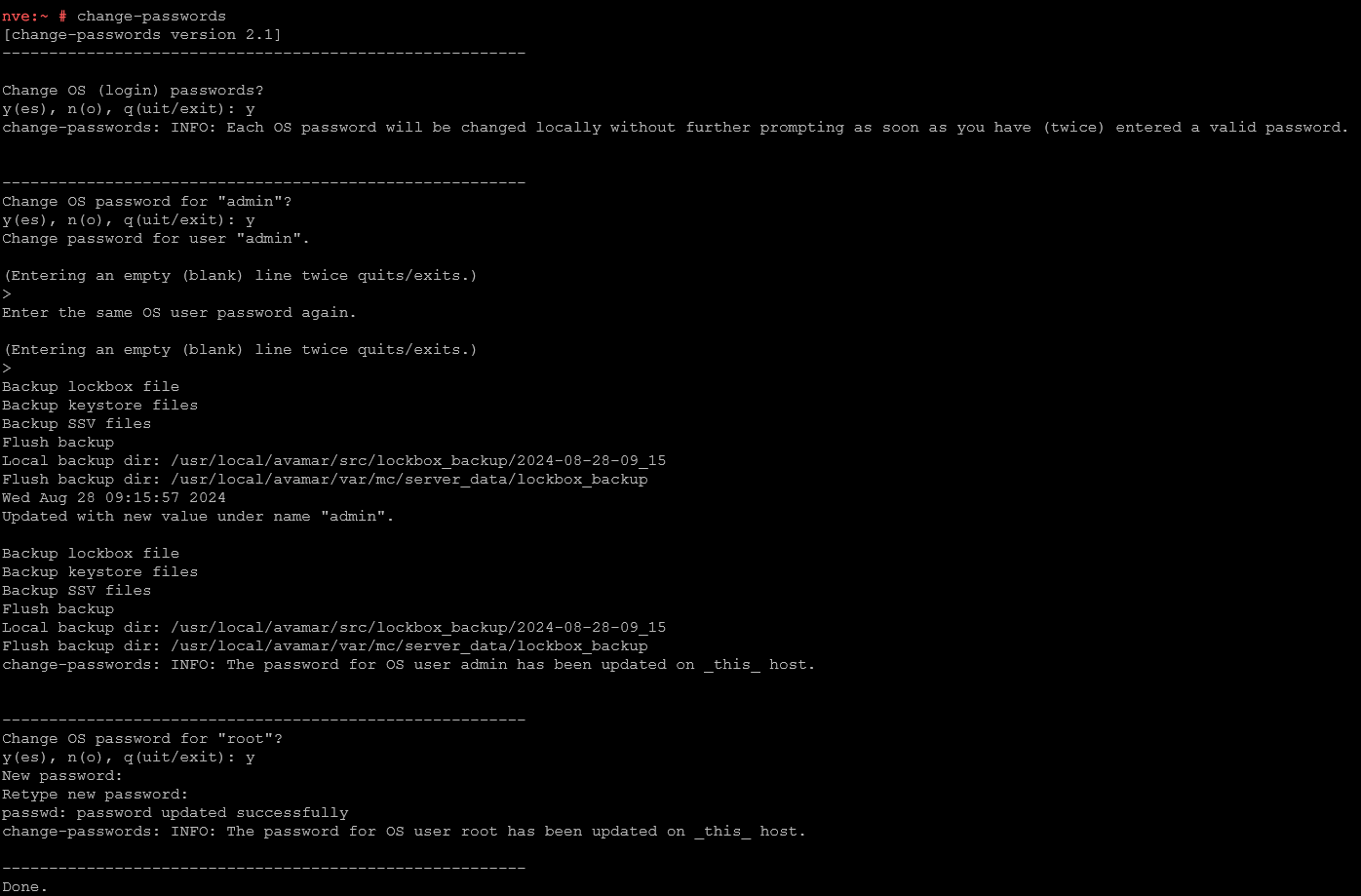
If the admin account is showing as locked, it can be reset using the Linux pam_tally2 utility:
pam_tally2 --user admin --reset
If the admin account keeps locking without known SSH attempts, check which system is trying and failing to log in using admin credentials.
journalctl -u sshd | grep -w 'admin'
Example:
Dec 06 09:23:36 nve.networker.lan sshd[9407]: pam_unix(sshd:auth): authentication failure; logname= uid=0 euid=0 tty=ssh ruser= rhost=192.168.9.100  user=admin
Dec 06 09:23:38 nve.networker.lan sshd[9407]: Failed password for admin from 192.168.9.100 port 54788 ssh2
NOTE: This shows the failed login attempt timestamps and from which IP address the login came from. Use
nslookup to see if the IP address is resolvable within the NVE's network; if the IP resolves to a known hostname, investigate the host to see why it is producing failed login attempts on the NVE. If the IP address/host cannot be identified, consult with your networking or security team to investigate where the request is coming from.
Dotknuté produkty
NetWorkerProdukty
NetWorker FamilyVlastnosti článku
Číslo článku: 000228121
Typ článku: How To
Dátum poslednej úpravy: 11 dec 2025
Verzia: 6
Nájdite odpovede na svoje otázky od ostatných používateľov spoločnosti Dell
Služby podpory
Skontrolujte, či sa na vaše zariadenie vzťahujú služby podpory.