Azure Stack: HLH Upgrade A Positional Parameter Cannot be Found Inaccessible Network Share
Zhrnutie: The PnU tool fails to attach the HLH ISO file to the iDRAC when using a credential similar to "domain\username." A positional parameter cannot be found that accepts argument 'Inaccessible network share.' ...
Tento článok sa vzťahuje na
Tento článok sa nevzťahuje na
Tento článok nie je viazaný na žiadny konkrétny produkt.
V tomto článku nie sú uvedené všetky verzie produktov.
Symptómy
The PnU tool fails to attach the HLH ISO file to the iDRAC when using a credential similar to below:
Connected Console Username: domain\username
Error details:
2025-05-08 01:55:04.350 +03:00 [INF] Settings ISO found at C:\Program Files\Dell EMC\VxRack AS Patch and Update Automation\PSScripts\HLH\Windows\OSDShare\PnU-Setup.iso
2025-05-08 01:55:04.356 +03:00 [INF] HLH ISO found at C:\Program Files\Dell EMC\VxRack AS Patch and Update Automation\PSScripts\HLH\Windows\OSDShare\MS2406_Dell2411.4_Redeployment.iso
2025-05-08 01:55:04.362 +03:00 [INF] Attaching HLH OS ISO for iDRAC 172.16.112.2.
2025-05-08 01:55:04.686 +03:00 [INF] OSD initiated successfully.
2025-05-08 01:55:05.693 +03:00 [INF] OSD Task State :
2025-05-08 01:55:05.788 +03:00 [ERR] A positional parameter cannot be found that accepts argument 'Inaccessible network share.'.
2025-05-08 01:55:05.792 +03:00 [INF] Validating iDRAC credentials and creating session
2025-05-08 01:55:05.796 +03:00 [INF] Checking connectivity for HLH iDRAC
Príčina
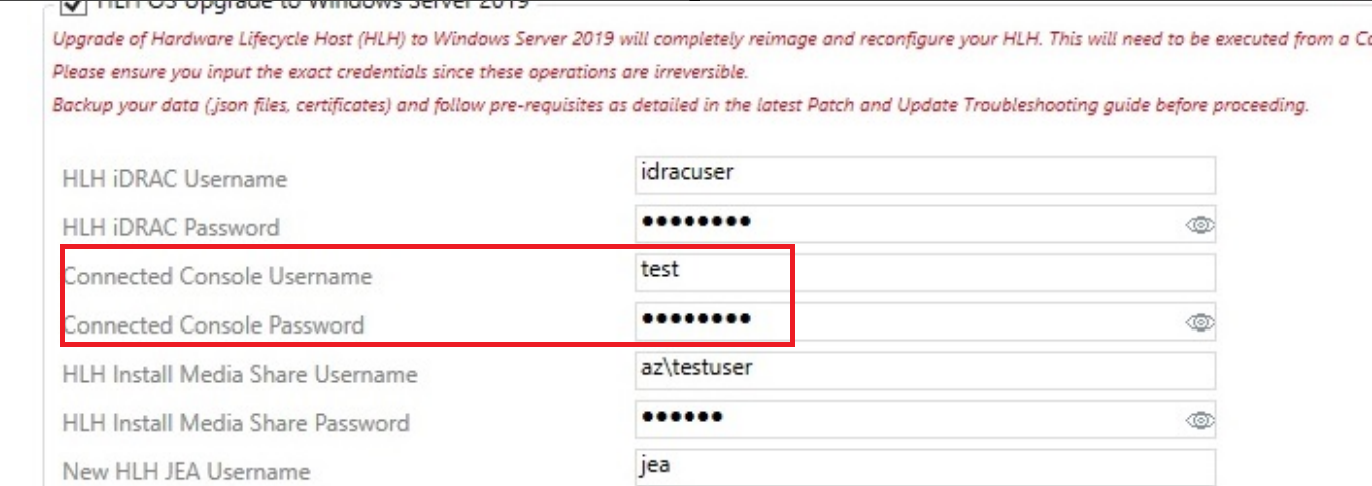
The API for iDRAC does not work if using a domain credential "domain\username" for the Connected Console Username in the PnU automation tool.
Riešenie
To work around this issue, use a local administrator account without a domain name.
Connected Console Username: testuser
Dotknuté produkty
Integrated System for Microsoft Azure Stack Hub 14GProdukty
Integrated System for Microsoft Azure Stack Hub 16GVlastnosti článku
Číslo článku: 000323734
Typ článku: Solution
Dátum poslednej úpravy: 15 jan 2026
Verzia: 2
Nájdite odpovede na svoje otázky od ostatných používateľov spoločnosti Dell
Služby podpory
Skontrolujte, či sa na vaše zariadenie vzťahujú služby podpory.