Dell Unity: How to Enable and Disable SSH
Zhrnutie: This article describes multiple ways to enable and disable SSH on Dell Unity arrays.
Tento článok sa vzťahuje na
Tento článok sa nevzťahuje na
Tento článok nie je viazaný na žiadny konkrétny produkt.
V tomto článku nie sú uvedené všetky verzie produktov.
Pokyny
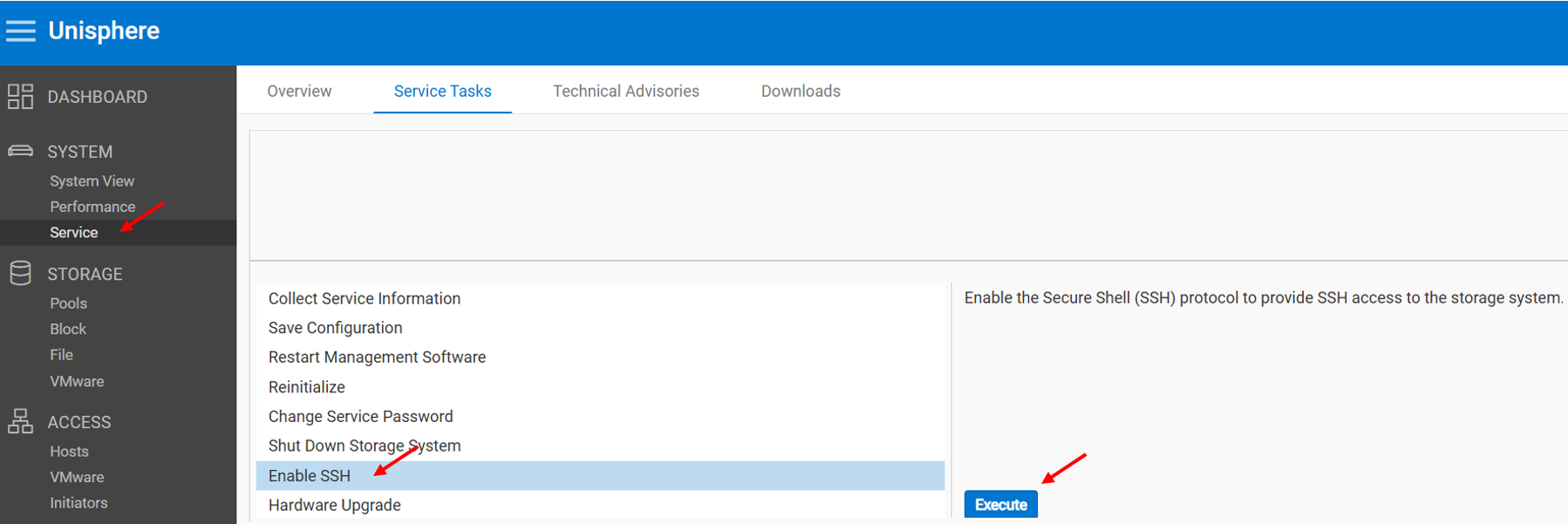
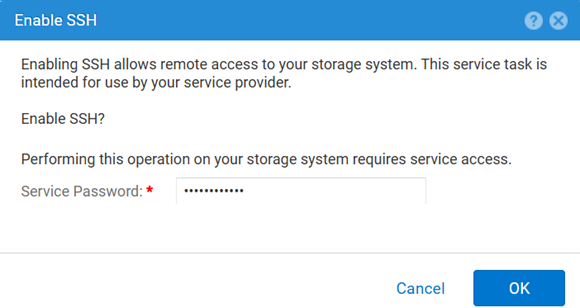
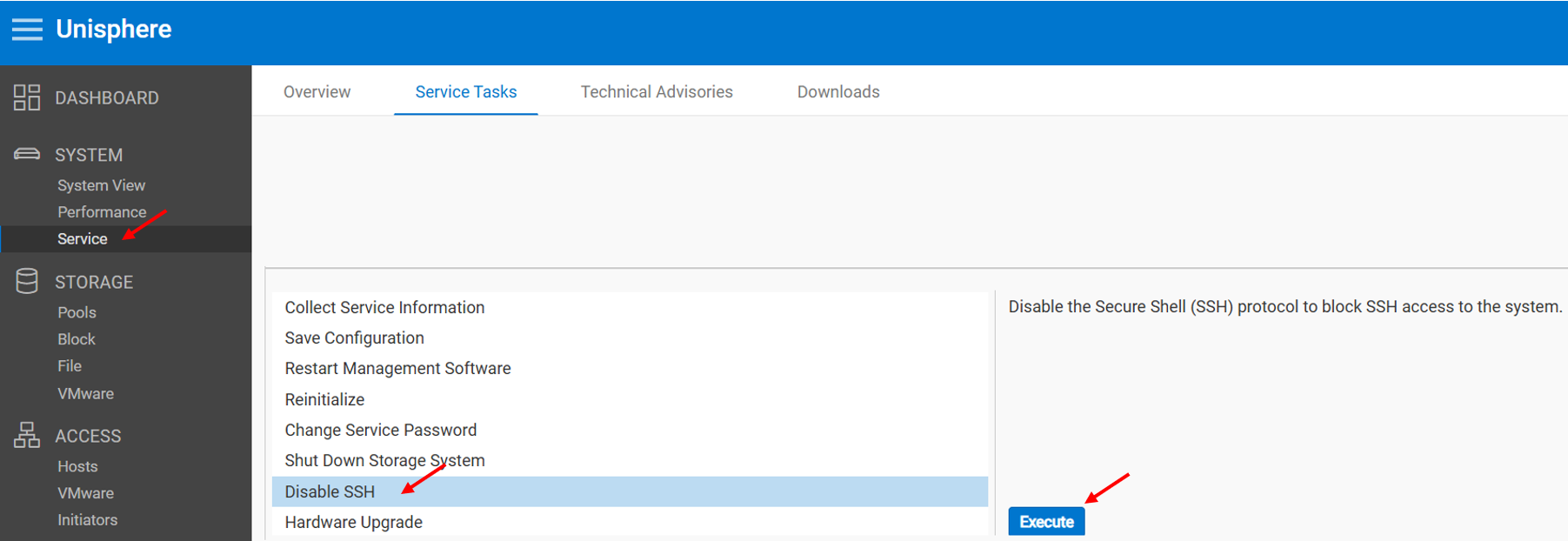
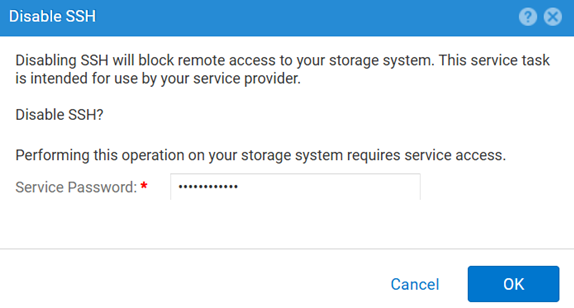
METHOD 1: From Unisphere (UI) - when the array is in normal mode
To enable:
To disable:
METHOD 2: UEMCLI
To view the SSH setting:
uemcli.exe -d <MGMT IP> -u admin -securePassword /service/ssh showTo enable SSH:
uemcli.exe -d <MGMT IP> -u admin -securePassword /service/ssh set -enabled yesTo disable SSH:
uemcli.exe -d <MGMT IP> -u admin -securePassword /service/ssh set -enabled noMETHOD 3: With an IPMI Connection
To view the SSH status:
svc_ssh -sTo enable SSH:
svc_ssh -eTo disable SSH:
svc_ssh -d
METHOD 4: From Unisphere Service (UI) - when the array is in service mode
1. Open a browser.
2. Go to https://<management_IP>/service.html
3. Use the admin credentials.
4. From this menu SSH can be enabled.
Ďalšie informácie
Other useful articles while troubleshooting SSH-related issues:
Dotknuté produkty
Dell EMC Unity, Dell Unity 450F DC, Dell Unity 300, Dell Unity 300 DC, Dell EMC Unity 300F, Dell EMC Unity 350F, Dell Unity 350F DC, Dell EMC Unity XT 380, Dell EMC Unity XT 380F, Dell EMC Unity 400, Dell Unity 400 DC, Dell EMC Unity 400F
, Dell EMC Unity 450F, Dell EMC Unity XT 480, Dell EMC Unity XT 480F, Dell EMC Unity 500, Dell EMC Unity 500F, Dell EMC Unity 550F, Dell EMC Unity 600, Dell EMC Unity 600F, Dell EMC Unity 650F, Dell EMC Unity XT 680, Dell EMC Unity XT 680F, Dell EMC Unity XT 880, Dell EMC Unity XT 880F, Dell EMC Unity Family |Dell EMC Unity All Flash, Dell EMC Unity Hybrid
...
Produkty
Dell Command | ConfigureVlastnosti článku
Číslo článku: 000446216
Typ článku: How To
Dátum poslednej úpravy: 15 apr 2026
Verzia: 1
Nájdite odpovede na svoje otázky od ostatných používateľov spoločnosti Dell
Služby podpory
Skontrolujte, či sa na vaše zariadenie vzťahujú služby podpory.