Unisphere for PowerMax: Remote Syslog Configuration mislykkes med feilmeldingen "java.net.SocketException: Tilbakestilling av tilkobling"
Summary: Konfigurasjon av ekstern syslog mislykkes med feilen "java.net.SocketException: Tilbakestilling av tilkobling."
Bu makale şunlar için geçerlidir:
Bu makale şunlar için geçerli değildir:
Bu makale, belirli bir ürüne bağlı değildir.
Bu makalede tüm ürün sürümleri tanımlanmamıştır.
Symptoms
Når du prøver å konfigurere Remote Syslog fra Setting > Security > Remote syslog in Unisphere for PowerMax, mislykkes det og viser feilmelding:
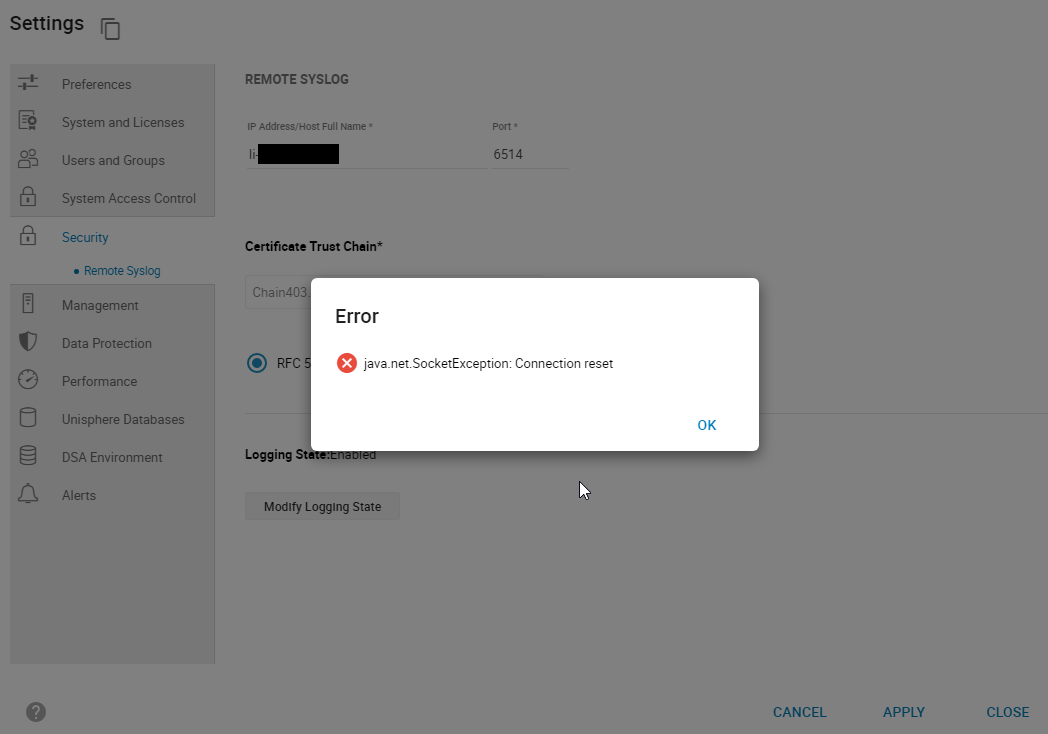
smas.log har bare følgende oppføringer:
java.net.SocketException: Connection reset
Figur 1: Error:
java.net.SocketException: Tilbakestilling av tilkobling
smas.log har bare følgende oppføringer:
2022-03-04 14:49:11,568 ERROR [em.bp.SECURITY] (default task-40) SecurityCommandProcessor.processConfigureRemoteSyslogCommand:java.net.SocketException: Connection reset
2022-03-04 14:51:39,978 ERROR [em.bp.SECURITY] (default task-14) SecurityCommandProcessor.processConfigureRemoteSyslogCommand:java.net.SocketException: Connection reset
2022-03-07 15:50:51,998 ERROR [em.bp.SECURITY] (default task-31) SecurityCommandProcessor.processConfigureRemoteSyslogCommand:java.net.SocketException: Connection reset
Cause
Denne feilen skyldes et nettverksproblem.
Resolution
Brukerens nettverksteam fant ut at trafikken var blokkert for port 6514. Når nettverksproblemet var løst, kunne de konfigurere Remote syslog.
Etkilenen Ürünler
Unisphere for PowerMaxMakale Özellikleri
Article Number: 000204186
Article Type: Solution
Son Değiştirme: 11 Tem 2024
Version: 3
Sorularınıza diğer Dell kullanıcılarından yanıtlar bulun
Destek Hizmetleri
Aygıtınızın Destek Hizmetleri kapsamında olup olmadığını kontrol edin.