Switch de rede aberta - Como identificar a etiqueta de serviço no ambiente de instalação de rede aberta (ONIE)
摘要: Este artigo apresenta informações sobre como verificar a etiqueta de serviço do switch de rede aberta no ambiente de instalação de rede aberta (ONIE) usando um comando.
本文适用于
本文不适用于
本文并非针对某种特定的产品。
本文并非包含所有产品版本。
说明
Resumo do artigo
Este artigo apresenta informações sobre como identificar a etiqueta de serviço do switch no ambiente de instalação de rede aberta (ONIE).
Produtos em que é aplicável:
- Dell Networking S3048-ON
- Dell Networking S4048-ON
- Dell Networking S4048T-ON
- Dell Networking S6000-ON
- Dell Networking S6010-ON
- Dell Networking S6100-ON
- Dell Networking Z9100-ON
Como identificar a etiqueta de serviço
-
Conecte-se ao switch com um console serial por meio da porta do console serial.
-
Desligue e ligue o switch para reiniciar.
-
Após a reinicialização, pressione a tecla ESC dentro de cinco segundos assim que a mensagem "Press ESC to stop autoboot..." for exibida no software do terminal.
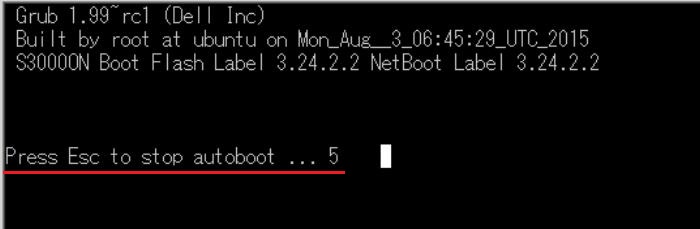
-
Selecione ONIE no menu do Grub e pressione a tecla Enter.
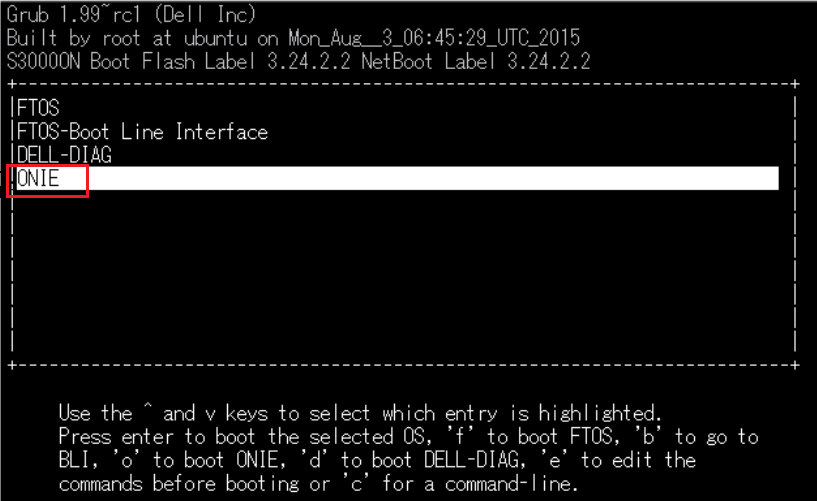
-
Selecione Rescue no menu do ONIE e pressione a tecla Enter.
Se o NOS estiver instalado, verifique se Rescue está selecionado, pois o sistema operacional não inicializará se "Install OS" estiver selecionado.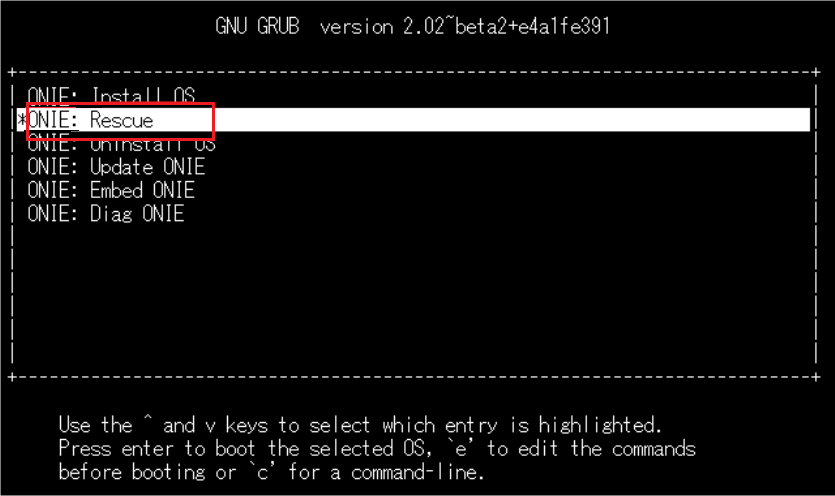
-
Execute o comando:
onie-syseepromno prompt do ONIE.
A etiqueta de serviço será exibida na linha "Service Tag".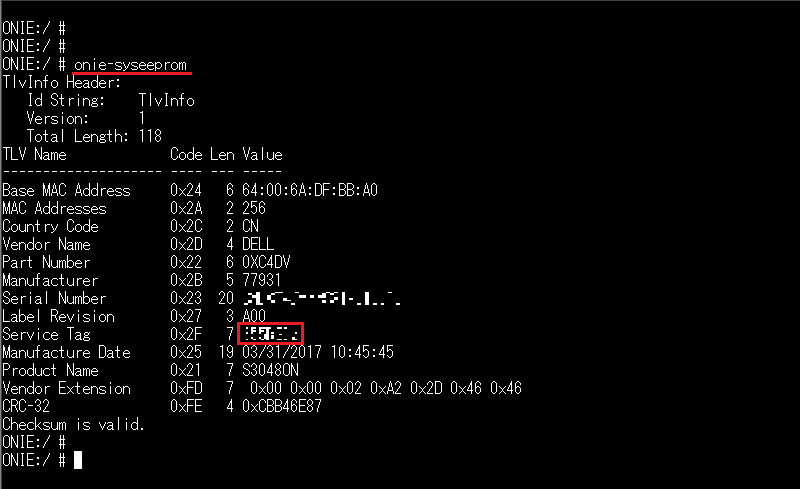
受影响的产品
Networking, PowerSwitch S3048-ON, PowerSwitch S4048-ON, PowerSwitch S6000 ON, PowerSwitch S4048T-ON, PowerSwitch S6010-ON, PowerSwitch S6100-ON, PowerSwitch Z9100-ON文章属性
文章编号: 000122325
文章类型: How To
上次修改时间: 29 7月 2025
版本: 5
从其他戴尔用户那里查找问题的答案
支持服务
检查您的设备是否在支持服务涵盖的范围内。