安全连接网关: Extending the /var/lib/docker Disk Space Using Logical Volume
摘要: The /var/lib/docker directory is where the local system stores the logs of the SCG. The SCG user interface container services operate on this directory. If it is fully used, this could render the user interface of the SCG inaccessible. ...
本文适用于
本文不适用于
本文并非针对某种特定的产品。
本文并非包含所有产品版本。
症状
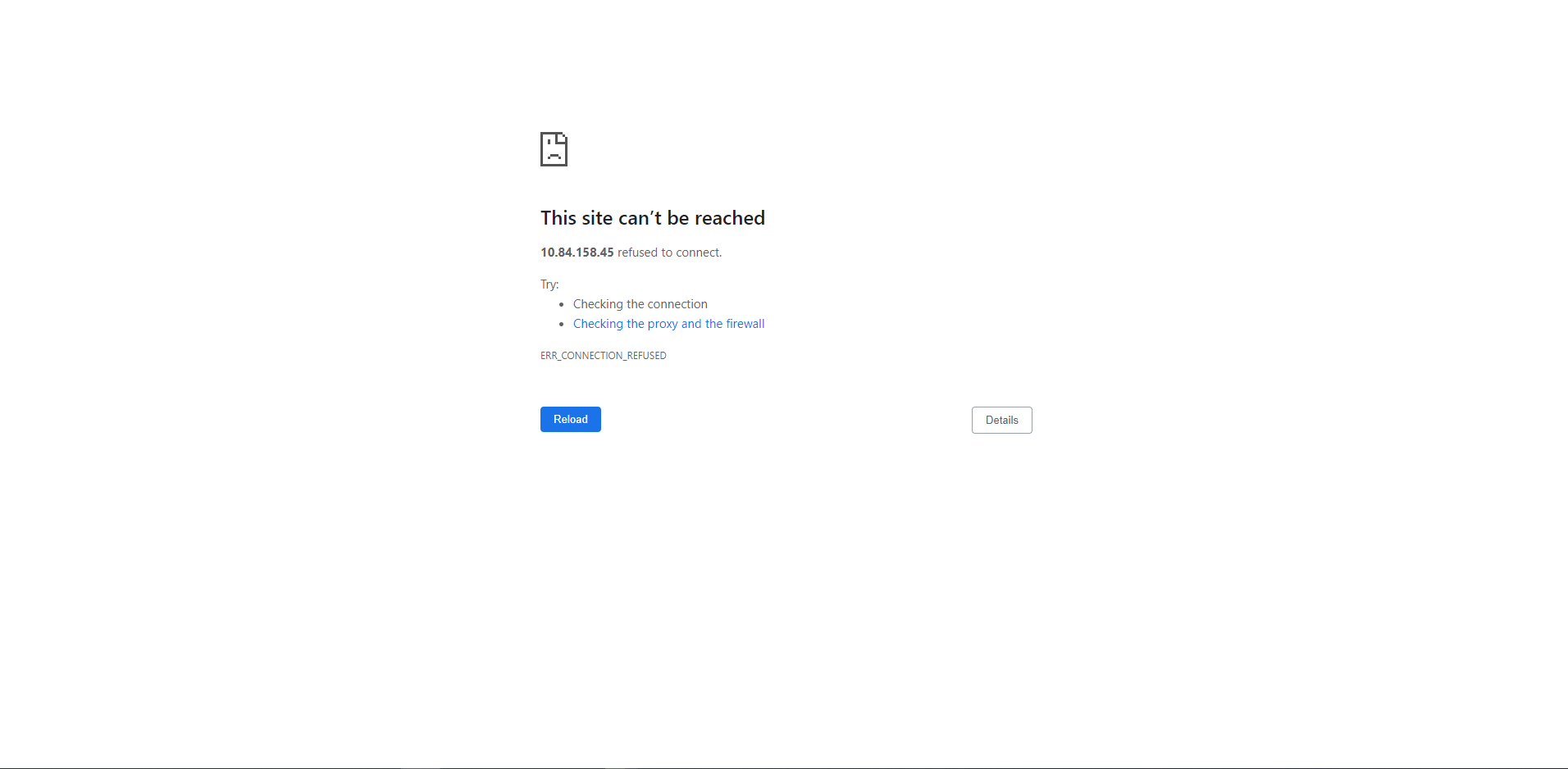
The SCG user interface became suddenly not accessible even after rebooting the VM.
原因
This is caused by the storage /dev/mapper/scgVG-LVvar_lib_docker being nearly full making the SCG user interface container saede-app not able to run its services.
Note that the old versions of the Secure Remote Services or upgraded to SCG appliances have /dev/mapper/esrsVG-LVvar_lib_docker or /dev/mapper/saeVG-LVvar_lib_docker instead of /dev/mapper/scgVG-LVvar_lib_docker.
解决方案
1. Using the VSphere client, access the VM and ensure you Power-Off the VM before modifying any settings:
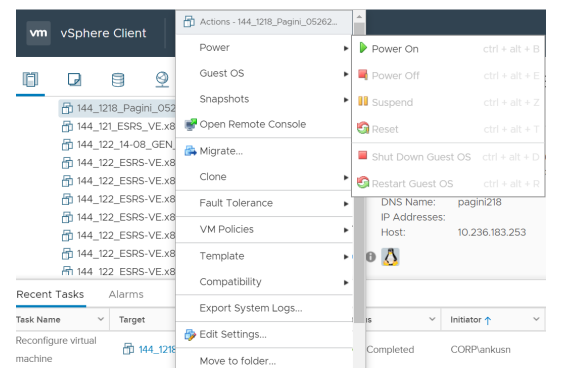
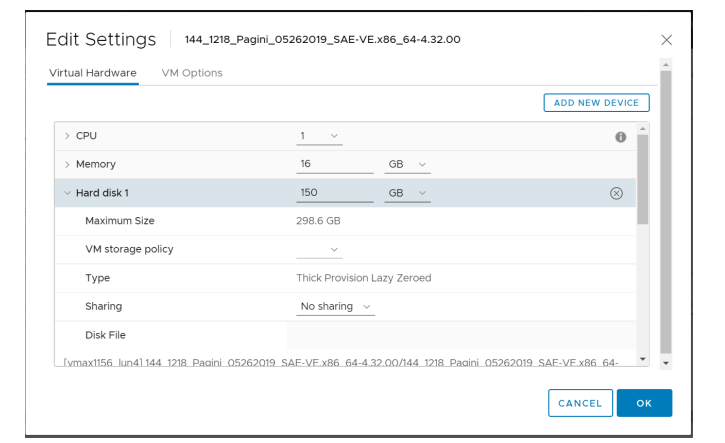
2.右键单击虚拟机,然后选择“Edit Settings”。
- In the Edit Settings pane, increase Disk Size and click "OK" button.
3. Power on the VM and Verify the modified settings.
- Verifying increase in DISK size:
- Run command: fdisk -l

4. Creating new partition with the using below command
- Run command: fdisk /dev/sda

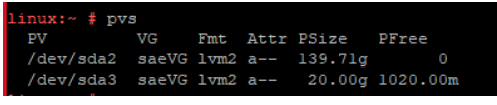
5. Physical Volume creation use by the Logical Volume Manager(LVM)
- Run: pvcreate "partition name"

- To check: pvdisplay or pvs
6. Volume Group Extend
- Ex: vgextend "name" "partition name" instead of saeVG , you have to use esrsVG
- Note that if SCG appliance is installed instead of upgraded from SRS, the volume group name will be scgVG not saeVG.

- To check: vgdisplay or vgs
- Note that if SCG appliance is installed instead of upgraded from SRS, the volume group name will be scgVG not saeVG.

7. Extending LV size Ex: lvextend -L+19GB "LV path" for lvextend command needs to use the path /dev/mapper/esrsVG-LVvar_lib_esrsve
- Note that if SCG appliance is installed instead of upgraded from SRS, the volume group name will be /dev/mapper/scgVG-LVvar_lib_docker not /dev/mapper/saeVG-LVvar_lib_docker .

- To check before resize LV: df -h
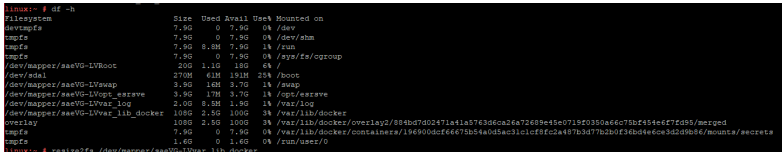
8. Resize the LV
- Note that if SCG appliance is installed instead of upgraded from SRS, the volume group name will be /dev/mapper/scgVG-LVvar_lib_docker not /dev/mapper/saeVG-LVvar_lib_docker .

- To check: lvdisplay

- To check after resize LV: df -h or lsblk

其他信息
文章属性
文章编号: 000212510
文章类型: Solution
上次修改时间: 16 7月 2024
版本: 2
从其他戴尔用户那里查找问题的答案
支持服务
检查您的设备是否在支持服务涵盖的范围内。