PPDM NAS restore fails with error Code 36 - File name too long
摘要: PPDM NAS restore fails with error "Code 36: File name too long" PPDM 19.14
本文适用于
本文不适用于
本文并非针对某种特定的产品。
本文并非包含所有产品版本。
症状
PPDM NAS restore fails with error "Code 36: File name too long" PPDM 19.14
The behavior varies depending on the filer and its operating system versions:
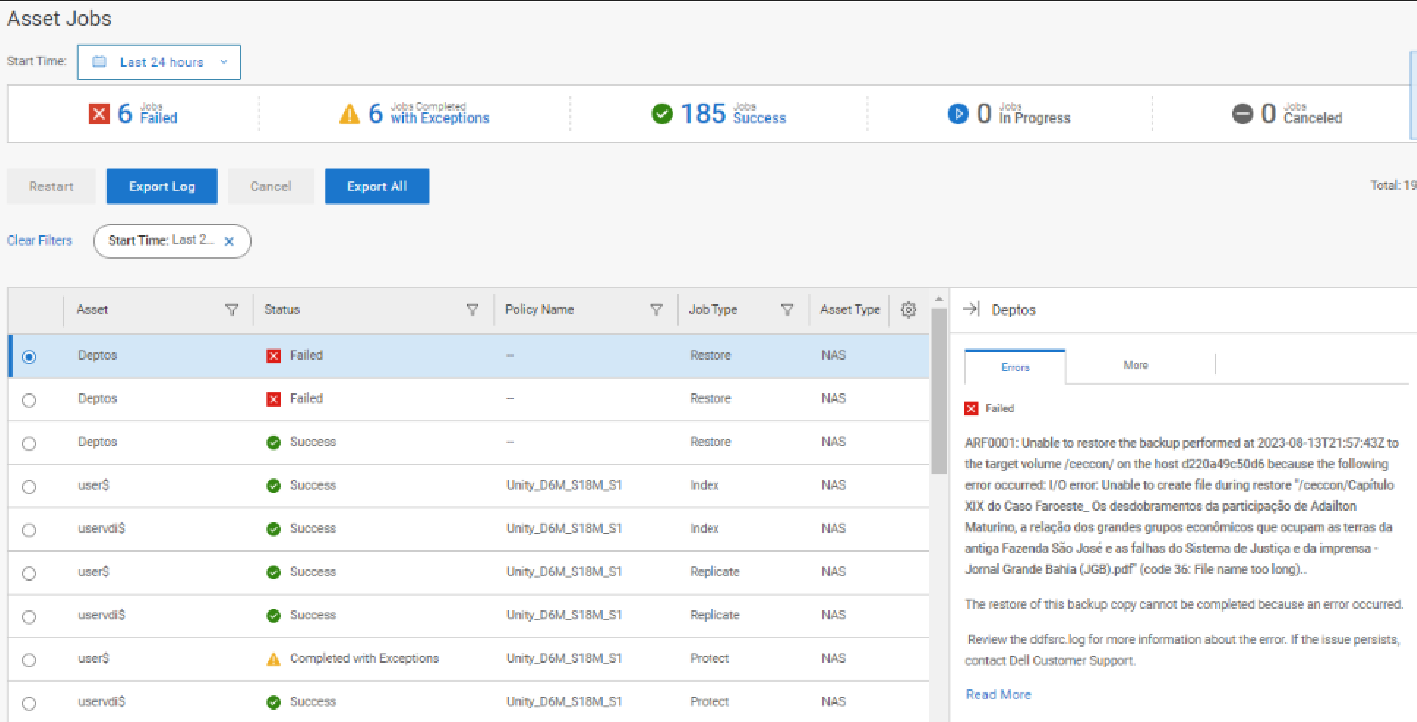
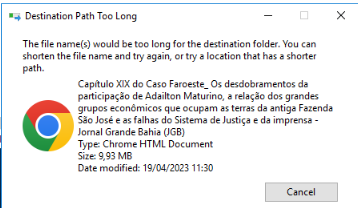
1. When the file is on filer Unity version 5.2.2.0.5.004, the recovery of files with long names (400 characters) fails with the error:
Unable to create files during restore (Code 36: File name too long)
Screenshot:
2. When the file is on Isilon OneFS 9.4,0.0 and Unity VSA 5.3.0, the file is recovered successfully. The recovery truncates the 400 character file name to 255 characters automatically, and it completes successfully.
The behavior varies depending on the filer and its operating system versions:
1. When the file is on filer Unity version 5.2.2.0.5.004, the recovery of files with long names (400 characters) fails with the error:
Unable to create files during restore (Code 36: File name too long)
Screenshot:
2. When the file is on Isilon OneFS 9.4,0.0 and Unity VSA 5.3.0, the file is recovered successfully. The recovery truncates the 400 character file name to 255 characters automatically, and it completes successfully.
原因
PPDM supports backing up files with long names (over 255 characters) in the share. But we cannot guarantee that we can write them back to the share at recovery time as this depends on the NAS type and version.
解决方案
Rename the files with long names to shorter file names and avoid any special characters in the file names for backup and restore.
文章属性
文章编号: 000217004
文章类型: Solution
上次修改时间: 14 9月 2023
版本: 1
从其他戴尔用户那里查找问题的答案
支持服务
检查您的设备是否在支持服务涵盖的范围内。