如何使用iDRAC的命令行RACADM替换RAID中的物理磁盘
摘要: 本文主要介绍如何使用iDRAC的命令行RACADM 替换RAID中的成员磁盘。
本文适用于
本文不适用于
本文并非针对某种特定的产品。
本文并非包含所有产品版本。
说明
环境概述:
PowerEdge R440
PERC H730P Adapter
4 * 2TB 硬盘
PD0和PD1 联机(Online)组建一组RAID1
PD2和PD3 就绪(Ready )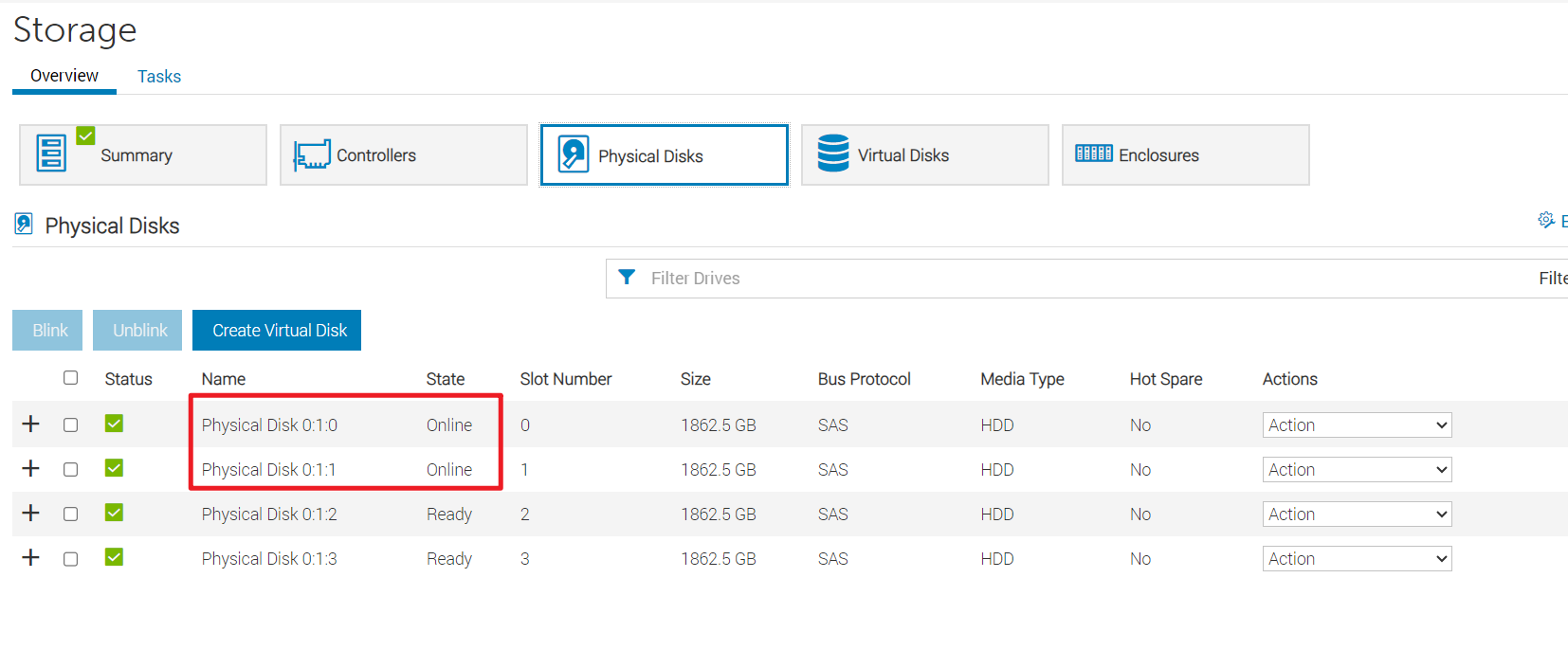

使用RACAM命令使用PD3 替换PD0
参考资料(P139):Integrated Dell Remote Access Controller 9 version 7.xx series RACADM CLI Guide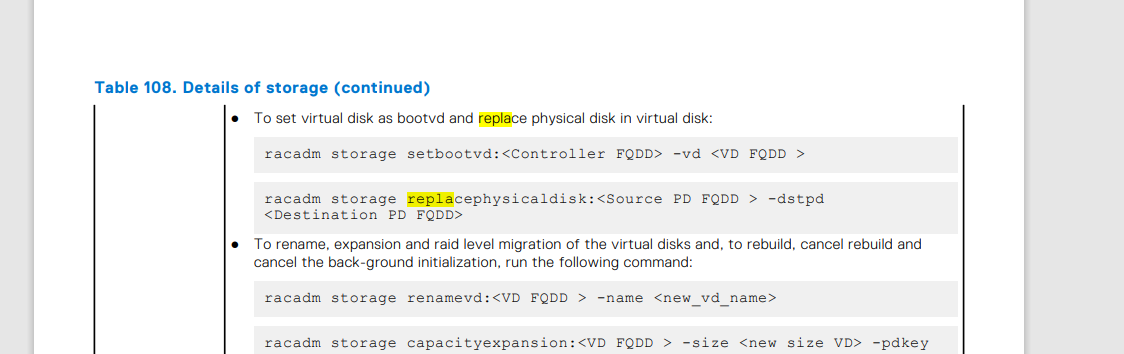
替换步骤:
- 在电脑端打开命令行使用iDRAC的root账户以SSH方式登录到iDRAC 。
C:\Users\> ssh root@iDRAC IP
Password:
- 使用如下命令查看物理磁盘的全名。
racadm>>storage get pdisks
Disk.Bay.0:Enclosure.Internal.0-1:RAID.Integrated.1-1
Disk.Bay.1:Enclosure.Internal.0-1:RAID.Integrated.1-1
Disk.Bay.2:Enclosure.Internal.0-1:RAID.Integrated.1-1
Disk.Bay.3:Enclosure.Internal.0-1:RAID.Integrated.1-1
- 使用如下命令替换物理磁盘。
racadm storage replacephysicaldisk:<Source PD FQDD > -dstpd
<Destination PD FQDD>
racadm>>storage replacephysicaldisk:Disk.Bay.0:Enclosure.Internal.0-1:RAID.Integrated.1-1 -dstpd Disk.Bay.3:Enclosure.Internal.0-1:RAID.Integrated.1-1
STOR094 : The storage configuration operation is successfully completed
and the change is in pending state.
To apply the configuration operation immediately, create a configuration job
using the --realtime option.
To apply the configuration after restarting
the server, create a configuration job using the -r option.
To create the necessary real-time and restart jobs, run the jobqueue command.
For more information about jobqueue command, run the
'racadm help jobqueue' command.
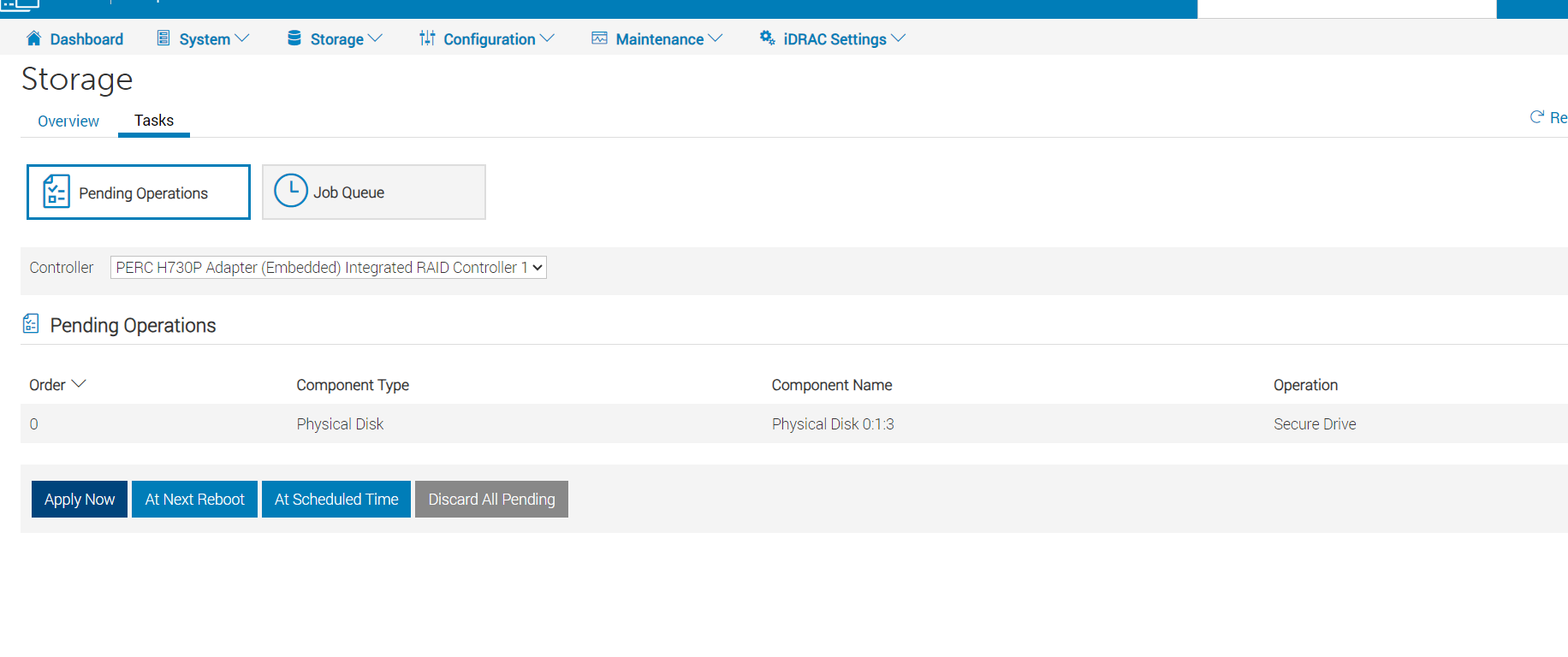
- 登录iDRAC Web:Storage(存储)->Tasks(任务),确认有个待执行的任务,点击Apply Now(立即应用)。
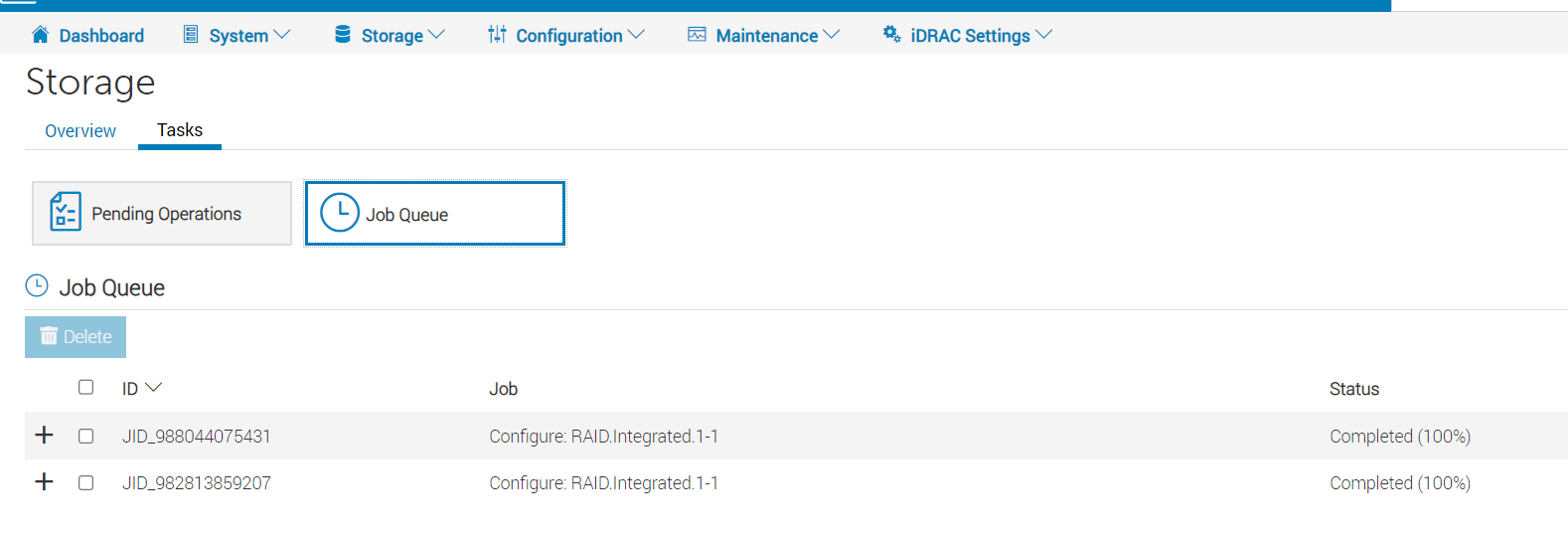
- 点击作业队列确认任务执行成功。
- 检查物理磁盘,PD3已经开始Copyback。

- Copyback完毕后,PD3 online (联机),PD0转为Ready(就绪)


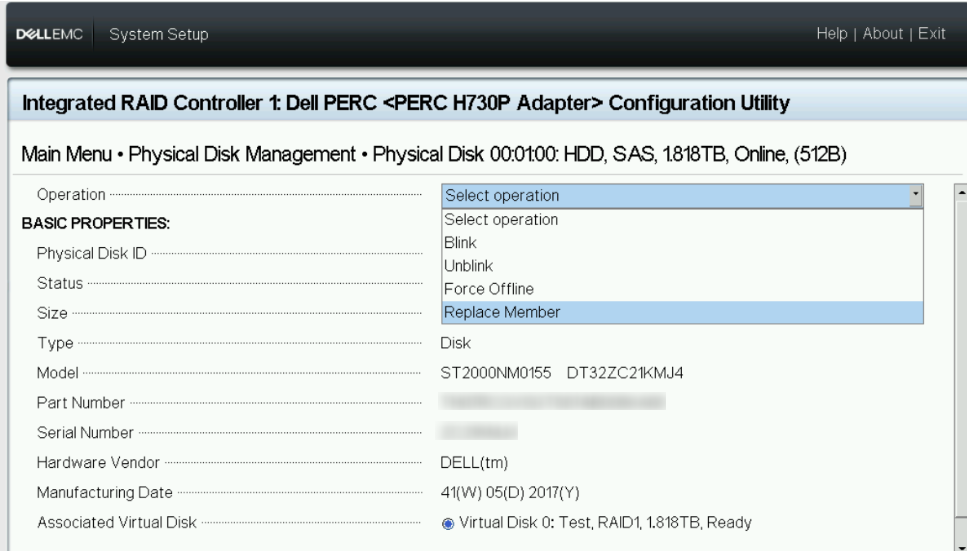
附:如果机器可以重启,也可以重启进F2->Device Settings-> PERC ,选择物理磁盘进行替换。
受影响的产品
iDRAC9 - 6.xx Series, iDRAC9 - 7.xx Series, PowerEdge RAID Controller H355 Front SAS, PowerEdge RAID Controller H355 Adapter SAS, PowerEdge RAID Controller H730P MX, PowerEdge RAID Controller H745, PowerEdge RAID Controller H745P MX
, PowerEdge RAID Controller H750 Adapter SAS, PowerEdge RAID Controller H755 Adapter, PowerEdge RAID Controller H755 Front SAS
...
产品
PowerEdge RAID Controller H755 MX Adapter, PowerEdge RAID Controller H755N Front NVMe文章属性
文章编号: 000219111
文章类型: How To
上次修改时间: 13 2月 2025
版本: 5
从其他戴尔用户那里查找问题的答案
支持服务
检查您的设备是否在支持服务涵盖的范围内。