How to activate PowerProtect Data Domain Licenses from a Transformational Licensing Agreement (TLA)
摘要: Steps to activate PowerProtect Data Domain licenses from a Transformational Licensing Agreement (TLA) in Software Licensing Central (SLC)
本文适用于
本文不适用于
本文并非针对某种特定的产品。
本文并非包含所有产品版本。
说明
To access Data Domain licenses from a Transformational Licensing Agreement (TLA), see KB How to access your Data Domain Transformational Licensing Agreement (TLA) in Software Licensing Central (SLC)
The User enters the TLA License Authorization Code (LAC) or Sales order number in the Activate Tab in Software Licensing Central (SLC).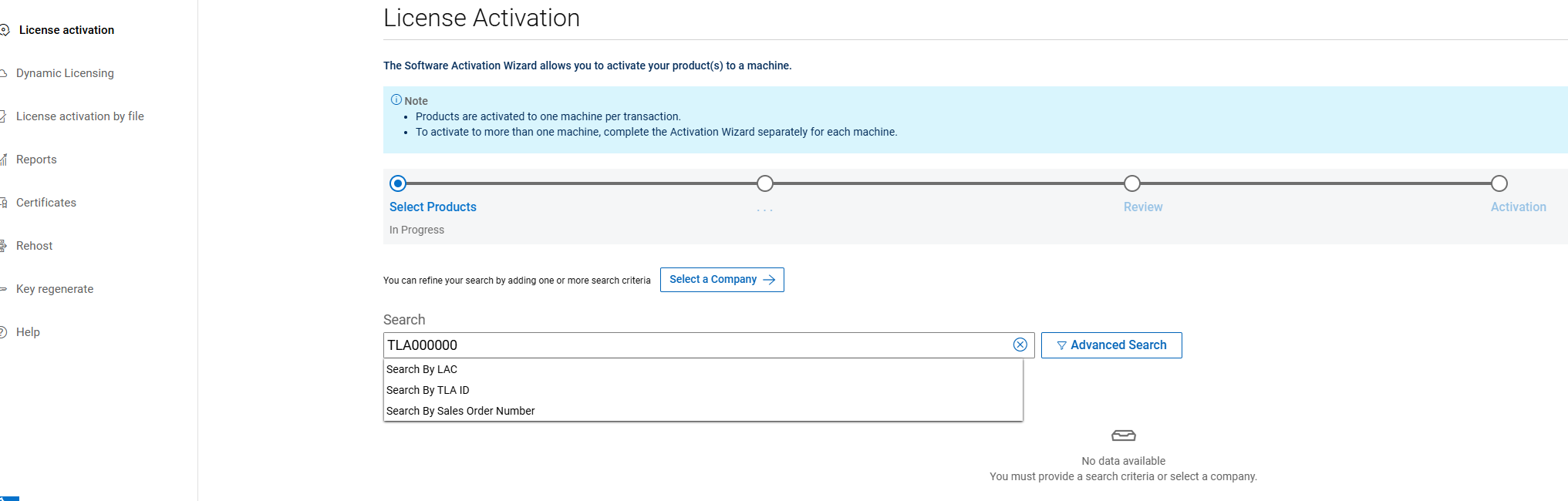
The user can select Data Domain in the Product line.
Select Search.
Note: Extra search attributes are displayed when the user clicks the Advanced Search link.
On the Subsequent page, the user selects the required products for Activation. 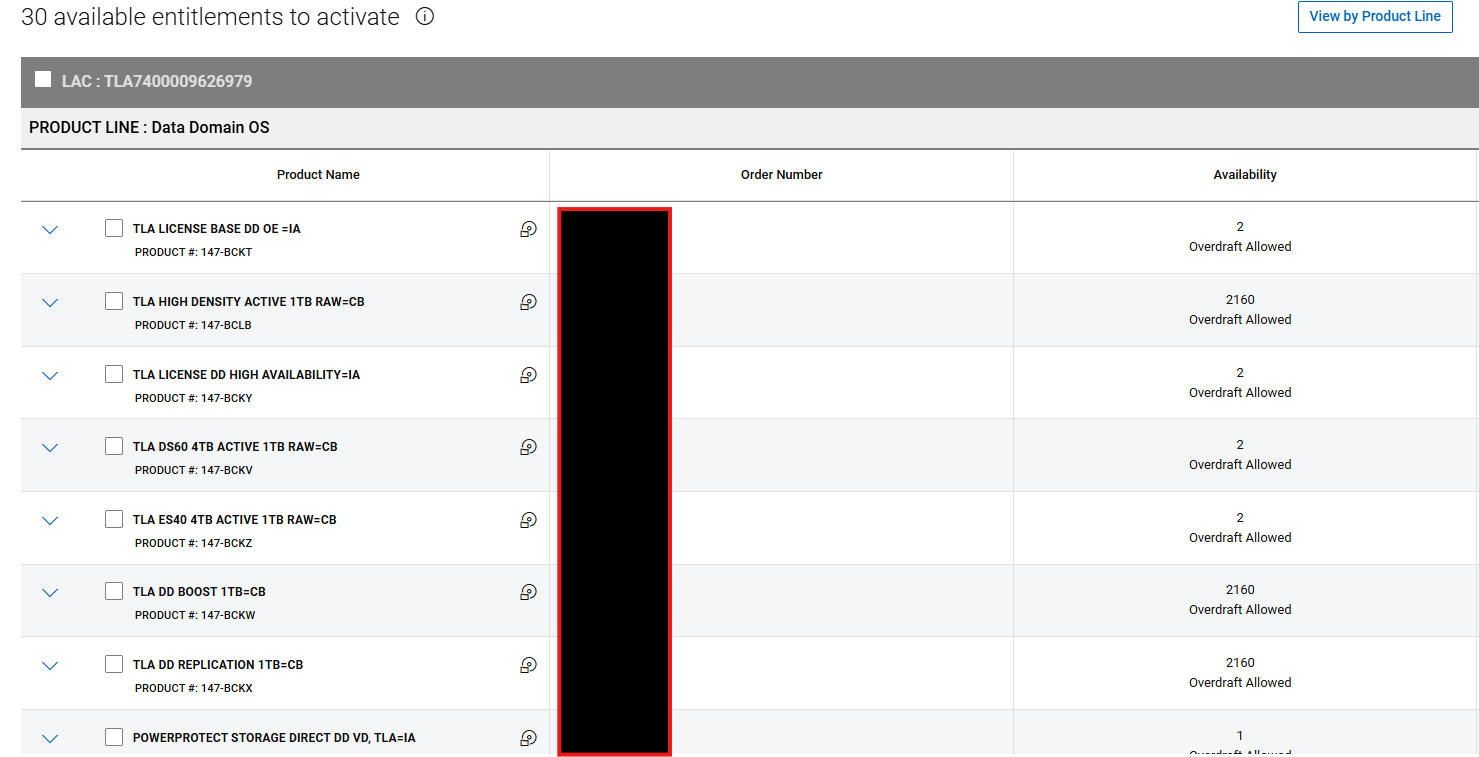
Select Start the Activation Process.
Following this, the user must select Next: Select a Machine on the Confirm Company and Site page.
Note: There is no option to change the site on a TLA.
The user must then Select A Machine by either choosing and existing machine or creating a new machine using the Add A New Machine Option.
Note: A new machine is created for a new Data Domain activation. An existing machine is selected for a Data Domain expansion to an existing license.
For new machines, the machine name is user-defined. It is recommended to use the Data Domain Serial number of the Hardware for this. Once entered, click Save Machine and Continue to next step.
To view a list of all available machines, select Click here to view all machines button in the 'Search Machines' section. If several machines exist, the user can use the search criteria to filter the list of machines. Once the user locates and selects the machine, proceed to the next page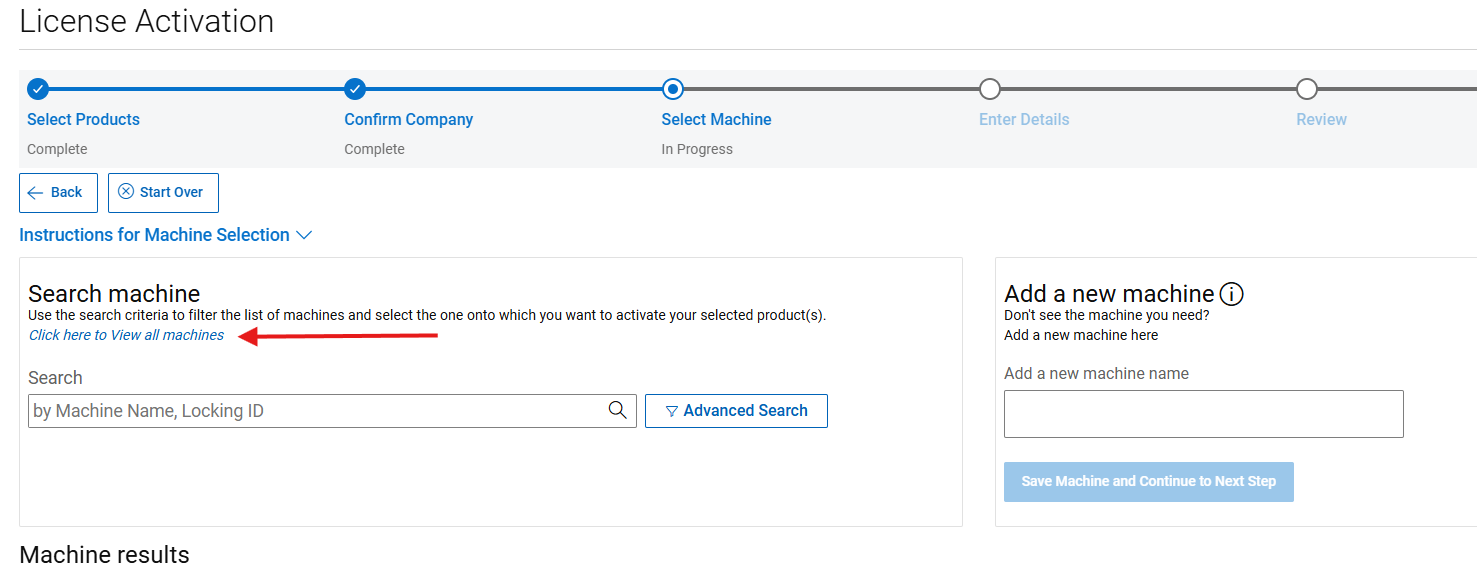
On the following page, the user is required to enter all the relevant product-specific details such as quantity, locking id and version.
Quantity: The User should enter the required quantity for each license activation.
Note: The contracted quantity is outlined on this page, however overdraft is enabled for TLA activations.
Locking ID: Enter the PowerProtect DD S/N of the Hardware in the Serial number field. For more information about how to find this, the user can navigate to the Help Section in SLC
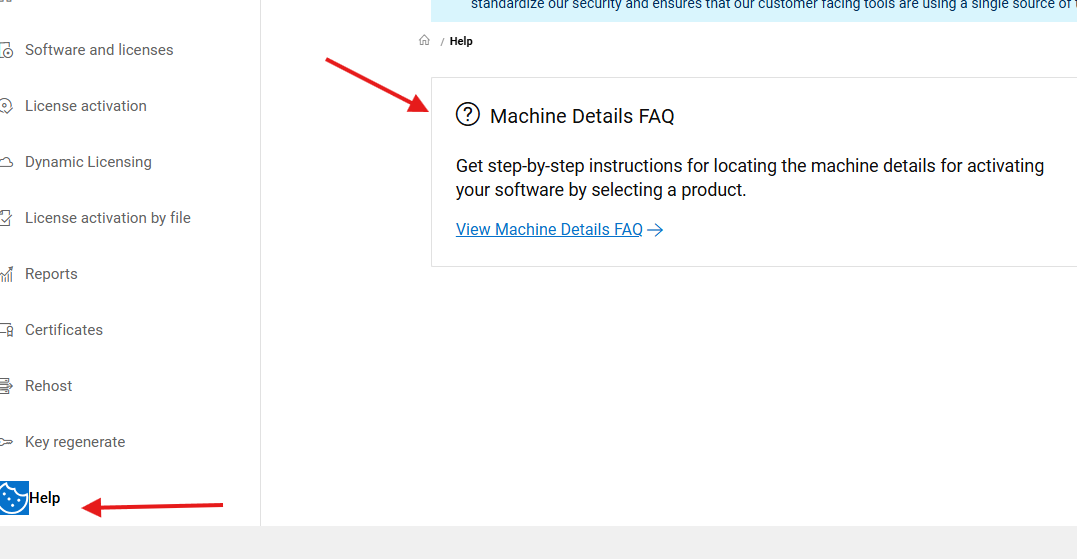
Note: In cases where High Availability (HA) is part of the activation, it is mandatory to enter PowerProtect DD HA Serial Number while performing the activation.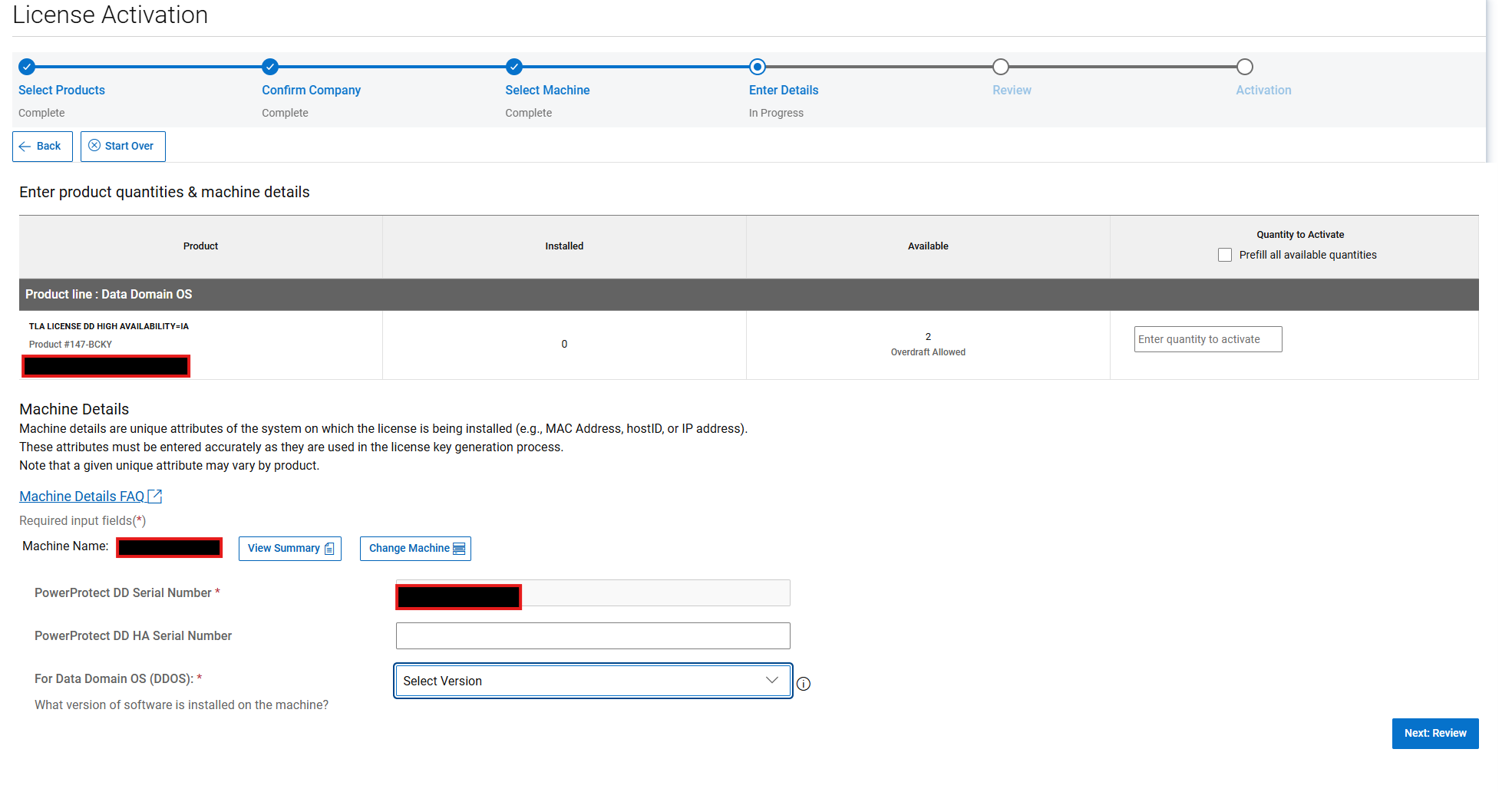
The user is prompted to select the DDOS version before the activation can be completed. The user should select the (i) Field for more information about what should be selected. This informs the license type that is generated, that is a .lic or.xml file.
Select ‘Next: Review'.
The system asks the User to review your selection before confirming the activation using the ‘Activate’ button.
The user can enter additional email addresses here and add notes to the transaction.
The Subsequent page shows the completed activation. From here, the user can download the Data Domain license file directly.
The license is sent to the email profile of the user who activated it.
受影响的产品
Data Domain文章属性
文章编号: 000225470
文章类型: How To
上次修改时间: 25 6月 2025
版本: 2
从其他戴尔用户那里查找问题的答案
支持服务
检查您的设备是否在支持服务涵盖的范围内。