Viewing Data Domain Licenses and Certificates activated from TLA
摘要: This Knowledge Article outlines how to access and view Data Domain Licenses and Certificates activated from Transformational License Agreements (TLA)
本文适用于
本文不适用于
本文并非针对某种特定的产品。
本文并非包含所有产品版本。
说明
Pre-requisite:
External users who require access to the DELL Digital Locker or the Software Licensing Central (SLC) should register for a Support Account on Dell Support. And, Internal users who require access to the Software Licensing Central (SLC) should submit a MyAccess Ticket Internally.
To access your Transformational Licensing Agreement (TLA), see How to access your Data Domain Transformational Licensing Agreement (TLA) in Software Licensing Central (SLC)
To activate licenses from your Transformational Licensing Agreement (TLA), see How to activate PowerProtect Data Domain Licenses from a Transformational Licensing Agreement (TLA)
Note: The certificate for a machine is a record of the installed Dell products. The certificate allows the user to manage the installed products by retrieving keys, rehosting, regenerating, or converting licenses. It displays all activity that has occurred on the machine.
Instructions
Access the Software Licensing Central (SLC) home page and click LICENSE and then View Certificate in the Main Navigation Menu.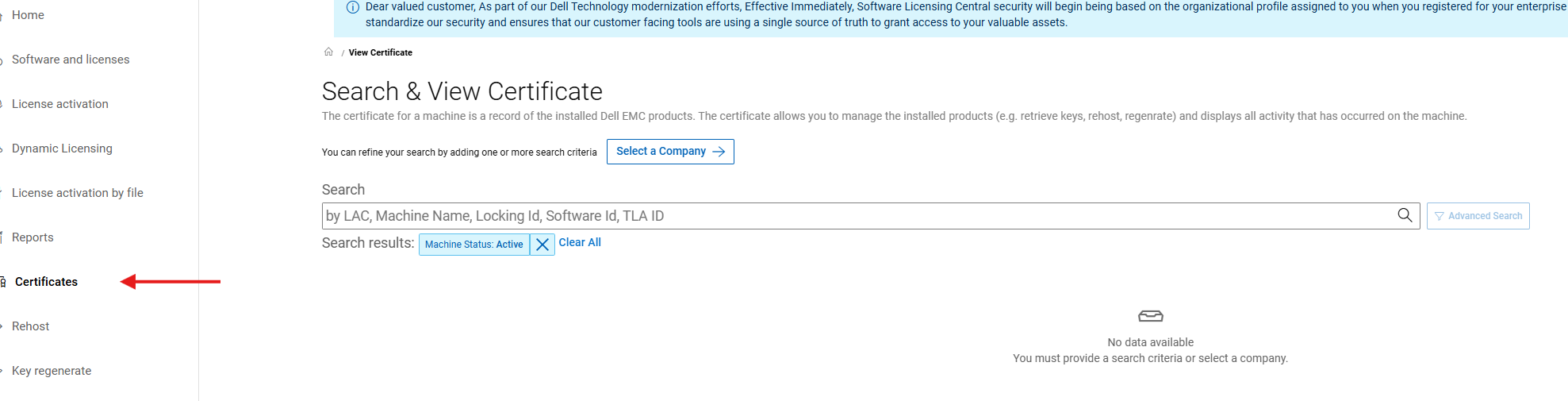
Search for a certificate using any of the listed search criteria and then click SEARCH. In this example, the LAC was used as the search criteria. Machine Name or Locking ID can also be used.

Advanced search criteria are also available, notably, 'Product Line' where a specific product family can be entered.
Find the required certificate and then click View.
Note: The machine names and Locking IDs have been removed from the below screenshot.
When viewing the certificate, there is the option to select Print or Email Certificate functions. Click the four table headings (KEYS, PRODUCTS and SOFTWARD IDs, OWNERSHIP, and ACTIVITY) to see additional information associated with the certificate.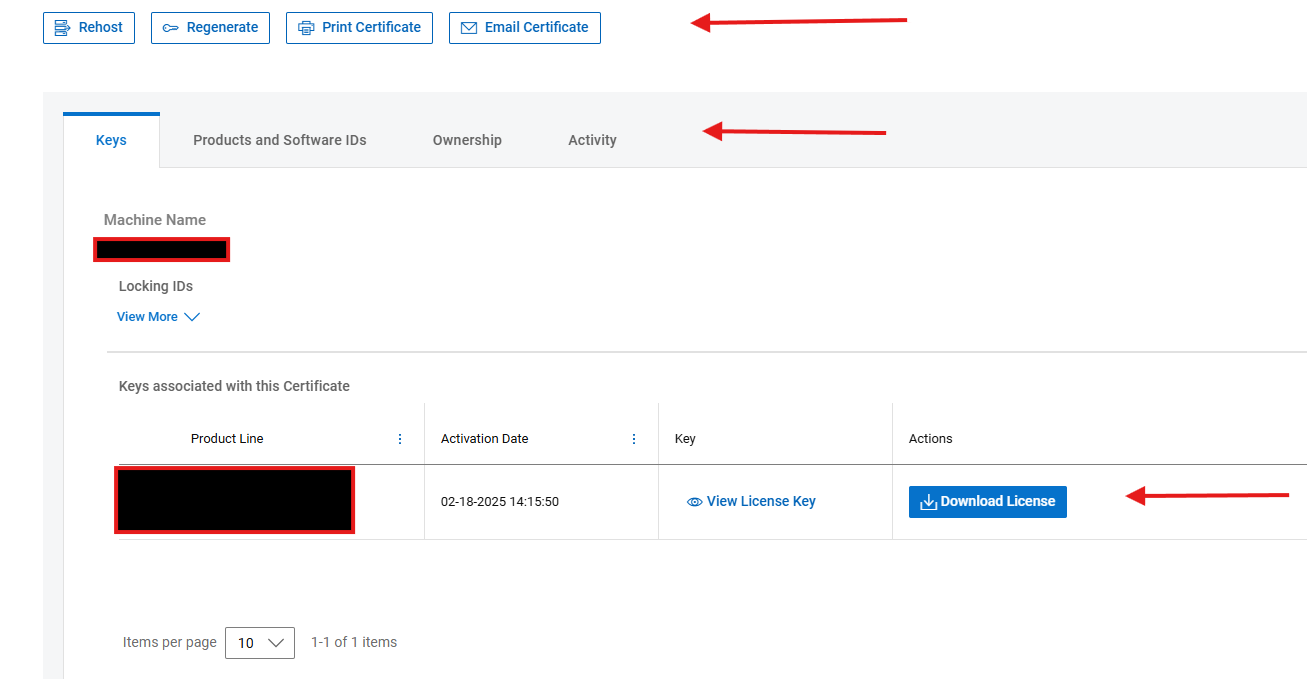
The following table outlines the information displayed against each header.
In the ACTIVITY tab, slide the bar to the right to view additional details associated with each transaction.
受影响的产品
Data Domain文章属性
文章编号: 000225813
文章类型: How To
上次修改时间: 25 6月 2025
版本: 2
从其他戴尔用户那里查找问题的答案
支持服务
检查您的设备是否在支持服务涵盖的范围内。