Dell Unity: Unknown Error While Uploading OE Image Through Unisphere
摘要: UnityOS Image upload may fail due to network instability during the transfer process. This document describes the symptoms, a possible cause, and resolution steps.
本文适用于
本文不适用于
本文并非针对某种特定的产品。
本文并非包含所有产品版本。
症状
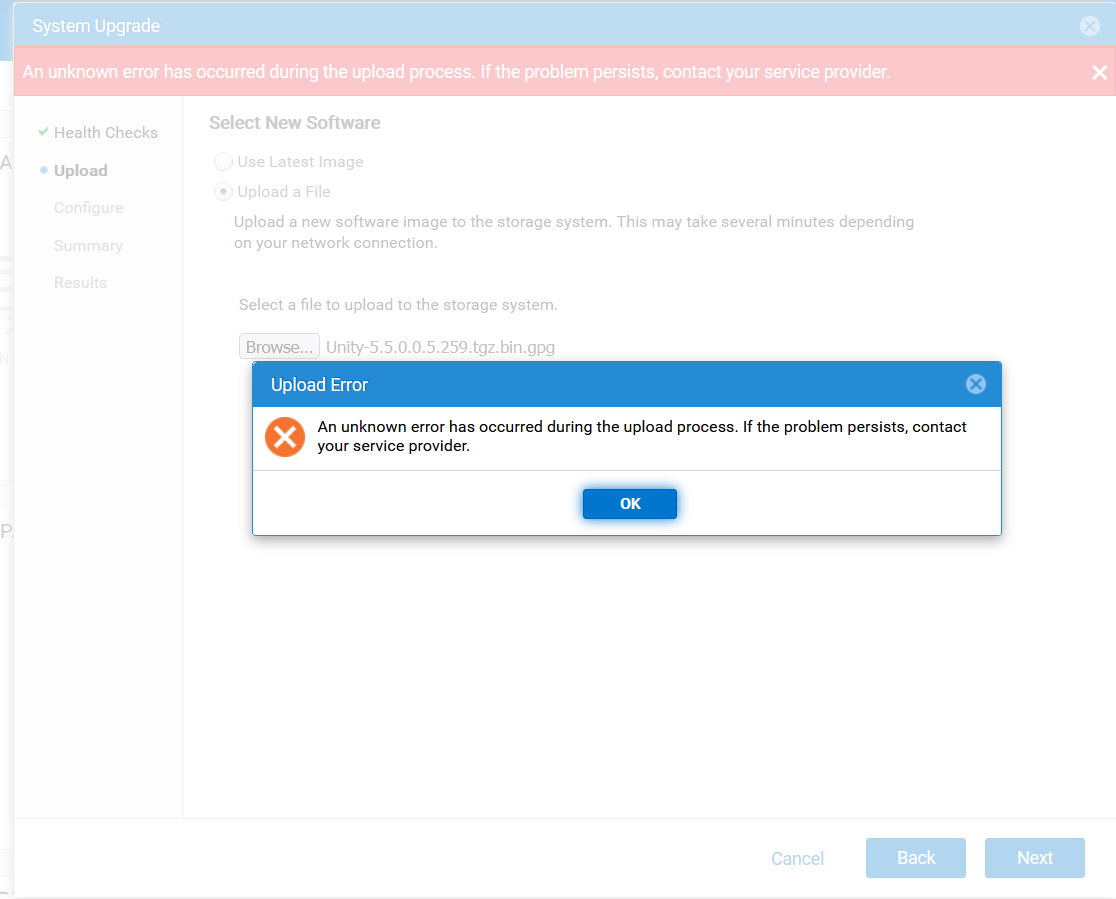
- Uploading the UnityOS Image through Unisphere (UI) fails with the following error:
An unknown error has occurred during the upload process. If the problem persists, contact your service provider.
- Subsequent attempts fail with error code
0x7d13165:The system is processing upgrade image upload and is momentarily not available for this operation, Please try again later.”
- During troubleshooting, UEMCLI and UI sessions disconnect intermittently.
- Uploading the UnityOS Image through WinSCP also fails due to session disconnects.
原因
These issues can occur due to an unstable network connection between the client system and the Unity array.
解决方案
- Ensure the client system used for the upgrade has a stable and reliable network connection.
- Reconnect to the Unity UI from the stable network environment and retry the upload.
- Once the upload is complete, proceed with the upgrade process.
其他信息
Troubleshooting:
- Verify if there is enough space in the directory.
- Check if an older upgrade image is preventing the upload of the new UnityOS Image.
- Verify if the checksum of the upgrade file is correct as described in Dell Unity: Upgrade File uploaded is incorrect format (Error Code: 0x6000cc4) (User Correctable)
- Upload logs using UEMCLI as detailed in Dell Unity: How to upgrade the Unity Operating Environment (OE) (User Correctable)
受影响的产品
Dell EMC Unity, Dell Unity 450F DC, Dell Unity 300, Dell Unity 300 DC, Dell Unity 350F DC, Dell Unity 400 DC, Dell EMC Unity Family |Dell EMC Unity All Flash, Dell EMC Unity Hybrid, Dell Unity Operating Environment (OE)文章属性
文章编号: 000412686
文章类型: Solution
上次修改时间: 12 1月 2026
版本: 1
从其他戴尔用户那里查找问题的答案
支持服务
检查您的设备是否在支持服务涵盖的范围内。