Dell Unity: Failed to Add Role Mapping for LDAP User When Forest Level Authentication Is Configured
摘要: Customer configured forest level LDAP authentication on Unity for UI management. The LDAP connection was verified OK, but customer was unable to add role mapping for LDAP users. (User Correctable) ...
本文章適用於
本文章不適用於
本文無關於任何特定產品。
本文未識別所有產品版本。
症狀
Customer configured forest level LDAP authentication on LDAP server port 3268 for Unisphere management. Customer followed the Security Configuration Guide to specify userPrincipalName in the User ID Attribute field in the Advanced window.
Dell EMC Unity Family Security Configuration Guide (delltechnologies.com)
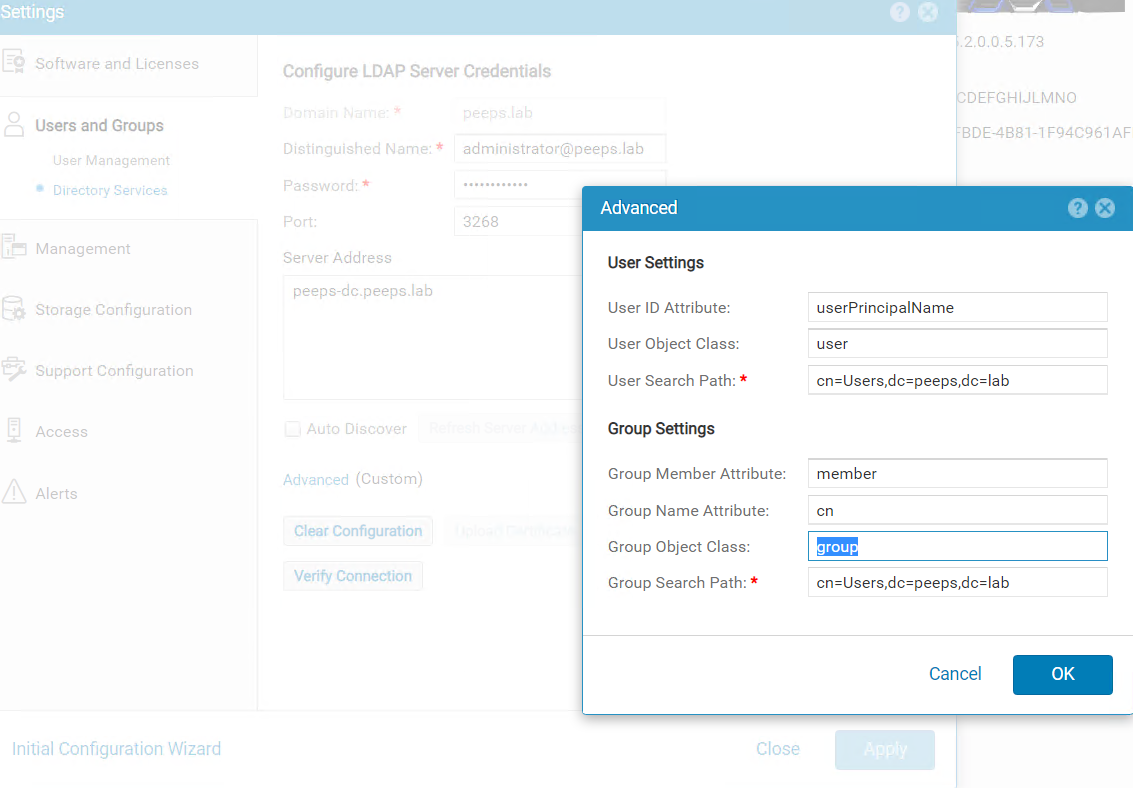
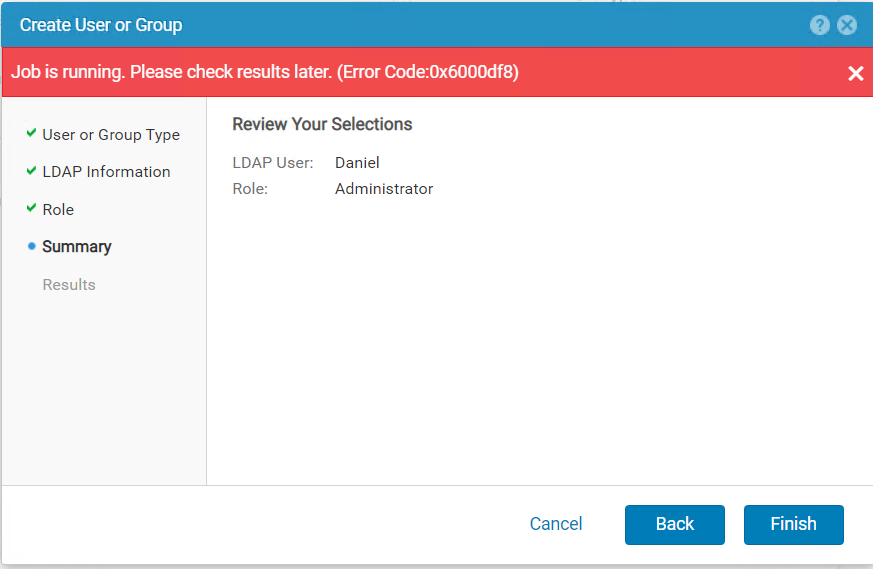
When trying to add LDAP user in Users and Groups --> User Management --> Manage Users & Groups, the following errors were received.
原因
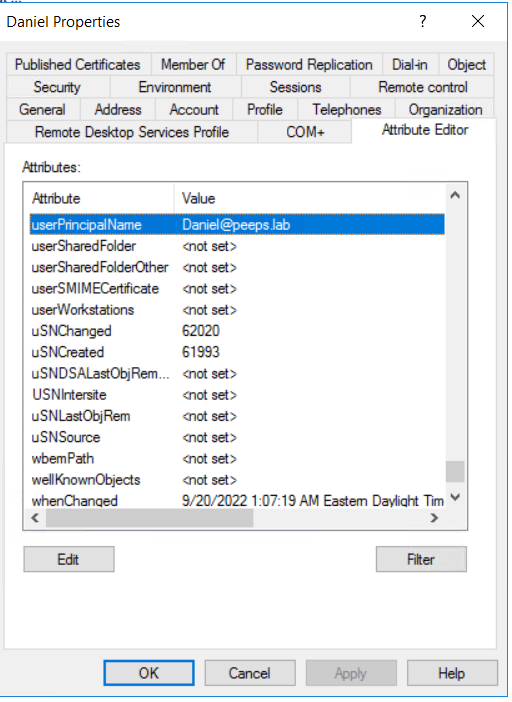
When forest level LDAP authentication is configured, the username of the LDAP user for role mapping should be configured in the format of <username>@<domain> which is exactly the userPincipalName that customer configures for the user in the LDAP server.
解析度
If the Windows domain controller is the LDAP server, the userPrincipalName can be retried from user's properties using Active Directory Users and Computers.
Note: The Advanced Features in View tab must be enabled to show the Attribute Editor of the user.
受影響的產品
Dell EMC Unity文章屬性
文章編號: 000203550
文章類型: Solution
上次修改時間: 03 6月 2026
版本: 5
向其他 Dell 使用者尋求您問題的答案
支援服務
檢查您的裝置是否在支援服務的涵蓋範圍內。