SRM 4.6 and 4.7: Unity snapshot causing massive inactive metric in database.
摘要: Unity Snapshots that build up and causes backend processing's delays which in turn causes QDF files to start backing up.
本文章適用於
本文章不適用於
本文無關於任何特定產品。
本文未識別所有產品版本。
症狀
Database is slow to process data due to massive number of Unity snapshot inactive metrics. We can see it through report below: Report Library >>System Health >> Operations >> Metrics>> Metrics Per Data Group
原因
Unity Snapshots increase fast due to customer has large number of Unity arrays in SRM setup.
解析度
If customer does not want or care about Unity snapshot report. Customer can use the workaround below to stop collecting Unity snapshot.
Step 1: Login into the collector instance
Step 2: Go to the folder <APG-INSTALLED-PATH>/Collecting/Variable-Handling-Filter/<instance-name>/conf
Step 3: Back up the file “vhf-cleanup.xml”
Step 4: Go to collector host >> Pack and Modules >> search for "vnx" then click on Variable-Handling-Filter module.
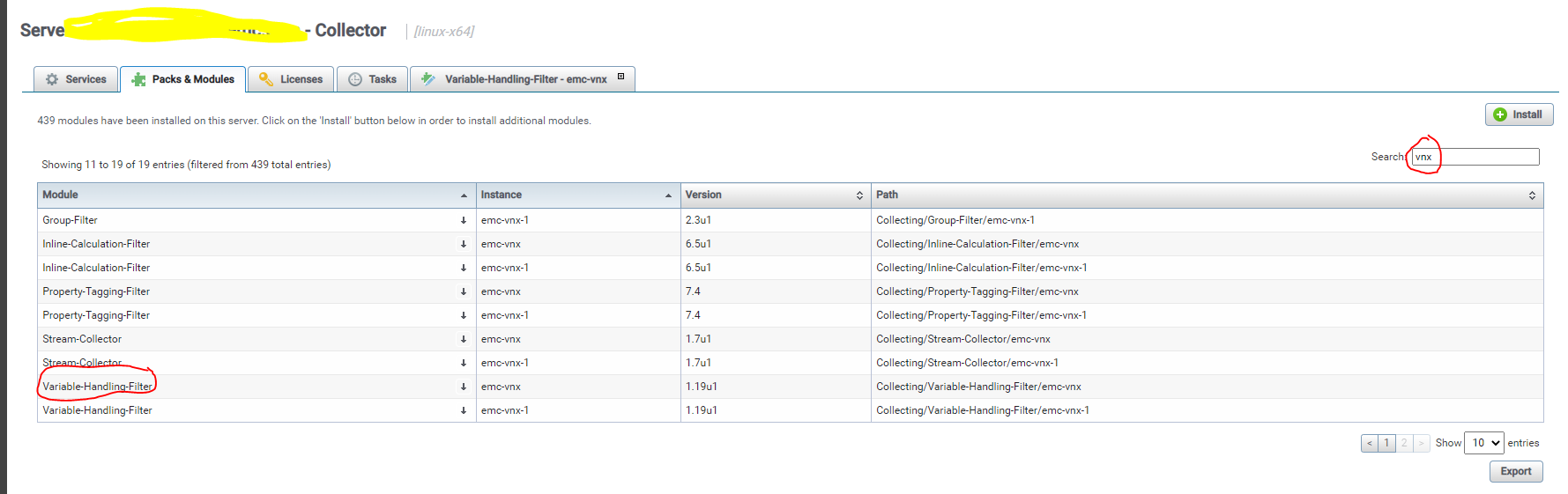
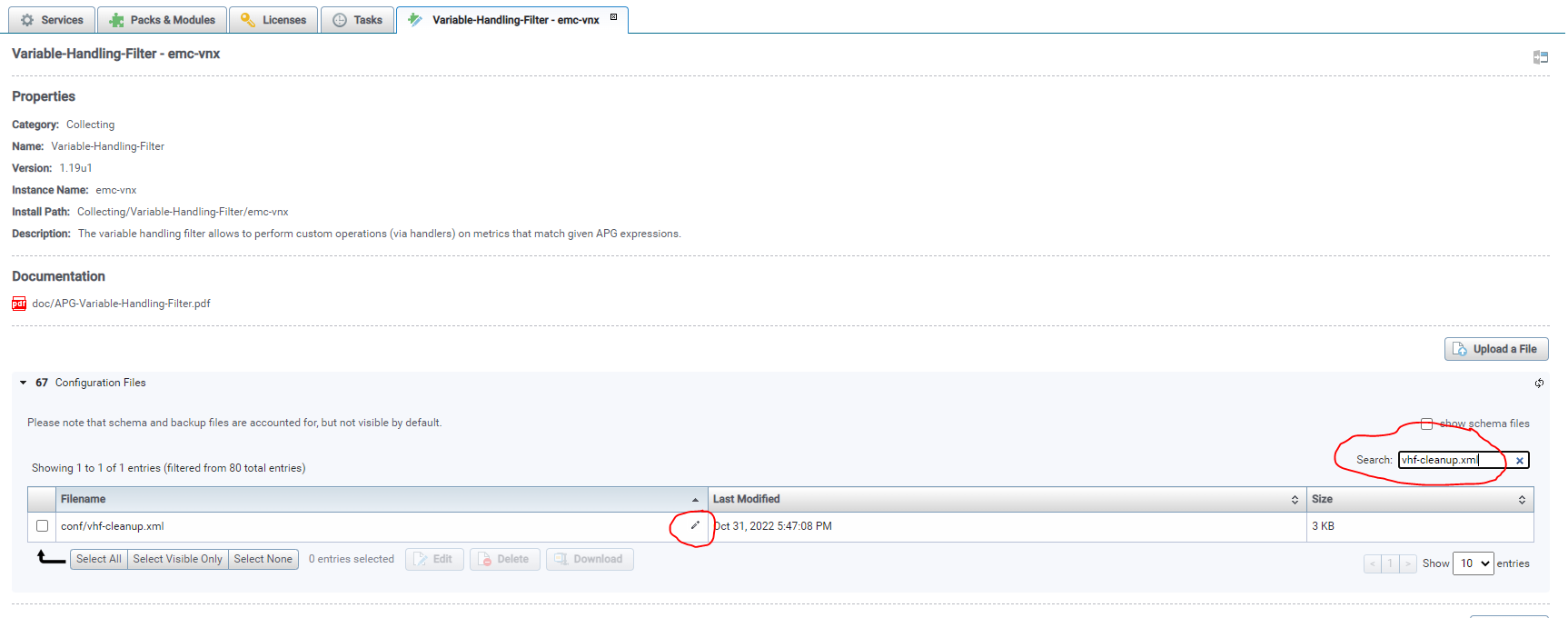
Step 5: When the new tab opens. Search for vhf-cleanup.xml >> then click on the small pencil icon to edit the file.
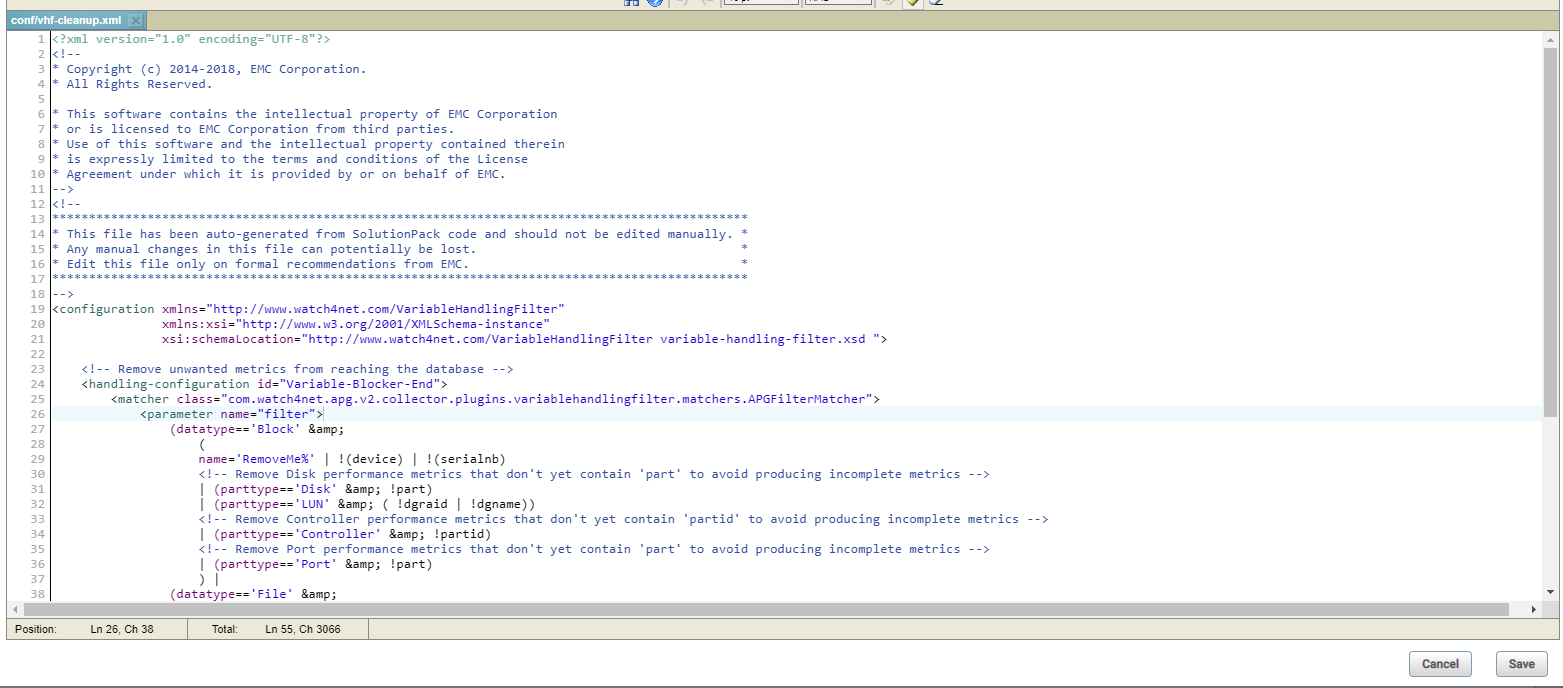
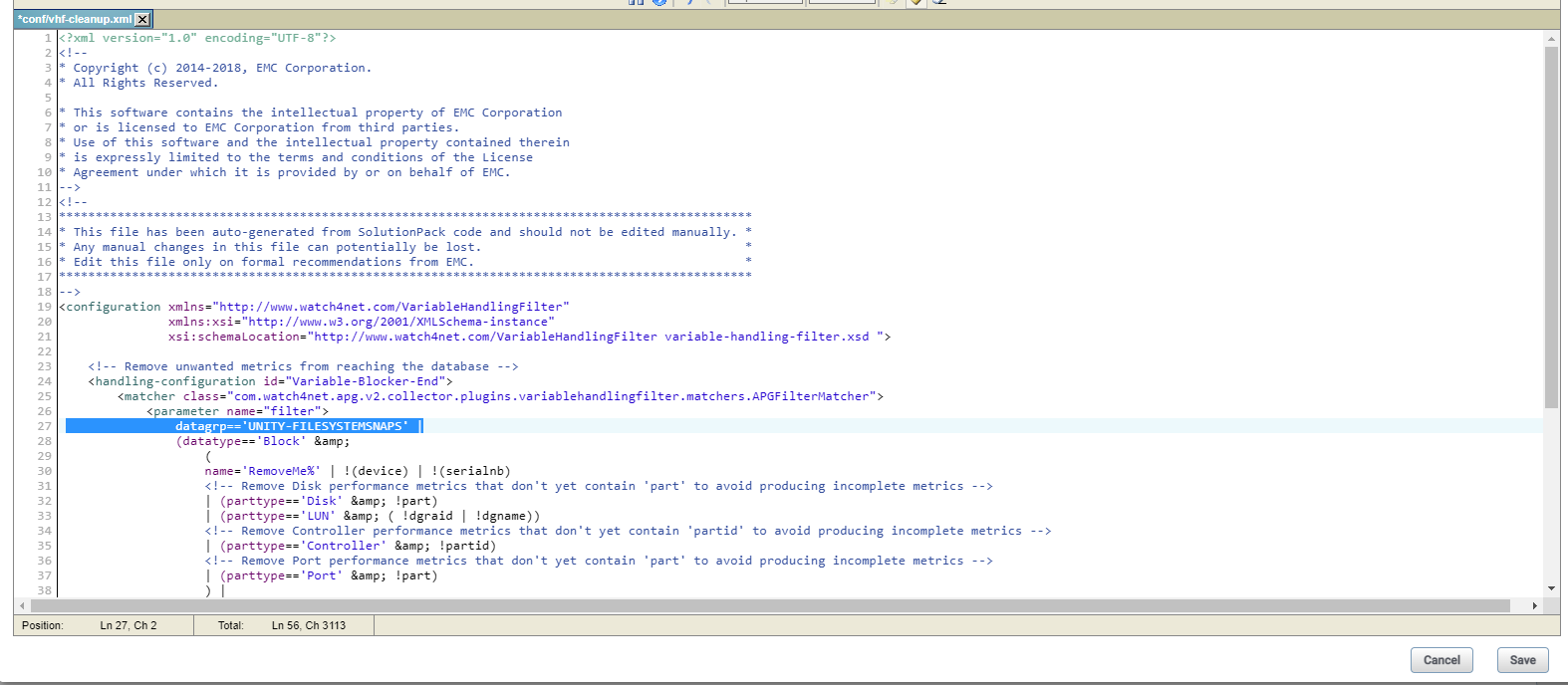
Step 6: Add the below “datagrp=='UNITY-FILESYSTEMSNAPS' |” to block only file system snapshot change in line no 27 the file “vhf-cleanup.xml”.
Before edit:
After edited:
Step 7: Saved the edit then restart the collector.
Note: Previously collected snapshot metrics will turn inactive and also, we would see snapshot related reports/metrics will be empty after those value turn inactive.
Step 1: Login into the collector instance
Step 2: Go to the folder <APG-INSTALLED-PATH>/Collecting/Variable-Handling-Filter/<instance-name>/conf
Step 3: Back up the file “vhf-cleanup.xml”
Step 4: Go to collector host >> Pack and Modules >> search for "vnx" then click on Variable-Handling-Filter module.
Step 5: When the new tab opens. Search for vhf-cleanup.xml >> then click on the small pencil icon to edit the file.
Step 6: Add the below “datagrp=='UNITY-FILESYSTEMSNAPS' |” to block only file system snapshot change in line no 27 the file “vhf-cleanup.xml”.
Before edit:
After edited:
Step 7: Saved the edit then restart the collector.
Note: Previously collected snapshot metrics will turn inactive and also, we would see snapshot related reports/metrics will be empty after those value turn inactive.
受影響的產品
SRM文章屬性
文章編號: 000206702
文章類型: Solution
上次修改時間: 19 1月 2023
版本: 2
向其他 Dell 使用者尋求您問題的答案
支援服務
檢查您的裝置是否在支援服務的涵蓋範圍內。