ECS: Setting Bucket Soft and Hard Quota
摘要: This article describes what soft and hard quotas are, and how to set them during bucket creation.
本文章適用於
本文章不適用於
本文無關於任何特定產品。
本文未識別所有產品版本。
說明
Bucket Quota:
A quota is a limit that defines the maximum size that a certain resource (buckets or namespaces) can have. Admin users set this limit. It is set in GiBs with a minimum of 1 GB.
Two types of Quota exist: Soft Quota and Hard Quota; they only differ in the action taken when the quota is breached.
- Hard quota: Once the limit is breached, no more writes or appends are allowed on the corresponding resource; the only action allowed is objects or buckets deletion
- Soft quota: Only an alert is raised.
Note: Soft and hard quotas can only be defined at the bucket or namespace creation level.
To set a quota on a bucket:
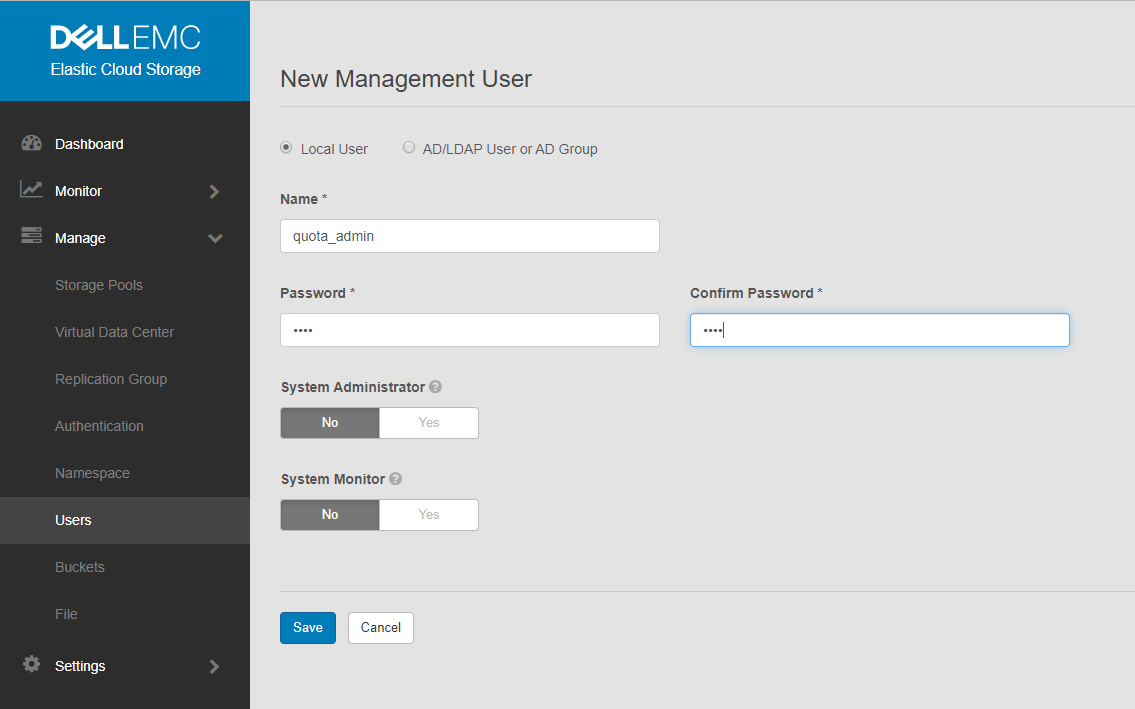
- Create a management user and provide its name and password.
Go to Manage > Management Users > New Management User.
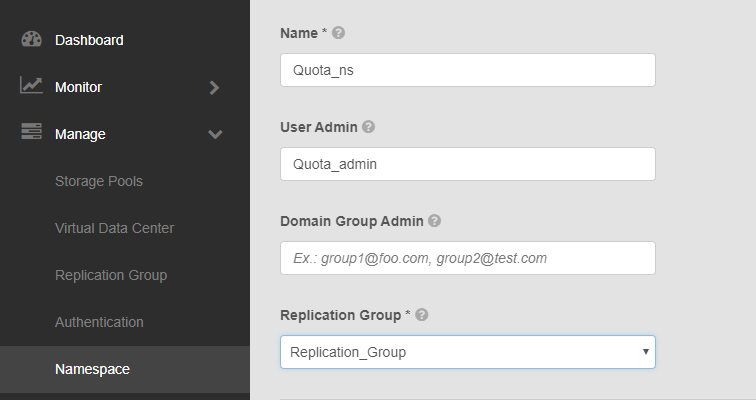
- Create a namespace:
Go to Manage > Namespace > New namespace.
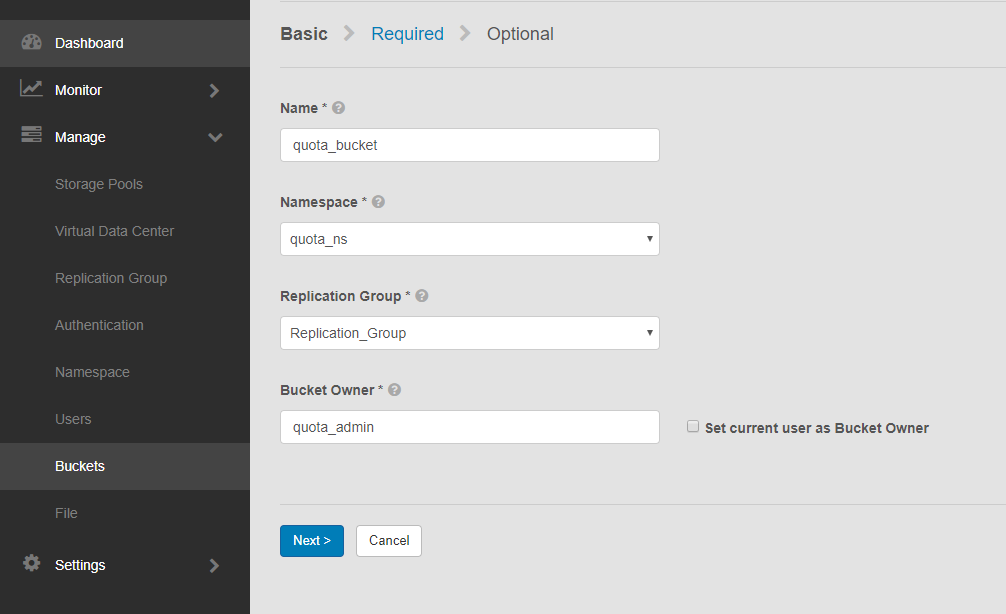
- Create a bucket:
Go to Manage > Buckets > New Bucket.
Note: Name the bucket and select the namespace and replication group that the bucket belongs to, and type in the bucket owner user.
-
Set the quota on the bucket, at creation level, using one of the below options:
- Notification Only at
<quota_limit_in_GiB>Soft quota setting at which you are notified. - Block Access Only at
<quota_limit_in_GiB>Hard quota setting which, when reached, prevents write or update access to the bucket. - Block Access at
<quota_limit_in_GiB>and Send Notification at<quota_limit_in_GiB>Hard quota setting which, when reached, prevents write or update access to the bucket and the quota setting at which you are notified.
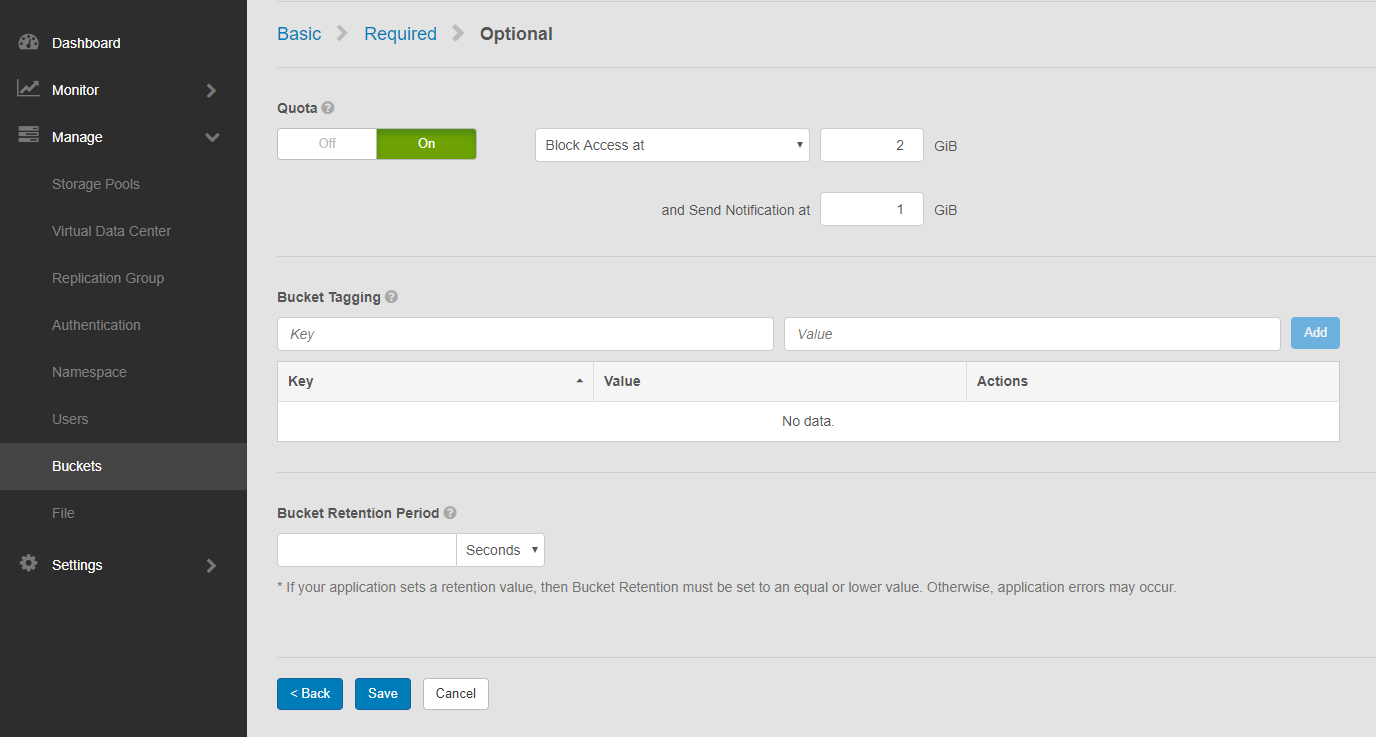
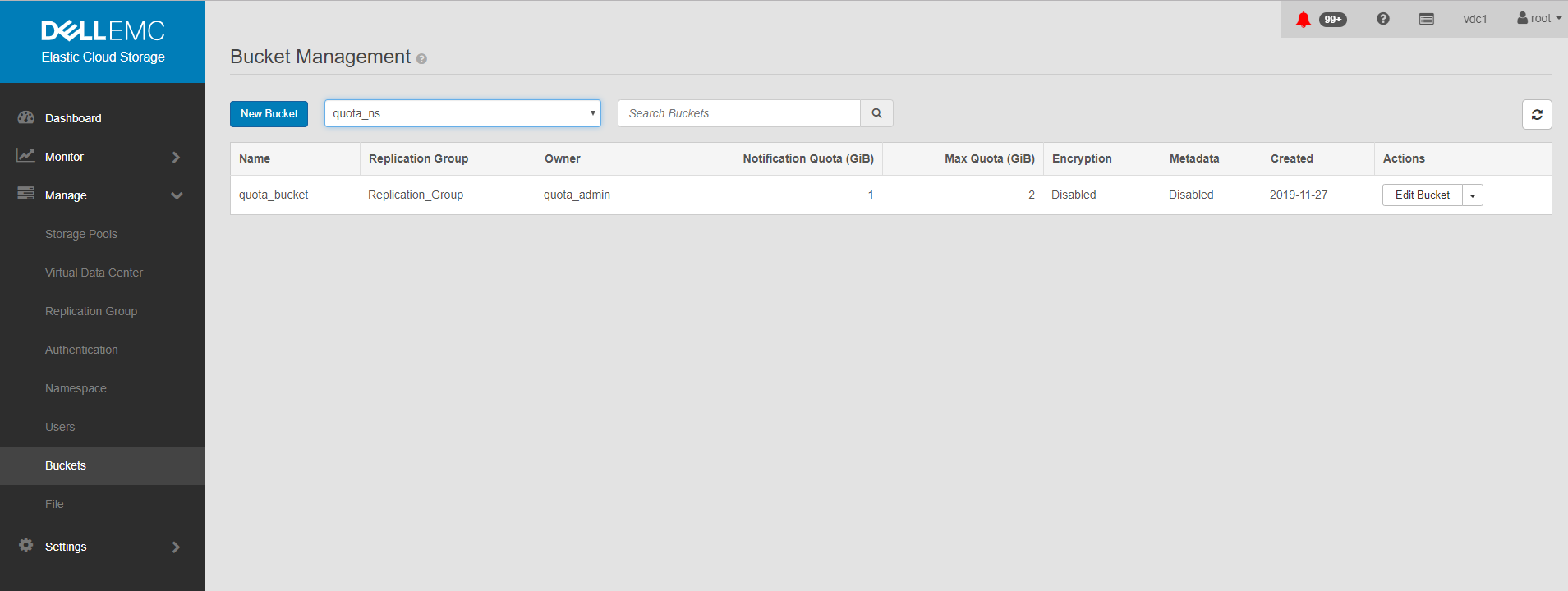
Bucket showing quota:
其他資訊
受影響的產品
Elastic Cloud Storage產品
Elastic Cloud Storage文章屬性
文章編號: 000020069
文章類型: How To
上次修改時間: 03 10月 2025
版本: 5
向其他 Dell 使用者尋求您問題的答案
支援服務
檢查您的裝置是否在支援服務的涵蓋範圍內。