NetWorker: Workflow status shows "Message bus unable to open socket connection"
摘要:
NetWorker Management Console (NMC) Monitoring displays Status "Never Run" for policies even though jobs are completed. A message appears stating "Message bus unable to open socket
connection to host '' on port 5672: request timed out" when attempting to review workflow status.
...
本文章適用於
本文章不適用於
本文無關於任何特定產品。
本文未識別所有產品版本。
症狀
- The NetWorker Management Console (NMC) Monitoring window shows all policies as "Never Run"
 ; however, backup and clone jobs completed as per schedule.
 - The following error appears in the NMC when trying to retrieve workflow details from the Monitoring tab:
Message bus unable to open socket connection to host "Networkerserver_hostname" on port 5672: a socket error occurred
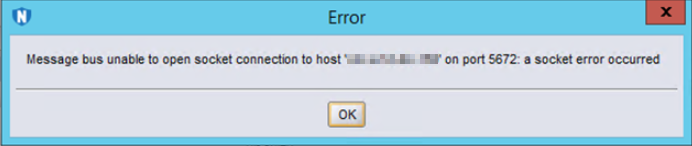
- NetWorker server is 19.5 or older. Port 5672 is the non-SSL port used by the message queue process. Newer versions of NetWorker use SSL port 5671.
原因
A firewall is blocking port 5671.
解析度
NetWorker: How to disable port 5672 for DSA-2018-120, to avoid scanning software still showing the vulnerability
Open port 5671 on your NetWorker server operating system or network firewall. Once the firewall allows this port, the NMC reports the correct information in the Monitoring window.
NetWorker Processes and Ports
The rabbitmq process on the NetWorker server uses port 5671. The NetWorker processes use this port/service to relay information between each other and present them in the NetWorker user interfaces.
See operating system vendor instructions for creating firewall rules; The system/security administrator must make these changes. Once changes are applied to the operating system firewall, confirm if port 5672 connectivity succeeds between the NetWorker server and NMC server. If the connection still fails, ensure that a network firewall is not blocking the communication.
Open port 5671 on your NetWorker server operating system or network firewall. Once the firewall allows this port, the NMC reports the correct information in the Monitoring window.
NetWorker Processes and Ports
The rabbitmq process on the NetWorker server uses port 5671. The NetWorker processes use this port/service to relay information between each other and present them in the NetWorker user interfaces.
See operating system vendor instructions for creating firewall rules; The system/security administrator must make these changes. Once changes are applied to the operating system firewall, confirm if port 5672 connectivity succeeds between the NetWorker server and NMC server. If the connection still fails, ensure that a network firewall is not blocking the communication.
其他資訊
受影響的產品
NetWorker產品
NetWorker Family, NetWorker, NetWorker Series, NetWorker Management Console文章屬性
文章編號: 000028146
文章類型: Solution
上次修改時間: 13 3月 2025
版本: 6
向其他 Dell 使用者尋求您問題的答案
支援服務
檢查您的裝置是否在支援服務的涵蓋範圍內。