Access Device Manager in Windows 10 and 11 Using Shortcuts and CMD Commands
摘要: Learn how to open Device Manager using shortcuts, commands, and CMD. Covers device manager shortcut, device manager command, and how to get to Device Manager in Windows 11 and Windows 10. ...
本文章適用於
本文章不適用於
本文無關於任何特定產品。
本文未識別所有產品版本。
說明
Note: Microsoft will end support for Windows 10 on October 14, 2025. See our Microsoft Windows 10 End of Support Announcement for more information.
Device Manager Background
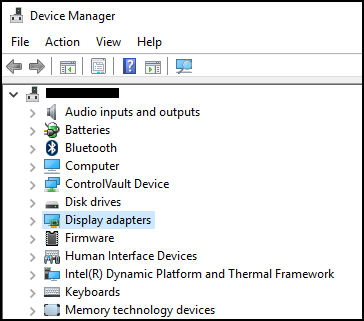
Device Manager is a Control Panel applet in Microsoft Windows that you can use to view and control the hardware that is attached to the computer. If drivers are not installed correctly, the device may not appear on the Device Manager list. Problems with drivers can also be highlighted in Device Manager.
Note: There are many methods to access the Device Manager, but this article lists the simplest methods.
Run Box Method
The following method should work with Windows 10 and 11.
- To open Device Manager. Press the Windows logo key and the R key simultaneously. This should open a Run Box.
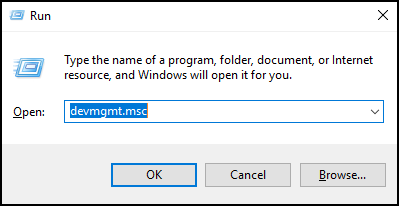
- Type:
devmgmt.msc - Click OK or press the Enter key.
- Device Manager opens.
Command Prompt Method
If your keyboard does not have a Windows Logo Key. Using the Command Prompt is an alternate method.
- Click the Start Menu or the Search Bar.
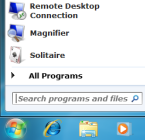
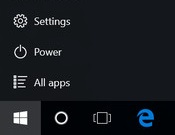
- Type CMD and this should bring up a Command Prompt.
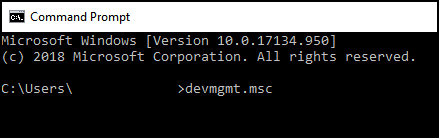
- Type
devmgmt.msc - Press the Enter key.
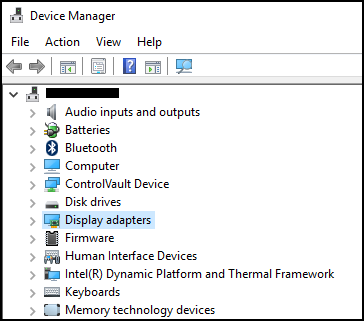
- Device Manager opens.
受影響的產品
Alienware, Dell All-in-One, Dell Pro All-in-One, Inspiron, OptiPlex, Vostro, XPS, G Series, G Series, Alienware, Dell Plus, Dell Pro, Dell Pro Max, Dell Pro Plus, Dell Pro Premium, Inspiron, Latitude, Dell Pro Rugged, Vostro, XPS, Fixed Workstations
, Mobile Workstations
...
文章屬性
文章編號: 000123570
文章類型: How To
上次修改時間: 14 7月 2025
版本: 10
向其他 Dell 使用者尋求您問題的答案
支援服務
檢查您的裝置是否在支援服務的涵蓋範圍內。