如何访问 Dell Data Security 服务器管理控制台
摘要: 可以按照以下说明访问 Dell Data Security 或 Dell Data Protection 服务器管理控制台。
本文章適用於
本文章不適用於
本文無關於任何特定產品。
本文未識別所有產品版本。
症狀
Dell Data Security(以前称为 Dell Data Protection)需要安装管理控制台才能管理:
- 策略
- 报告
- 加密密钥
受影响的产品:
- Dell Security Management Server
- Dell Data Protection | Enterprise Edition Server
- Dell Security Management Server Virtual
- Dell Data Protection | Virtual Edition
受影响的版本:
- 8.0 版及更高版本
原因
不适用
解析度
单击相应的产品版本,了解有关访问管理控制台的具体步骤。有关版本信息,请参阅如何确定 Dell Data Security/Dell Data Protection Server 版本。
- 打开网页浏览器并访问 https://servername.company.com:8443/webui。

提醒:
- 该 FQDN(完全限定域名)示例将不同于您的环境中的服务器。
- 端口 8443 可能与您环境中的管理控制台端口不同。
- 登录管理控制台。
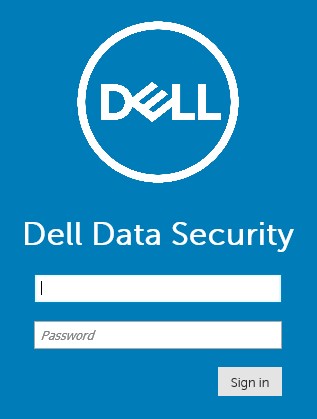
提醒:
- 在版本 11.4 及更高版本中,如果为用户配置了 Google Authenticator 或电子邮件 MFA(多重身份验证),则系统会提示用户输入 OTP(一次性密码)。
- 有关配置 MFA 的更多信息,请参阅如何在 Dell Security Management Server 管理控制台中管理多重身份验证。
- 在 Windows 资源管理器中,转至:
- Dell Data Protection |Enterprise Edition 服务器:
C:\Program Files\Dell\Enterprise Edition - 端点:
C:\Program Files\Dell\Virtual Edition
- Dell Data Protection |Enterprise Edition 服务器:
提醒:
- 端点访问需要通过 Dell Data Protection | Virtual Edition 介质安装管理控制台(以前称为远程管理控制台)。
- 有关安装步骤,请参阅如何安装 Dell Data Protection 远程管理控制台。
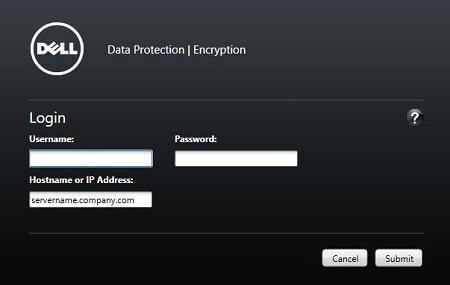
- 双击
Credant.Console。

- 提交凭据以登录到管理控制台。
要联系支持部门,请参阅 Dell Data Security 国际支持电话号码。
转至 TechDirect,在线生成技术支持请求。
要获得更多见解和资源,请加入戴尔安全社区论坛。
其他資訊
影片
受影響的產品
Dell Encryption文章屬性
文章編號: 000126852
文章類型: Solution
上次修改時間: 16 11月 2023
版本: 15
向其他 Dell 使用者尋求您問題的答案
支援服務
檢查您的裝置是否在支援服務的涵蓋範圍內。