How to Download the Netskope Client
摘要: Learn how to download the Netskope Client by following these instructions.
本文章適用於
本文章不適用於
本文無關於任何特定產品。
本文未識別所有產品版本。
說明
This article provides the steps to download the Netskope client.
Affected Products:
- Netskope Client
Affected Operating Systems:
- Windows
- Mac
- Android
- iOS
Netskope may be downloaded through an Invitation Email or through the Web Console. Click the appropriate process for more information.
Note: The Android Client and iOS Profile must be downloaded through the Invitation email.
- In a web browser, go to the Netskope web console:
- United States Datacenter: https://[TENANT].goskope.com/
- European Union Datacenter: https://[TENANT].eu.goskope.com/
- Frankfurt Datacenter: https://[TENANT].de.goskope.com/
Note: [TENANT] = The tenant name in your environment - Log in to the Netskope web console.

- Click Settings.

- Click Security Cloud Platform.

- Click Users.

- Select all users to send deployment email messages to and then click Send Invitation.

- From the targeted endpoint, locate the email from onboarding@netskope.com and then click the appropriate download link.
 Note: The download links are unique. The installation is tied to the user with whom the link is associated.
 - Click Download.

Note: [TENANT] = The tenant name in your environment
- In a web browser, go to the Netskope web console:
- United States Datacenter: https://[TENANT].goskope.com/
- European Union Datacenter: https://[TENANT].eu.goskope.com/
- Frankfurt Datacenter: https://[TENANT].de.goskope.com/
Note: [TENANT] = The tenant name in your environment - Log in to the Netskope web console.
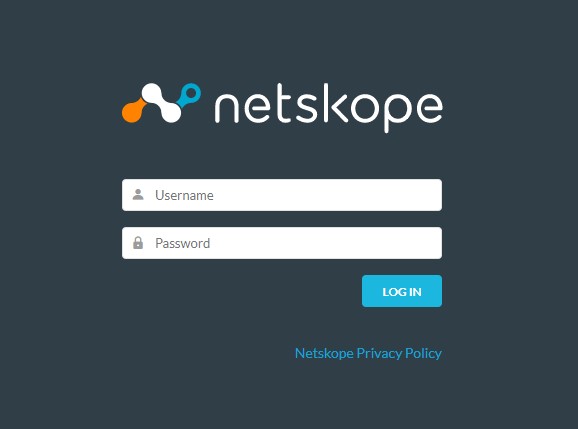
- Open a new browser tab and then go to the appropriate link to download the Netskope Client:
- Windows
- United States Datacenter: https://[TENANT].goskope.com/dlr/win/get
- European Union Datacenter: https://[TENANT].eu.goskope.com/dlr/win/get
- Frankfurt Datacenter: https://[TENANT].de.goskope.com/dlr/win/get
- Mac
- United States Datacenter: https://[TENANT].goskope.com/dlr/mac/get
- European Union Datacenter: https://[TENANT].eu.goskope.com/dlr/mac/get
- Frankfurt Datacenter: https://[TENANT].de.goskope.com/dlr/mac/get
- Windows
To contact support, reference Dell Data Security International Support Phone Numbers.
Go to TechDirect to generate a technical support request online.
For additional insights and resources, join the Dell Security Community Forum.
受影響的產品
Netskope文章屬性
文章編號: 000130769
文章類型: How To
上次修改時間: 30 8月 2024
版本: 10
向其他 Dell 使用者尋求您問題的答案
支援服務
檢查您的裝置是否在支援服務的涵蓋範圍內。