ME5: How to Locate the PowerVault Enclosure Service Tag
摘要: The enclosure service tag is a seven-digit alphanumeric number. It is found using the PowerVault Manager, command-line interface (CLI), or on an information tag at the front of the enclosure. This information is used to route support calls to appropriate personnel when contacting Dell Technical Support. ...
本文章適用於
本文章不適用於
本文無關於任何特定產品。
本文未識別所有產品版本。
說明
On the enclosure
The Service Tag and Express Service Code are found on the front of the system by pulling out the information tag. Alternatively, the information may be on a sticker on the back of the storage system chassis.
Using PowerVault Manager
The About panel (Maintenance > About) shows information about the system; its hardware, and its storage configuration.
The Service Tag is the seven-digit alphanumeric number that is written after the enclosure <number>:
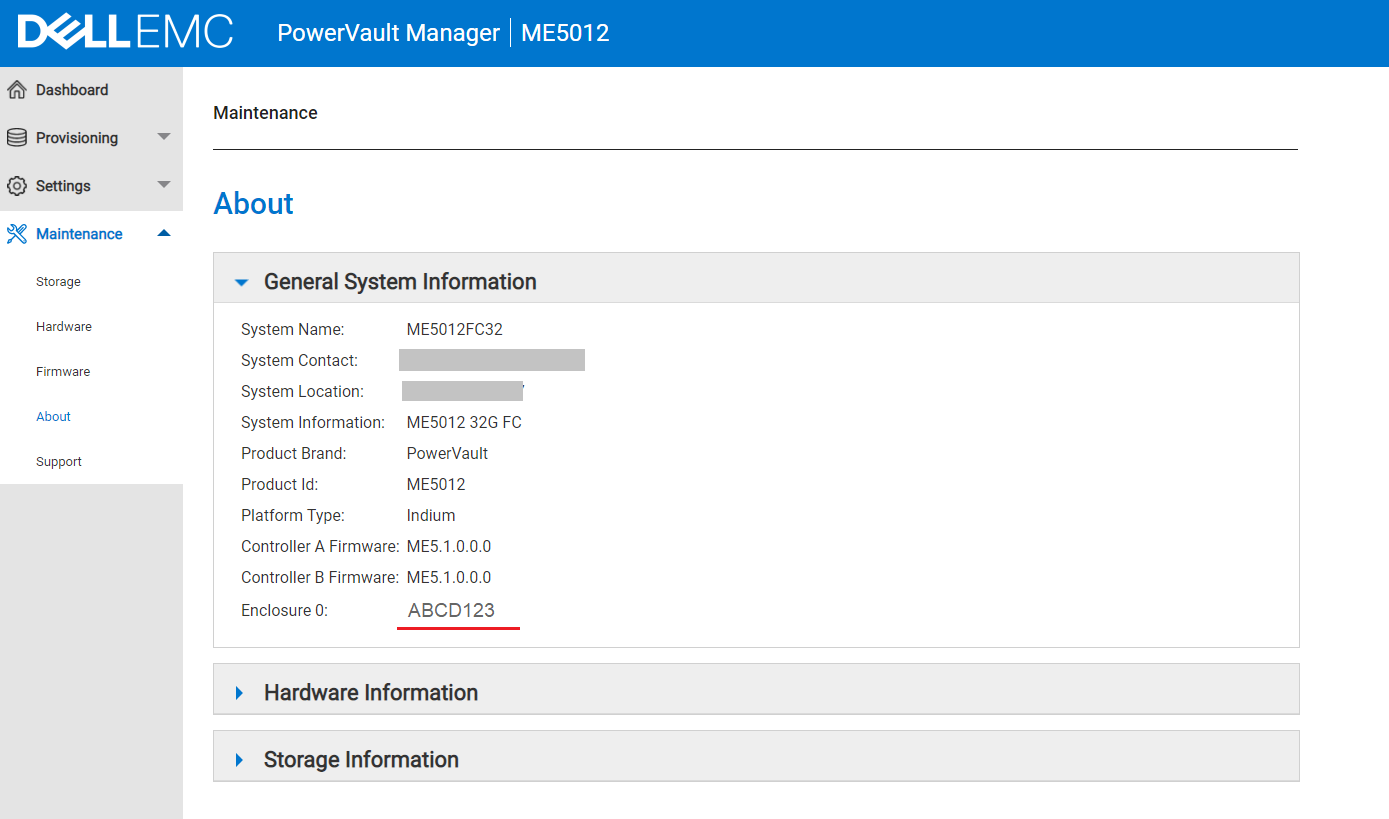
Using the Command-Line Interface (CLI)
The Service Tag is the seven-digit alphanumeric number that is shown in the output of either of the following commands:
show service-tag-infoshow enclosures
# show service-tag-info

Encl Service Tag
--------------------------------------
0    ABCD123
--------------------------------------
Success: Command completed successfully. (2022-01-21 04:16:23)
其他資訊
Watch this video:
How to Locate the PowerVault Enclosure Service Tag.
Duration: 00:01:34 (hh:mm:ss)
When available, closed caption (subtitles) language settings can be chosen using the CC icon on this video player.
You can also view this video on YouTube 
受影響的產品
PowerVault ME5012, PowerVault ME5024, PowerVault ME5084文章屬性
文章編號: 000196714
文章類型: How To
上次修改時間: 28 5月 2025
版本: 4
向其他 Dell 使用者尋求您問題的答案
支援服務
檢查您的裝置是否在支援服務的涵蓋範圍內。