Dell Unity: How to join NAS Server to Active Directory with non admin user credentials (User Correctable)
摘要: Customer does not wish to use domain administrator credentials to join NAS Server to AD due to security reasons. Customer would like to know what are the specific domain user permissions the NAS Server uses to Join to the Active directory. ...
本文章適用於
本文章不適用於
本文無關於任何特定產品。
本文未識別所有產品版本。
症狀
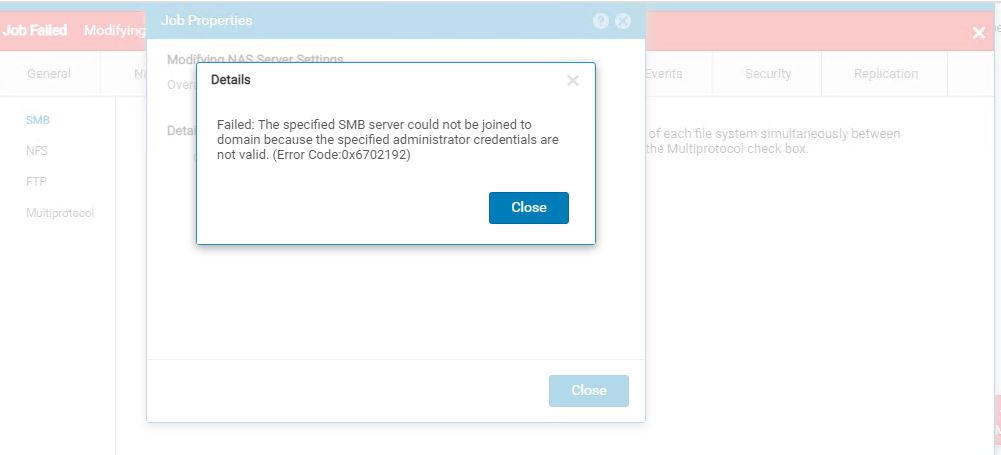
- Unable to Join NAS Server to the AD
- Error code:
Failed: The specified SMB server could not be joined to domain because the specified administrator credentials are not valid. (Error Code:0x6702192)
原因
- Error Code:0x6702192
- Domain user does not have privileges, or the entered credentials are wrong/ invalid
解析度
Domain user must have the below permissions set for the user on the specified OU where the NAS server is joining.
>Create all child objects
>Delete all child objects

Applying the credentials on the NAS server tab - NAS successfully joins the AD and the same credentials can be used to unjoin NAS from AD.

>Create all child objects
>Delete all child objects
Applying the credentials on the NAS server tab - NAS successfully joins the AD and the same credentials can be used to unjoin NAS from AD.
受影響的產品
Dell EMC Unity, Dell Unity 300, Dell EMC Unity 300F, Dell EMC Unity 350F, Dell EMC Unity 400, Dell EMC Unity 400F, Dell EMC Unity 450F, Dell EMC Unity 500, Dell EMC Unity 500F產品
Dell EMC Unity XT 380, Dell EMC Unity XT 380F, Dell EMC Unity XT 480, Dell EMC Unity XT 480F, Dell EMC Unity 550F, Dell EMC Unity 600, Dell EMC Unity 600F, Dell EMC Unity 650F, Dell EMC Unity XT 680, Dell EMC Unity XT 680F, Dell EMC Unity XT 880
, Dell EMC Unity XT 880F, Dell EMC Unity Family |Dell EMC Unity All Flash, Dell EMC Unity Family, Dell EMC Unity Hybrid, Dell EMC UnityVSA Professional Edition/Unity Cloud Edition
...
文章屬性
文章編號: 000212026
文章類型: Solution
上次修改時間: 12 12月 2025
版本: 3
向其他 Dell 使用者尋求您問題的答案
支援服務
檢查您的裝置是否在支援服務的涵蓋範圍內。