

Unsolved
1 Rookie
•
15 Posts
0
1789
September 1st, 2022 20:00
Aurora R13, BIOS 1.5.0, boot failure
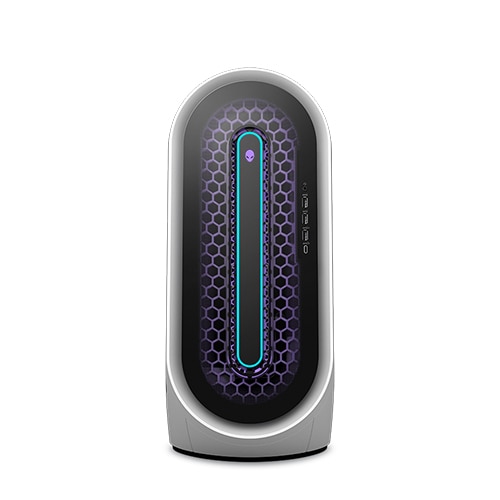
Alienware Aurora R13
I recently installed updates from the SupportAssist Application, which installed the new Alienware Aurora R13 BIOS 1.5.0 update. After installing this update my Aurora R13 was failing to boot into Windows. had too repeatedly, reboot the PC 10x until it finally decided to boot into Windows.
I'm unaware what issues await me with the Aurora R13? It's been nearly a year since owning this PC and I continue to run into strange problems occasionally. I dealt with random rebooting issues with the Aurora R13 out of the box, and to see these issues return after another BIOS update is concerning that Alienware still doesn't have their issues ironed out.
These kinds of on-going issues are concerning considering the hefty price I paid for this machine. I still can't tell if it's hardware or BIOS related with my Aurora R13
Is anyone encountering similar issues?
Vanadiel
8 Professor
•
7.1K Posts
•
29.7K Points
0
September 2nd, 2022 06:00
Any error messages? Its always a good idea to at least load BIOS defaults when updating a BIOS on these systems. Sometimes a coin cell battery reset is needed.
Tesla1856
10 Wizard
•
18K Posts
•
71.5K Points
0
September 2nd, 2022 08:00
Well, I don't use Support-Assist, but this sounds like a problem with your Windows installation on the SSD. On a regular basis, you should never really need to do "repair boots", DISM/SFC to get Windows to boot completely.
If machine 100% passes ePSA Diagnostics, and SSD's SMART-status is good/acceptable ... I would probably just go ahead and do a clean-install of Windows-11.
- Change BIOS to AHCI/SecureBoot (and use Microsoft.com flash-drive installer ... not Dell's).
- Wipe-drive, and install to "un-partitioned" space"
- After First-Time-Setup, verify that your Device-Manager is clean (everything detected and all drivers loaded properly)
- Install your Aurora's Dell-validated AW-CC version
- Install your Nvidia.com DCH WHQL driver.
See how that runs.
rosros
1 Rookie
•
88 Posts
0
September 2nd, 2022 08:00
Contrary, the R13 has been pretty rock solid; very little problems out there. Bios 1.5 went in smoothly for me. Your issues with reboots and strange things is an exception to your unit. Something going on in your system. Have to done an indepth Ram diagnostics? CPU trains the Ram and if not on the same page, strange things will happen. Bios update is still somewhat tricky so for those intimidated, have Support update for you via remote.
If you did 3 hard boots in a row, you should have gotten into Windows repair/restore screen. Perhaps reversing and or repairing can be done. Are you still under warranty?
AnClar
4 Apprentice
•
290 Posts
•
1.4K Points
1
September 2nd, 2022 21:00
I've had my R13 for a few months now and have also found it to be a rock-solid gaming platform, which is what I got it for. To be sure, not everyone has had a problem-free go of things. There have been some technical issues and some users have had issues. I've updated the BIOS three times now, the latest to 1.5.0 with no problems. I never use Support Assist for BIOS updates...it's just too chancy for my preferences. I manually d/l the update file, then before I do the update, I go into the BIOS and disable overclocking prior to doing the install. Once the update is successfully installed, I re-enable overclocking in the BIOS. Given your problem description, I agree with Tesla1856 that this sounds as though there might be a problem in your Windows installation. A wipe and clean reinstallation of Windows would be a good first step in isolating where the issue is.
BrendanXX6
1 Rookie
•
15 Posts
0
September 4th, 2022 11:00
Don't get me wrong the Aurora R13 is a beast! I decked out my machine with the max specs you can get, since I need it for my work. But sadly, I had issues with my R13 out of the box when I first booted up the R13 for the first time, you can see my post about it here: Aurora R13, keeps rebooting itself - Dell Community
If you read my post, I reinstalled Windows 4x, I even went back to Windows 10, since Dell said it's possible Windows 11 is experiencing bugs being a new OS, so I went through a bunch of tests and none of them truly got to the bottom of what causes my R13 to fail to boot into Windows. I was about ready to return my R13 for a replacement, until Alienware dropped a BIOS update which resolved the issue of my PC rebooting itself and failing to detect a bootable drive.
Although I haven't had issues with my R13 rebooting itself, I occasionally will experience weird issues with my R13 - For example: For a good 2 months I could not install any Windows updates, it would say something along the lines "Something unexpected happen reverting changes" when installing the update. I also have issues where the PC will freeze and make all the audio buzz for a solid second or two and resume as normal. This issue doesn't happen as often, but it does occur randomly during gaming sessions.
It's probably an issue with the R13 I got, but I've ran various hardware tests detecting no issues with the PC, updating to BIOS 1.5.0 is just another occasion of the PC bugging out.
I was going to have a technician come to my house to replace the SSD and the Motherboard when my PC was constantly rebooting itself, but they were backed up at the time and the BIOS update resolved the issue of my PC rebooting itself, so I figured my problems were solved, but that doesn't seem to be the case.
My PC has been running fine since it finally detected a bootable drive, but it's scary when you see old issues you thought were resolved pop back up again.
Tesla1856
10 Wizard
•
18K Posts
•
71.5K Points
0
September 4th, 2022 12:00
1. I think we all saw it. However, what Windows, from where, how is BIOS set, what drivers did you load afterwards ... all that is important. If you are dismissive of it ... you are likely to still have problems.
2. That was bad advice and no, you should NOT do that.
3. Good
4. Common problem. Sometimes just online/software related, but I've also seen machines with ( ultimately found to be bad) HDD/SSD do that.
5. We can work that problem if you wish.
6. Good
7. Good. Manually install any future BIOS-Firmware updates and you should be able to side-step that problem next time.