

Unsolved
This post is more than 5 years old
5 Posts
0
4686
April 22nd, 2016 11:00
Error 0xC0000098, installing missing drivers and reinstalling Windows
I have a Inspiron 15R SE, it came with Windows 8, it was updated to Windows 8.1 and then to Windows 10.
A week ago I turned it off, it said it was installing Windows updates and would shut down after they were installed.
All was good till I turned it back on and received the following blue screen error

I have tried to reinstall Windows 8 from a recovery disc but I don't get very far.
There is nothing to select in the window and it says 'No drives were found, Click Load Driver to provide a mass storage drive for installation.
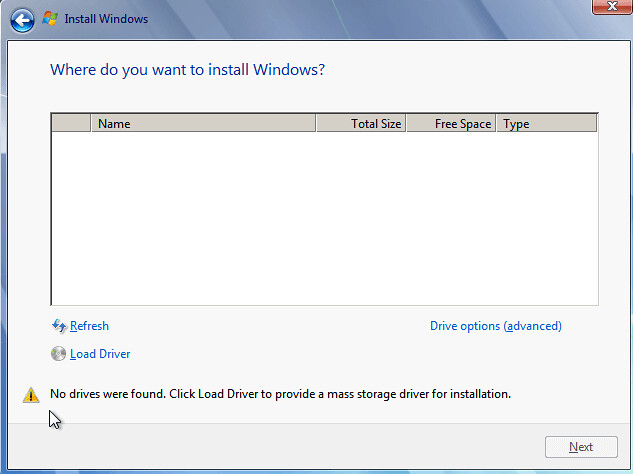
Clicking on Refresh, Load Driver and Drive Options does nothing
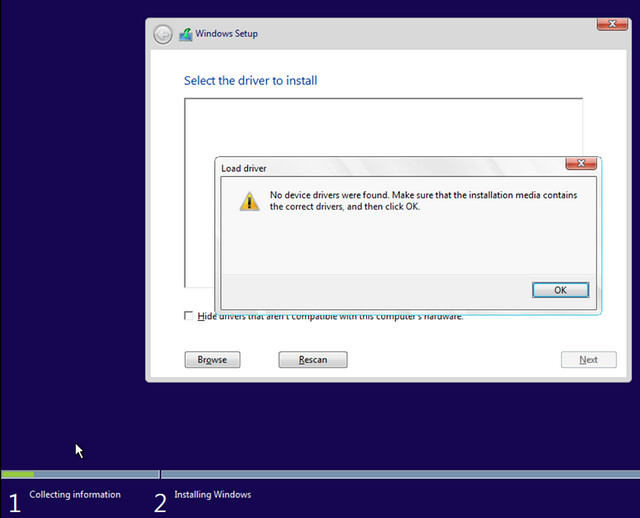
I called Dell tech support and talked to one person who says I need to install 2 drivers from the Microsoft website, he said that he would email me a link for them but I am yet to receive anything.
About an hour after the first call, I call tech support back and talk to someone else who says I need to install the Intel Rapid Storage Technology Driver from the Dell website.
I an told that I need to download this driver onto a USB stick and have it plugged in during the Windows installation.
I have access to a Apple computer and can download the driver onto a USB stick but this driver download is a .EXE file and it needs to be in an extracted form on the USB stick for it to work.
Is the Intel Rapid Storage Technology Driver what I need to be able to reinstall Windows?
Is there a way to put the driver download onto a USB in an extracted form with a Apple computer?
0 events found