

Unsolved
1 Rookie
•
10 Posts
0
1630
October 13th, 2022 01:00
XPS 8940, PSU failed
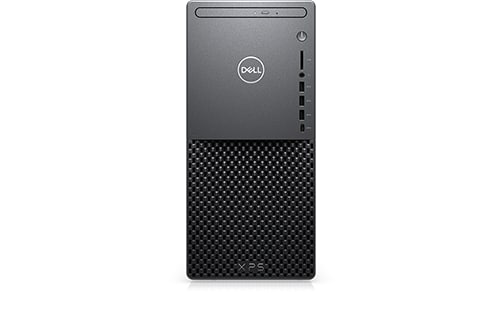
XPS 8940
Hi all,
We had a power cut for like a second and now I get no power from my unit. You plug the power cord in and the green light goes on for like a second then goes off. I tried different power cords and sockets! Same problem. I have tried to source a new PSU but found nothing except if I import from China for over £150 with a month wait. Anyone have any better ideas as its only a couple of years old?
Thank you
No Events found!
JOcean
11 Legend
•
12.6K Posts
•
69.5K Points
1
October 13th, 2022 05:00
This forum thread has more information on a Dell PSU. A Google search with the part number may turn up a proper PSU.
ProfessorW00d
6 Operator
•
2.4K Posts
•
10.2K Points
1
October 13th, 2022 07:00
Consider adding a surge protector to your power source . . . or better yet a UPS
RoHe
12 Elder
•
45.2K Posts
•
172.6K Points
0
October 13th, 2022 12:00
@solent-trading - Try this...
Power off an unplug power cord from rear of PC. Press/hold power button for ~30 sec. Reconnect power cord to rear of PC and see if it boots now.
If that doesn't help, run the BIST test, following instructions at the link for PCs without the self-test button.
And you might also have to clear BIOS if the settings got scrambled by the power blink:
I presume you're in UK since you quoted a price in Sterling. So have you tried contacting Dell Spare Parts for UK on 0870 907 4000, ask for Part Sales, option 4. Have your Service Tag available.
BTW: Does your power company offer any insurance coverage for damages caused by their failures, eg a power blink...?
redxps630
11 Legend
•
15.8K Posts
•
81.4K Points
0
October 13th, 2022 22:00
If psu has indeed died, and OP is located in UK (assuming this is the one looked at)
try search using these model number D500epm-00, H500epm-00, L500epm-00
https://www.ebay.co.uk/itm/154938530803? (a bit less expensive and faster delivery Estimated between Wed, 26 Oct and Tue, 1 Nov)
solent-trading
1 Rookie
•
10 Posts
0
October 14th, 2022 01:00
Thanks everyone for your suggestions
Tried all that and still no luck so thinking i need a new PSU
solent-trading
1 Rookie
•
10 Posts
0
October 18th, 2022 00:00
Just got a new power supply from DELL direct and fitted it - Guess what
Does the same
Green led light on for a few seconds and goes off then that's it
RoHe
12 Elder
•
45.2K Posts
•
172.6K Points
0
October 18th, 2022 10:00
If you're using a power strip or surge protector, remove those and connect PC directly to a working outlet.
Otherwise, strip it down to bare essentials, leaving only boot drive and a RAM module in 2nd slot from CPU. Use the onboard Intel Graphics video port. See if it boots now. If not, swap each other RAM module into 2nd slot...
redxps630
11 Legend
•
15.8K Posts
•
81.4K Points
0
October 18th, 2022 11:00
If new psu still cannot power up system at all, try unplug power sw cable and short power switch pins on motherboard momentarily. If still no power, there is a short circuit in motherboard power circuit.
portablebacon
12 Posts
0
October 30th, 2022 18:00
My XPS 8940 died as well. In all the threads I've seen, none offer any answers.
Mine died after I used a can of compressed air to blow out the dust inside. After that I was able to turn it on, but it failed to POST. Then it shut off and remained dead (power button does nothing).
Just like you, my PSU green light would turn on for a second, then shut off.
I never figured out if it was the PSU or the MOBO but I can't be bothered to find out. There are so many dead 8940 threads that even with a replacement you would probably just end up with another dead PSU/MOBO in another 1-2 years.
I just ended up salvaging the CPU, GPU, RAM, and HDD, then dropped $700 on a new CASE, CPU Cooler, MOBO, PSU, and 2 new NVME drives. (Specifically I bought a Corsair 4000D, Gigabyte Z590 UD AC, Corsair CX750, a Be Quiet Dark Rock Pro 4, 2 Samsung 970 1TB refurbs from Best Buy, and 2 Be Quiet Pure Wings 2 120mm fans).
The only reason I bought the 8940 in the first place was for the 3060 Ti in a time when cryptobros ruined the GPU market for everyone.
Break the cycle, salvage what you can, and never look back (don't buy Dell).
RachelGomez
2 Intern
•
162 Posts
0
November 4th, 2022 00:00
Tips to fix-
Plug the PSU power cable into a known working power outlet.
Swap the PSU power cable with known working cable.
Verify the PSU power cable and internal power adapters are secure connected.
Check the PSU for any damage caused by overheating or excessive wear.
This may help you,
Rachel Gomez
ChungyPS
1 Message
0
November 13th, 2022 18:00
I took these steps and it worked:
1. Unplug the power cord from the PS
2. Leave it unplugged for a minute. If it makes you feel better, hold in the power button for 30 seconds.
2. Note the 3 points of power into the mother board and pull all of them off.
3. Plug the power cord back into the power supply. Green PS Light stays on.
4. I then carefully plugged in the large power plug into the MB (closest connection to the PS)
5. Carefully plug in the other 2 power plugs into the MB.
Fan came on and it seemed as though it was in sleep mode. I ended up holding the power button down and then turning it back on again and it booted up normally.
Please BE AWARE : I was VERY hesitant to plug power into the MB with the power supply “hot”. But on the other hand, I wasn’t about to see this PC go in the recycling abyss…
Good luck and I hope this works for you as well.