


Unsolved
1 Rookie
•
18 Posts
0
1338
December 12th, 2023 03:15
Aurora R16, strange behavior with DisplayPort at boot
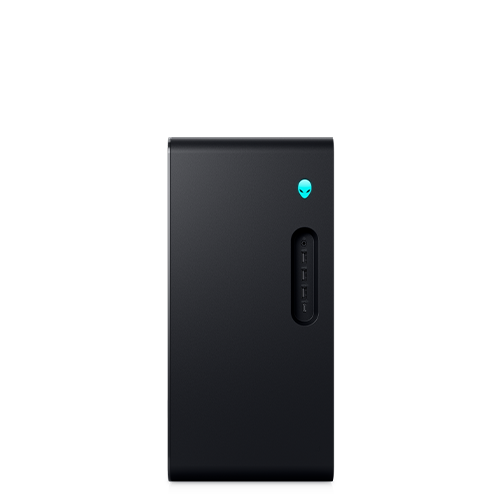
Alienware Aurora R16
I'm having an issue with my TOTL Aurora R16. On my Nvidia 4090, with just DP connected to my monitor, I cannot see the boot screen and I have to turn the display off and back on before I can see the Windows 11 login screen. I also cannot access the F12 boot options menu. When I hook up using HDMI to the same monitor, I can see the boot screen, login screen, and the F12 boot menu works.
Please test this if possible and chime back in. I know most folks aren't using DP versus HDMI but maybe someone can duplicate the issue or has seen it?
Peace
No Events found!
Vanadiel
6 Professor
•
7K Posts
1
December 12th, 2023 19:43
Try setting the monitor from auto scan for inputs to the DP port on the monitor you are using, see if that works.
It sounds to me that the issue is with the auto input scan of the monitor.
WinnebagoJay
1 Rookie
•
18 Posts
0
December 12th, 2023 22:32
I checked and it's set to off. It has been set to off since I got the display. Do you think turning it on may help?
Vanadiel
6 Professor
•
7K Posts
1
December 12th, 2023 22:58
@WinnebagoJay Worth a try.
WinnebagoJay
1 Rookie
•
18 Posts
0
December 12th, 2023 23:03
Vanadiel,
I just had more peculiar behavior. I just installed the driver that was issued today from NVidia. It came back telling me that my card was bad and to try reinstalling the driver. It looks like it's working correctly but now I'm not sure. I suspect my new vid card is having an issue.
I tried turning on auto scan. It didn't help. I still had to unplug my display and plug it back in for the vid card to recognize it.
What is your opinion? I value your input and thank you for taking time to respond.
Peace, friend.
Vanadiel
6 Professor
•
7K Posts
1
December 13th, 2023 00:43
@WinnebagoJay I would perform a pre-boot advanced diagnostic test. You can access the test menu by pressing the F12 key during pre-boot.
Epsa test
This will require video, so I would switch to HDMI if your DP output does not work properly.
On a side note, what DP cable are you using? You should be using the one included with the monitor, as incorrect DP cables can cause all kind of oddball behavior. Just to rule the cable out. Make sure it's fully seated on both ends, and if you happen to have access to a second monitor try the DP cable on that monitor.
It's always possible you have a monitor issue going on.
And if you have a multi monitor setup try with only a single monitor connected.
(edited)
viscott_96de9c
1 Rookie
•
5 Posts
1
December 25th, 2023 04:35
I have an R16 with Nvidia Studio Drivers 546.33.
I am using dual monitors on the Display Ports. 1 Dell UltraSharp and 1 LG.
I am also using a wireless mouse MS900 and keyboard KB700 using the USB Receivers.
The behavior you are experiencing I have had the same issue usually after adding a hard-drive or when doing a Windows update where the computer appears to be not booting. Something is up with the BIOS even on the latest update 2.3.9.
My work-around has been that if the computer hangs and the monitors first initialized and then go to sleep is:
Unplug one monitor, make sure I don't have any USB devices like card readers plugged in the USB-C Ports and then plug in the wired keyboard and mouse that came with the computer and the computer will boot without issue.
Something must be up with the bios and bootloader.
Also, my onboard NIC died on the motherboard last weekend and Dell had to send a technician to come out and replace my motherboard. The motherboard was still version A00 but had BIOS 1.01 on it. -- Another Dell nightmare of doing remote sessions and the tech fidlle with the computer only to be told I need to do a new Windows installation to troubleshoot that the NIC was dead. Just another jump through the hoops before they would do on-site service.
To Dell's Credit they did have a new motherboard available and installed it within a day.
To say that this computer has been a bit of a nightmare would be a complete understatement.
The BIOS and Dell Drivers need more work! This is one buggy Alienware.
(edited)
raysz
2 Intern
•
165 Posts
0
February 1st, 2025 15:51
I have exactly the same problem I have two monitors one is HDMI the other one is a display port when I boot the computer that alien logo is displayed on the display port
if I unplug the display port the alien logo will display
so I don't not know why the bios is choosing the display port over that HDMI
viscott_96de9c
1 Rookie
•
5 Posts
0
February 1st, 2025 23:20
@raysz my advice would be to be sure you have the most recent BIOS 2.14.0 and video drivers.
I am still using the same monitor setup as in my previous post in 2023, dual monitors on the Display Ports. 1 Dell UltraSharp and 1 LG. My video card is a Nvidia 4090 with driver 572.16 (Jan 30, 2025).
All my troubles went away long ago. My system has been very stable.

raysz
2 Intern
•
165 Posts
0
February 2nd, 2025 00:54
@viscott_96de9c I do have the most recent bios version and also video
raysz
2 Intern
•
165 Posts
0
February 2nd, 2025 00:58
@viscott_96de9c well actually I am okay with it to I was just wondering if it was a problem I can live with it