


Unsolved
1 Rookie
•
6 Posts
0
830
March 15th, 2024 11:21
AW3423DWF, firmware update error M3B103 to M3B106
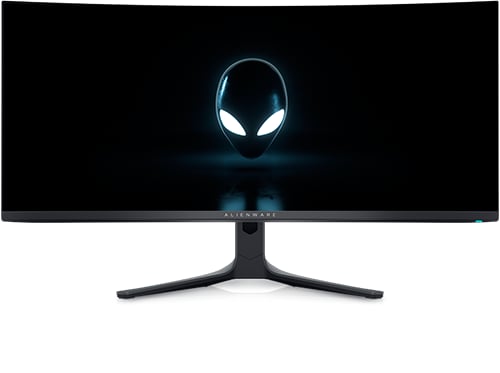
Alienware 34 Curved QD OLED Gaming Monitor AW3423DWF
Hi there,
I received my brand new AW3423DWF monitor a week back and have been trying to update its firmware from M3B103 to M3B106.
The monitor firmware update utility detects and starts the update for the monitor but always fails halfway through.
I tried pretty much everything from updating in safe mode to trying 3 different PCs and I'm sure I'm doing everything correctly.
I attached a screenshot of the error in addition to the logs.

No Events found!
DELL-Chris M
Community Manager
•
56.9K Posts
0
March 15th, 2024 11:39
To receive assistance from Dell support agents they need to first verify the ownership and warranty status. Click the blue "Get Help Now" on the right to start a private live chat session. Share the private AW3423DWF Service Tag with them.
This AW3423DWF originally shipped from Dell on August 3, 2023 to first buyer. So actually 7 months/13 days old.
Based on the File Path in your picture, do not do the firmware update through DDM (Dell Display Manager). Download the stand alone M3B106 firmware =
Run the stand alone M3B106 firmware from the Windows Desktop.
* PC to Monitor cables, three possible configurations =
- USB-C to DP video
- DP to DP video cable or HDMI to HDMI video cable + USB-B to USB-A upstream cable
* All other USB peripheral devices should be disconnected from the monitor
* Close/end task all unnecessary software applications (Browsers, Dell SupportAssist, Dell Update Application, Dell Display Manager, Dell Display and Peripheral Manager, Steam, Anti-virus, etc.)
* Open the Monitor OSD Menu
* Go to Others
* Go to Factory Reset and run it
* Make sure DDC/CI is set to On
* Exit the Menu
* Run the firmware update from the file you saved on the PC desktop
(edited)
x3MK
1 Rookie
•
6 Posts
0
March 15th, 2024 12:19
@DELL-Chris M
The screenshot provided is just me attempting to update through dell display manager, I've also tried using the firmware standalone download and got the same error message.
x3MK
1 Rookie
•
6 Posts
0
March 15th, 2024 12:21
@DELL-Chris M would it be possible to provide an update version older than M3B106 to try and update to that first then to the latest version if it doesn't fail?
DELL-Chris M
Community Manager
•
56.9K Posts
0
March 15th, 2024 12:28
I am only aware of M3B106. Do you have the issue that M3B106 fixes? If not, you do not need it.
If you do, the Service Tag has to first be transferred into your ownership. Then Dell Support "Get Help Now" chat agents can work the case.
Vanadiel
6 Professor
•
7K Posts
0
March 15th, 2024 13:23
One thing to check is the USB connection to the monitor. The update is done using the USB connection.
I would unplug all other USB devices when performing the update, and if that still fails try another USB port to plug the monitor into as usually USB ports are spread out between the chipset and a separate controller.
x3MK
1 Rookie
•
6 Posts
0
March 15th, 2024 14:00
@Vanadiel I used every port on my PC and tried 2 other PCs, was hoping to find an older firmware version or a way to reinstall the current firmware maybe.
x3MK
1 Rookie
•
6 Posts
0
March 15th, 2024 14:01
@Vanadiel Also tried another USB upstream cable from my other monitor and it didn't work.
Vanadiel
6 Professor
•
7K Posts
0
March 15th, 2024 16:35
I think the error starts with this message in the log:
Do the USB ports on the monitor work when you for example try to format a USB memory stick? I am wondering if they simply do not work, because I am thinking the issue is in the USB connectivity somewhere.
Another thing to try, although I don't think it matters, is to ensure you have the monitor driver installed for the monitor. This ensures the monitor is identified properly under Windows and it's not listed as a Generic PNP Device.
Thirdly, trying running the installer in Administrator mode under Windows.
I do have older versions of this monitor saved away on my desktop at home. I think I have a copy of all the ones that were released for this monitor. However, it might cause more harm than good as I am not sure if you can downgrade the firmware on the monitor or not.
I almost forgot: if you have command center installed it would not surprise me if it interferes with the update somehow. So that is another thing to try.
(edited)